Author: ehudsegev

  • Today Only: Cut Your Streaming + Cable Bill With Up To 50% Off 4K Streaming Devices

    Today Only: Cut Your Streaming + Cable Bill With Up To 50% Off 4K Streaming Devices

    You know the feeling. The cable bill lands, it is somehow higher again, and you are still scrolling through the same channels you never watch. Meanwhile, streaming is supposed to be cheaper, but somehow you ended up with too many apps, too many remotes, and a TV setup that still buffers when you finally sit down for a movie. That is why the best 4k streaming device deals today matter more than they look. This is not just about buying a gadget because it is on sale. It is about using a discounted 4K streaming stick or box to finally cut loose from a bloated cable package, simplify your setup, and get better picture quality at the same time. If you have been putting this off, today’s one-day discounts are a good excuse to stop paying for old habits and start paying less for entertainment that actually fits how you watch.

    ⚡ In a Hurry? Key Takeaways

    • Yes, today’s discounted 4K streaming devices can help you cut your monthly TV costs if you use them to cancel cable equipment fees or shrink your live TV package.
    • Pick a streamer that supports your favorite apps, your TV’s 4K format, and one remote control for power and volume.
    • The real savings are not the sale price alone. They come from what you stop paying every month after setup.

    Why this deal matters more than the sticker price

    A lot of people see a streaming stick for half off and think, “Nice, but do I really need another device?” Fair question.

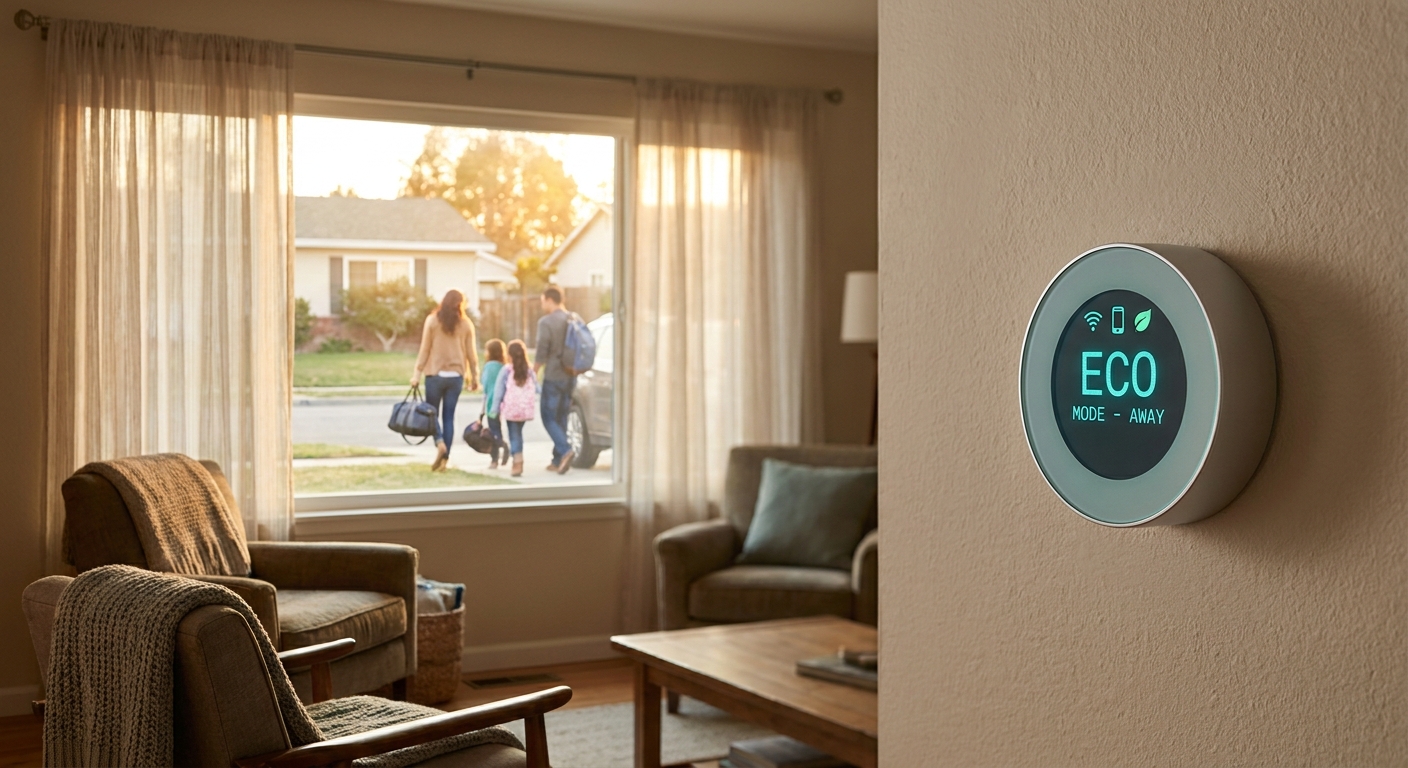
    The smarter way to look at it is this. A discounted streamer can be the tool that lets you get rid of a $10 to $20 monthly cable box rental, drop an oversized channel package, or switch to a cheaper streaming plan that still gives you what you actually watch.

    That is where the math gets interesting. Save $15 a month on equipment and another $30 to $60 by trimming your TV plan, and the device can pay for itself very quickly. After that, the savings keep going.

    That is also why broader deal roundups like One-Day Power-Up: 7 Early Prime Day Tech + Home Deals That Actually Slash Your Bills are worth a look. The good deals are the ones that keep saving you money after checkout.

    What to look for in the best 4k streaming device deals today

    1. 4K support that matches your TV

    Most current streaming sticks and boxes can handle 4K, but not all support the same picture formats. If your TV supports Dolby Vision or HDR10+, it makes sense to buy a device that can use it. If not, basic 4K HDR support is usually enough.

    2. A remote that replaces other remotes

    This matters more than people think. A good streaming remote should control your TV’s power, volume, and input. That is how you go from three remotes on the couch to one.

    3. Fast app performance

    If your current smart TV feels sluggish, freezes, or takes forever to open apps, a separate streamer can be a major upgrade. Menus load faster. Search works better. And you spend less time waiting.

    4. Wi-Fi that can keep up

    Buffering is not always your internet provider’s fault. Sometimes the old streaming hardware is the weak link. Newer devices usually have better Wi-Fi support, which can help 4K streams play more smoothly.

    5. The apps you actually use

    Before you buy, check for the services you care about most. Netflix, Prime Video, Disney+, YouTube, Hulu, Max, live TV apps, local media apps, and sports packages should all be on your checklist.

    Which type of streamer makes sense for you?

    Streaming sticks

    These are the easy answer for most people. They are affordable, tiny, and simple to install. Plug one into an HDMI port, connect to Wi-Fi, sign in, and you are up and running.

    Best for: Most households, guest rooms, older TVs that need a smart upgrade, and anyone trying to spend as little as possible today.

    Streaming boxes

    These usually cost more, but they tend to be faster and better for heavy users. If you stream every day, watch a lot of 4K content, or want smoother navigation, a box can be worth it.

    Best for: Main living room TVs, power users, and people who are tired of laggy menus.

    Brand-specific options

    Some devices work best if you are already in that company’s world. If your home uses Alexa, a Fire TV device may feel familiar. If you like Google TV recommendations and casting from Android phones, a Google-based streamer may fit better. If you want broad app support and a very simple interface, Roku is often the crowd-pleaser.

    How this can cut your monthly bill

    Here is the part many shoppers miss.

    The best 4k streaming device deals today are not only about paying less once. They are a good reason to finally change the monthly charges you have been ignoring.

    For example:

    You buy a discounted 4K streamer for the living room. You return the rented cable box. You switch from a bulky cable bundle to internet plus a lower-cost live TV app, or even a mix of on-demand apps you can pause and restart as needed. Suddenly your monthly total drops.

    Even if you are not ready to cancel cable completely, you can still call your provider and say, truthfully, that you now have another way to watch TV. That gives you more room to negotiate.

    A quick reality check before you cancel cable

    Make a list first. Write down the channels, sports, local stations, and must-have shows you actually watch in a month.

    Then compare that list to what you can get from streaming services. A lot of people discover they only really need a few apps and maybe a smaller live TV package during sports season.

    Also, keep your internet plan in mind. Streaming in 4K does use more data than HD, so if your provider has a data cap, check the fine print. For most homes with standard broadband, this is manageable, but it is worth confirming.

    Simple setup tips for non-techies

    This part is easier than it sounds.

    Plug the streamer into your TV’s HDMI port. Connect the power cable. Switch the TV input. Follow the on-screen setup. Connect to Wi-Fi. Sign into your streaming accounts.

    Then do three small but important things:

    • Turn on HDMI-CEC so the streamer remote can control TV power and volume.
    • Set the video output to automatic so it matches your TV’s best 4K settings.
    • Remove apps you do not use, so the home screen stays simple.

    If you live with family members who hate change, put the most-used apps on the first row and show them the voice search button. That one step solves a lot of complaints.

    Who should buy today, and who should skip it?

    Buy today if:

    You are paying cable box rental fees, your smart TV feels slow, your current streamer is old, or you already know you want to cut back your TV package.

    Wait if:

    Your current setup already runs smoothly, your TV platform supports everything you use, and you are not going to make any changes to your monthly subscriptions. A deal is only a deal if it changes something useful.

    At a Glance: Comparison

    Feature/Aspect Details Verdict
    Sale value Many 4K streaming sticks and boxes are discounted by up to 50% during early Prime Day style and one-day retailer promotions. Worth it if you use the purchase to lower monthly TV or equipment costs.
    Ease of use Most devices are easy to install and include a remote that can handle TV power and volume. A strong choice for people tired of juggling multiple remotes.
    Long-term savings Savings come from canceling cable box rentals, trimming channel bundles, or switching to cheaper streaming plans. This is where the real payoff happens.

    Conclusion

    Today’s discounts are a nice bonus, but the real win is bigger than that. Several 4K streaming devices and smart TV sticks are heavily marked down right now, and most people only notice the gadget. The better move is to notice the chance to finally cut a recurring bill. If you grab a discounted 4K streamer today, then use it to replace a bloated cable box or scale back an overpriced live TV bundle, you can lower your entertainment costs for the rest of the year and get a better viewing experience at the same time. Better picture. Better app performance. Less clutter. Less money leaving your account every month. That is not just shopping a flash sale. That is using a one-day tech deal to fix a budget leak you have been meaning to deal with anyway.

  • Today Only: Deep-Clean Your Floors While You Sleep With 40–60% Off Robot Vacuums

    Today Only: Deep-Clean Your Floors While You Sleep With 40–60% Off Robot Vacuums

    You know the feeling. You walk in after work, kick off your shoes, and there it is again. Dust in the corners. Pet hair drifting across the floor like tiny tumbleweeds. Then your weekend gets hijacked by vacuuming instead of doing literally anything better. That is why the best robot vacuum deals today matter more than the usual fake sale noise. Right now, a handful of well-reviewed robot vacuums are actually 40 to 60 percent off, but these prices are bouncing around fast. Some “deals” are just recycled list prices with a red badge slapped on top. The smart move is to focus on models that are genuinely lower than they have been over the past few weeks, especially if you want hands-free cleaning overnight. If your goal is cleaner floors, less pet hair, and one less chore on Saturday, today is one of those rare moments where buying the robot actually makes sense.

    ⚡ In a Hurry? Key Takeaways

    • The best robot vacuum deals today are on midrange and premium models with mapping, self-empty docks, and strong pet-hair pickup, often at 40 to 60 percent off.
    • Buy for your floor type first. Hardwood and pet hair need different strengths than thick carpet and large homes.
    • Do not trust the biggest percent-off tag alone. Check whether the sale price is actually lower than recent pricing before you click buy.

    Why today’s robot vacuum deals are worth a look

    Retailers love to shout about “early Prime” pricing, but not every sale is a real bargain. Some robot vacuums sit at inflated list prices for weeks, then suddenly drop to what should have been the normal price all along.

    That is what makes today different. There are a few standout deals on brands people actually buy, including models with room mapping, app controls, no-go zones, and self-empty bins. Those are the features that turn a robot vacuum from a gimmick into something you will use every day.

    If you have been waiting for the best robot vacuum deals today, this is the right way to shop. Ignore the giant discount sticker. Look at what the vacuum can do in your home.

    What to buy based on your real-life mess

    For pet hair and daily dust

    If you have cats, dogs, or both, prioritize strong suction, a brush design that resists tangles, and a bigger bin or self-empty dock. Pet homes fill a dustbin fast. A cheap robot that needs constant babysitting gets old in a hurry.

    The sweet spot today is usually a midrange robot with LiDAR mapping and automatic emptying. That setup lets it clean while you sleep and dump the mess on its own for days or even weeks.

    For hardwood, tile, and low-pile rugs

    You do not always need the most expensive model. On hard floors, navigation matters almost as much as suction. A robot that maps cleanly and avoids chair legs well can feel smarter than a more powerful model that bumps around like it is lost.

    Look for features like smart mapping, room-by-room cleaning, and virtual no-go zones. Those are especially useful if you have cords, pet bowls, or a spot near the entryway that turns into a clutter magnet.

    For carpet and larger homes

    Carpet is where bargain-bin robots often struggle. If your home has lots of rugs or medium carpet, look for higher suction ratings, carpet boost mode, and decent battery life. Bigger homes also benefit from models that can recharge and resume instead of giving up halfway through the living room.

    The features that are actually worth paying for

    LiDAR or smart mapping

    This is one of the biggest quality-of-life upgrades. Smart mapping means the robot moves in neat rows instead of wandering aimlessly. It also lets you clean specific rooms on command, which is great when the kitchen needs help but the bedrooms do not.

    Self-empty docks

    If you hate chores, this is the feature that makes robot vacuums feel truly low effort. It costs more up front, but it saves you from emptying the onboard bin every day, especially in homes with pets or kids.

    Mopping combo functions

    These can be handy, but keep your expectations realistic. Most combo models are best for light maintenance, not deep scrubbing. They are nice for keeping hard floors fresh between proper cleanings, but they are not replacing a real mop after a muddy day.

    Obstacle avoidance

    This matters more than most people think. Shoes, charging cables, and mystery kid debris can stop a robot fast. Better obstacle avoidance means fewer rescues and less frustration.

    How to tell if a sale is real

    Here is the simple test. Do not ask only, “How much off?” Ask, “Off compared to what?”

    A robot vacuum marked down from $699 to $349 looks fantastic. But if it has been sitting at $399 all month, that giant sale tag is mostly theater. The best robot vacuum deals today are the ones that hit or beat recent lows, not just the ones with the loudest graphics.

    It also helps to compare bundles. Some stores include extra bags, filters, or brush rolls. That can make one deal better than another even if the sticker price is the same.

    And if you are also looking for smaller smart-home buys while you are in deal-checking mode, Forget Prime Day: 9 Under-$50 Tech + Home Upgrades Hiding in Today’s Early Deals is worth a quick look. Sometimes the useful stuff is not the flashy big-ticket item.

    Who should buy today, and who should wait

    Buy today if:

    You have been manually vacuuming multiple times a week, dealing with pet hair every day, or putting off the upgrade because prices felt too high. If one of today’s strong deals matches your floor type and home size, this is a smart buy.

    Wait if:

    You want a very specific flagship model and the price is only slightly lower than usual. The next round of summer sales may shave off a little more. But if the current price is near a recent low, waiting can backfire too. These prices can jump back up overnight with no warning.

    My practical shopping advice

    If you want the best robot vacuum deals today, do not overcomplicate it.

    Pick the mess you hate most. Pet hair. Dust. Crumbs. Then buy the robot built for that problem.

    For most homes, the best value is a robot with:

    • smart mapping
    • strong suction
    • good app controls
    • a self-empty dock if you can stretch the budget

    If your budget is tighter, skip fancy mopping before you skip mapping. A robot that cleans predictably is usually more useful than one that technically mops but gets confused under the dining table.

    At a Glance: Comparison

    Feature/Aspect Details Verdict
    Best value feature set LiDAR mapping, app room controls, solid suction, and reliable navigation Worth paying for. These features make daily use easier.
    Best for pet homes Strong pickup, tangle-resistant brush, larger bin, or self-empty dock Top priority if fur is your main problem.
    Sale-check rule Compare today’s price to recent pricing, not just the listed MSRP This is how you avoid fake discounts.

    Conclusion

    Robot vacuum prices are bouncing around like crazy right now, and that is exactly why today matters. When you focus on the best robot vacuum deals today instead of the biggest sale banner, you give yourself a much better shot at getting a well-reviewed machine for a real low price. Done right, this is not just another gadget buy. It is a way to win back time every week, keep dust and pet hair under control, and stop overpaying for a so-called deal that was never special in the first place. If the model you want is at a real low today, grab it before the price quietly climbs back up tomorrow.

  • Stop Fighting Over Outlets: Today’s Best 8‑Port GaN Charging Station Deal (Before It’s Gone at Midnight)

    Stop Fighting Over Outlets: Today’s Best 8‑Port GaN Charging Station Deal (Before It’s Gone at Midnight)

    You know the scene. One outlet. Three power bricks. Somebody’s phone at 4%, somebody else’s tablet dead, and a laptop charger hanging half out of the wall like it’s given up on life. It gets old fast. If you’ve been hunting for the best USB C GaN charging station deal today, this is the kind of practical buy that makes sense right away, not someday. A good 8-port GaN charging station can replace a whole pile of mismatched chargers, clear off your counter, and give every device a proper place to charge. That matters more than people think. It saves time, cuts clutter, and stops the nightly shuffle of unplugging one thing to rescue another. If this deal really does end at midnight, it is worth a look now, because these are the small home tech upgrades you notice immediately, especially in the kitchen, bedroom, and home office.

    ⚡ In a Hurry? Key Takeaways

    • This 8-port GaN charger is one of the best low-stress tech buys if your home has too many devices and not enough usable outlets.
    • Use it where charging chaos is worst first, usually a nightstand, kitchen counter, or shared desk.
    • Make sure it includes proper safety protections and enough wattage for laptops, not just phones, before you click buy.

    Why this deal matters more than another flashy sale

    Most big sale days try to push giant TVs, pricey laptops, and stuff you probably were not planning to buy this week. A charging station is different. It solves a problem you already have.

    That is why a heavily discounted 8-port GaN model stands out. It is not exciting in the way a new phone is exciting. It is better than that. It is useful tonight.

    If your household has a couple of phones, wireless earbuds, a tablet, maybe a smartwatch, and at least one USB-C laptop, one good charging hub can suddenly make the room feel more organized. No hunting. No swapping. No weird cable math at bedtime.

    And if you like practical buys, this fits nicely with the same thinking behind Forget Prime Day: 9 Under-$50 Tech + Home Upgrades Hiding in Today’s Early Deals. Small upgrades often do more for daily life than one giant impulse purchase.

    What GaN actually means, in normal human language

    GaN stands for gallium nitride. You do not need to memorize that. What matters is what it does.

    GaN chargers can be smaller, run more efficiently, and deliver higher power than many older charging bricks. So instead of having one chunky laptop charger, two phone chargers, and a random tablet brick fighting for space, you get one unit that can handle several devices at once.

    That means less bulk on the outlet and less heat wasted in the process. It also usually means a cleaner setup on your desk or dresser.

    Why 8 ports is the sweet spot for many homes

    Four ports is fine for one person. Maybe two. Eight starts to make sense for families, shared spaces, or anybody who has quietly collected a mountain of rechargeable gadgets.

    Think about what is charging on a normal evening:

    Phones. Earbuds. Smartwatch. Tablet. E-reader. Power bank. Laptop. Maybe a game controller. Suddenly 8 ports does not sound excessive at all.

    What to look for before you buy

    Not every multi-port charger is equally useful. The best USB C GaN charging station deal today is only a good deal if the specs match your real devices.

    Total wattage

    This is the big one. If you want to charge a laptop and several smaller gadgets at the same time, look for enough total output. Many better desktop charging stations start around 100W total, with stronger models going well beyond that.

    If your laptop needs 65W and the charger can only deliver 45W once all ports are in use, you may be disappointed. It will still charge, just more slowly, or not at full speed under load.

    USB-C versus USB-A mix

    USB-C is where things are headed. Phones, tablets, newer laptops, handheld game systems, and accessories are all moving there. A good station should lean heavily toward USB-C ports, even if it still includes a couple of USB-A ports for older cables.

    If you are future-proofing, more USB-C is better.

    Smart power distribution

    Many chargers split power differently depending on how many devices are plugged in. That is normal. The key is that the station handles that split well and clearly explains it.

    If the listing has a simple chart showing which ports get what power, that is a good sign.

    Safety features

    Look for over-voltage, over-current, temperature, and short-circuit protection. Good brands usually spell this out. Cheap no-name chargers sometimes hide behind vague promises.

    This is one area where a few extra dollars can be worth it.

    Where an 8-port charging station helps the most

    Kitchen counter

    This is often the unofficial family charging zone. It is also where cable clutter becomes decor if nobody stops it. One charging station can replace the pile of adapters near the fruit bowl.

    Nightstand

    A shared nightstand gets crowded fast. Two phones, a watch, earbuds, maybe a Kindle. A compact desktop charger can tidy that up in one move.

    Home office

    This is probably the smartest place to start. Your work laptop, phone, headset, mouse, battery pack, and tablet all need power. One station keeps everything in reach without eating every outlet on the power strip.

    Will it really cut clutter and power waste?

    Yes, in a very real everyday way.

    Replacing a pile of old charging bricks with one efficient charging station means fewer things plugged in all the time. That can reduce standby draw, simplify cable management, and make the whole setup easier to live with.

    No, it will not slash your electric bill overnight. But it is still a smarter, cleaner setup, and that counts.

    Who should buy this, and who can skip it

    This is a smart buy if:

    You have multiple devices charging every day.

    You share charging space with a partner, kids, roommates, or coworkers.

    You are tired of outlet traffic jams.

    You have started buying more USB-C gadgets and want one hub that can grow with them.

    You can skip it if:

    You only charge one phone and maybe a watch.

    You already own a good high-wattage multi-port charger.

    You need built-in AC outlets more than USB ports, in which case a surge protector with USB may fit better.

    At a Glance: Comparison

    Feature/Aspect Details Verdict
    Port count 8 ports can cover phones, tablets, earbuds, watches, and often a laptop or two depending on wattage Great for shared spaces and families
    GaN efficiency Smaller, more efficient design than many older charging bricks, with less clutter at the outlet A real everyday upgrade
    Best use case Kitchen counters, nightstands, and home offices with lots of USB-C gear High value if you are tired of charger chaos

    Conclusion

    A discounted 8-port GaN charging station is one of those rare tech buys that pays off immediately. It is not flashy, but it fixes a problem nearly every home has. It clears the cable mess, gives everyone a spot to charge, and helps you get ready for the steady move to USB-C without filling every outlet with old bricks. On a day when so many deals are trying to sell you something huge, this is the kind of low-risk, high-impact upgrade that earns its place fast. If the price drops really do end at midnight, this may be the moment to stop fighting over outlets and make charging feel simple again.

  • One-Day Power-Up: 7 Early Prime Day Tech + Home Deals That Actually Slash Your Bills

    One-Day Power-Up: 7 Early Prime Day Tech + Home Deals That Actually Slash Your Bills

    Prime Day season gets noisy fast. Every store says a deal is “too good to miss,” but most of those discounts will not do a thing for your monthly bills. That is the frustrating part. You can spend a few hundred dollars and still end up with one more gadget gathering dust on a shelf. If your real goal is to spend less on power, internet equipment, air cleaning, or streaming, you need a short list, not 47 tabs open in your browser. The best early prime day tech and home deals that save money today are the ones that replace fees you already pay, trim wasted electricity, or cut down on small daily annoyances that quietly cost you money over time. Here are seven smart buys worth checking in the next 24 hours, plus a simple way to spot fake savings before you click Buy Now.

    ⚡ In a Hurry? Key Takeaways

    • Skip novelty gadgets. The best deals right now are smart plugs, routers, mesh Wi-Fi kits, efficient AC units, air purifiers, streaming devices, and backup storage.
    • Start with items that replace a monthly fee, especially modem-router rentals and extra streaming box costs.
    • Check the real savings before buying. A big discount is only worth it if the product will lower power use, cut subscriptions, or last for years.

    What actually counts as a money-saving deal?

    A lower sticker price is nice. A lower monthly bill is better.

    When I sort through sale events like this, I use a simple filter. Will this item do at least one of these three things?

    • Reduce energy use
    • Replace an ongoing fee
    • Stop me from buying something else later

    If the answer is no, it is probably not a real money-saving deal. It is just a deal.

    That matters right now because early Amazon promos, Walmart flash sales, and all those “weekend tech events” are overlapping. It is easy to confuse a flashy markdown with a useful one.

    1. Smart plugs with energy monitoring

    This is the cheapest upgrade on the list, and for plenty of homes it is the fastest one to pay off.

    Why they save money

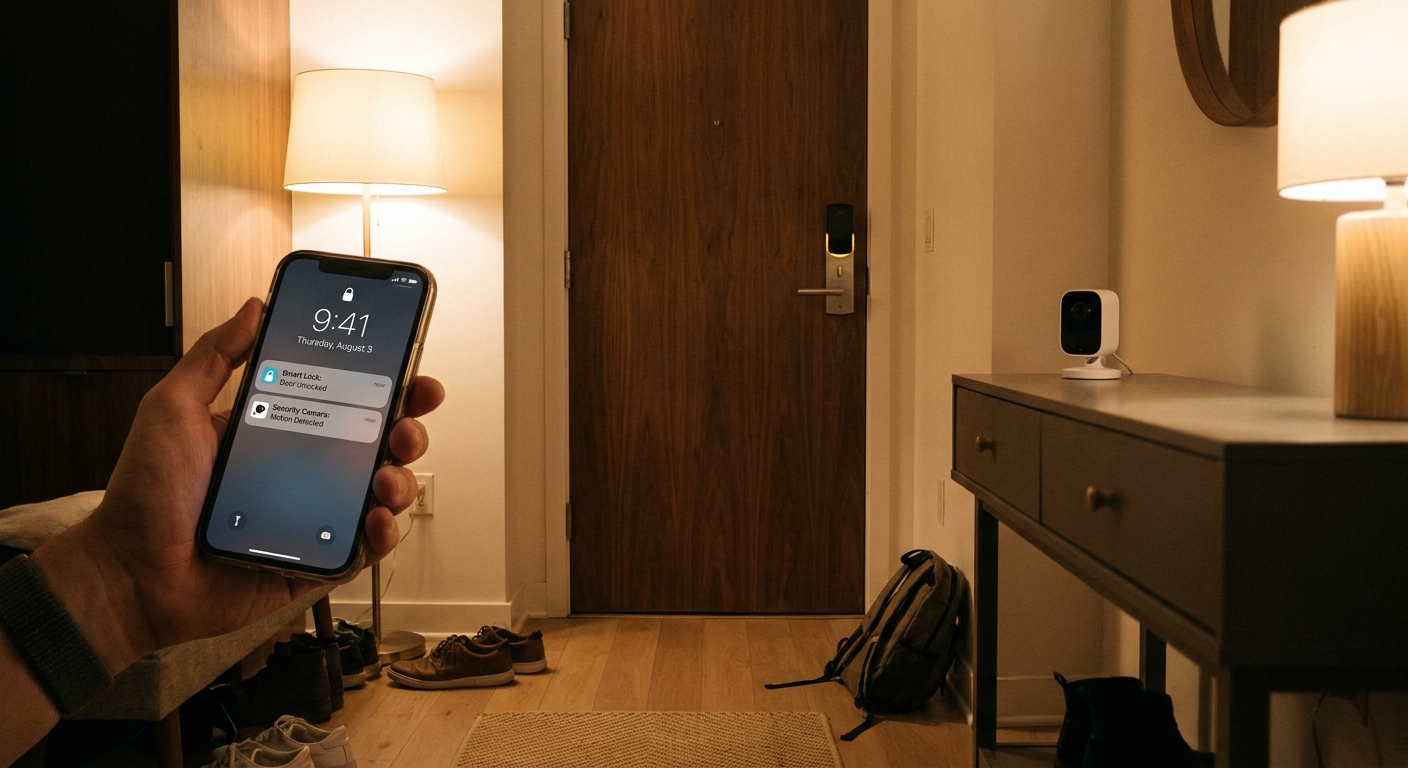
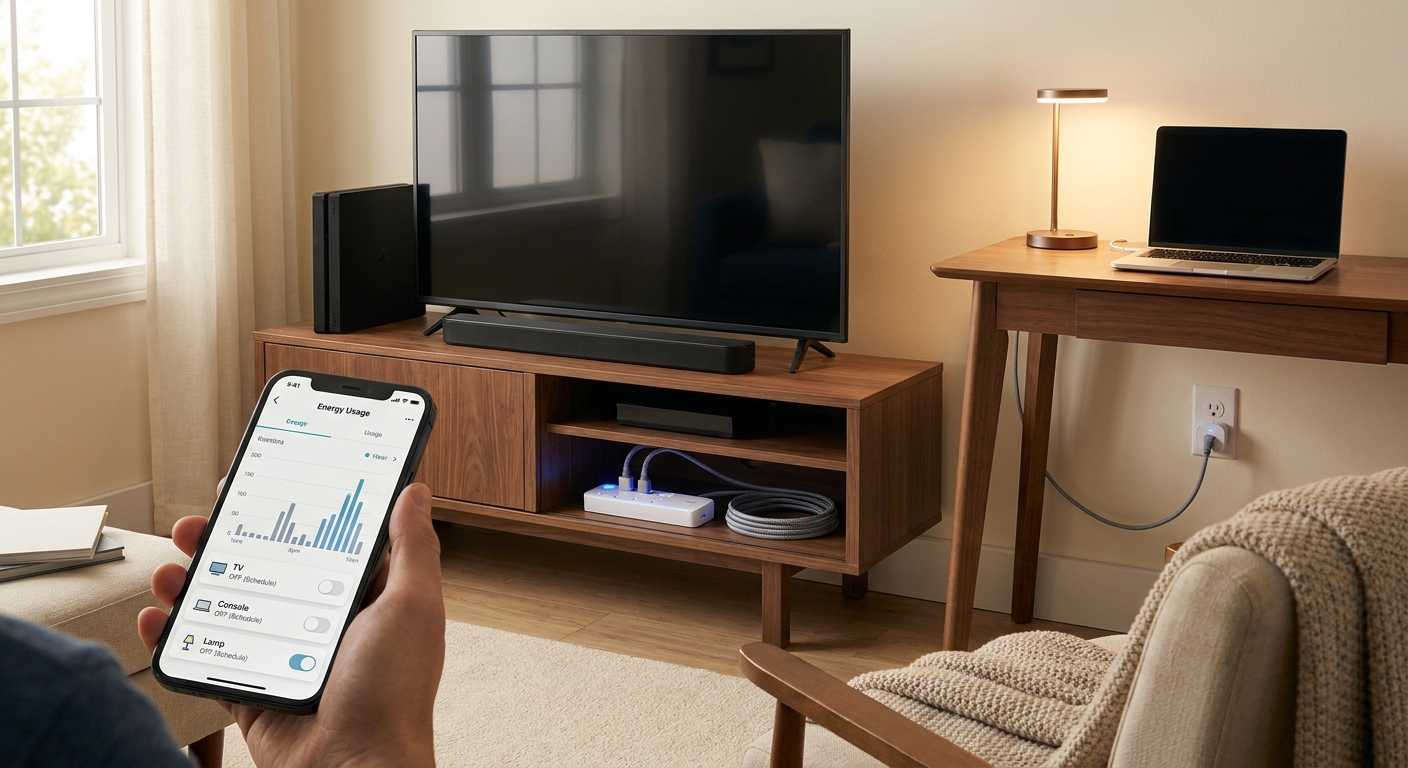
    Smart plugs with energy monitoring show which devices are quietly sipping power all day. Think space heaters, dehumidifiers, old coffee makers, gaming setups, and second TVs. Some also let you schedule on and off times so things are not running when nobody needs them.

    If you have ever wondered why the electric bill keeps creeping up, this is one of the easiest ways to find out.

    What to look for

    • Energy monitoring in the app
    • Scheduling and timers
    • UL-listed safety certification
    • A trusted brand with decent app reviews

    Who should buy

    Anyone with window AC units, heaters, entertainment centers, or appliances that stay plugged in all the time.

    2. A modem-router or router that lets you ditch rental fees

    This is the least exciting box you will buy and one of the best for your wallet.

    Why they save money

    Many internet providers still charge monthly rental fees for a modem, router, or combo unit. That can be $10 to $20 a month, sometimes more. A good sale on a compatible modem-router combo or a standalone router can pay for itself surprisingly quickly.

    If your provider allows customer-owned equipment, this is low-hanging fruit.

    What to check before buying

    • Your provider’s approved device list
    • Whether you need a modem, a router, or both
    • Your internet speed tier
    • Whether fiber customers are allowed to use their own gear

    Who should buy

    Anyone paying monthly equipment rental fees, especially cable internet customers.

    3. Mesh Wi-Fi kits that fix dead zones without paying for faster internet

    Sometimes the problem is not your internet plan. It is your Wi-Fi coverage.

    Why they save money

    A lot of people upgrade to a pricier internet package because the back bedroom, upstairs office, or patio gets lousy signal. But if the issue is weak coverage, a mesh Wi-Fi kit can solve it without increasing your monthly bill.

    That makes this a sneaky money saver. Better coverage can stop you from overpaying for speed you do not actually need.

    What to look for

    • Two-pack or three-pack systems sized for your home
    • Wi-Fi 6 support for better efficiency and device handling
    • Easy app setup
    • No required subscription for basic features

    Who should buy

    Families with dead zones, home offices far from the router, or too many devices fighting over one weak signal.

    4. Energy-efficient window AC units or portable ACs

    This one matters more than ever in a hot spell. Cooling costs add up fast.

    Why they save money

    Older air conditioners can be real power hogs. Newer units, especially inverter models and Energy Star options, often cool more steadily and use less electricity doing it. If your current unit rattles like a shopping cart and blasts on full power every few minutes, a sale-priced replacement may cut both noise and energy use.

    What to look for

    • Energy Star certification
    • Inverter technology if available
    • The correct BTU rating for your room size
    • A washable filter and clear maintenance instructions

    Who should buy

    Renters, apartment dwellers, or anyone limping along with an old, inefficient room AC.

    One note here. Bigger is not always better. An oversized AC can cool too quickly without removing enough humidity, which leaves the room cold and clammy. Buy for the room, not your ego.

    5. Air purifiers that do not waste power

    An air purifier will not slash your electric bill like a new AC can, but the right one can still be a smart household upgrade.

    Why they save money

    If you are dealing with smoke, dust, pollen, or pet dander, a good purifier can reduce how often you need extra cleaning supplies, help your HVAC filter stay cleaner, and improve comfort enough that you are not constantly tweaking heating and cooling. That is not magic money. It is practical household efficiency.

    What to look for

    • A true HEPA filter
    • A room-size rating that matches reality
    • Low-watt operation
    • Reasonably priced replacement filters

    Who should skip

    Anyone buying based only on a giant discount tag. Filter replacement costs matter just as much as the purchase price.

    6. Streaming sticks and boxes that help cut subscription creep

    Streaming costs are sneaky. One app becomes three. Three become seven.

    Why they save money

    A cheap streaming stick or box can help older TVs run current apps smoothly, which may let you cancel extra cable box rentals or avoid replacing a whole TV just because the built-in software is slow. Some devices also make it easier to bounce between free ad-supported apps and paid services, instead of paying for everything at once.

    What to look for

    • Support for the services you actually use
    • 4K support if your TV needs it
    • A simple remote
    • No pressure to lock into one content store

    Who should buy

    Anyone still paying rental fees for extra TV boxes, or anyone with a smart TV that has become painfully slow.

    7. External SSDs or NAS starter storage to stop paying for cloud overflow

    This one is not for everyone, but it can save money if your family keeps bumping into cloud storage limits.

    Why they save money

    If you are paying monthly for extra storage for photos, videos, or backups, a sale on a reliable external SSD can be a better long-term answer. For bigger households, a simple network storage setup can centralize backups and reduce the need for multiple paid storage upgrades.

    What to look for

    • Reliable brand and warranty
    • Fast enough speed for backups and large files
    • Enough capacity to be useful for several years
    • A backup plan, because one drive is not a backup on its own

    Who should buy

    Families with lots of phone photos, video files, or laptops running out of space.

    How to avoid fake savings in these sale events

    This is where people get tripped up.

    A “limited time” badge does not mean much if the product was the same price last month. Before you buy, check three things:

    1. Price history. See if this is actually near the lowest price.
    2. Real use case. Know exactly what bill or hassle the product will reduce.
    3. Ongoing costs. Filters, subscriptions, accessories, and rental compatibility can erase a deal fast.

    If you cannot explain the savings in one sentence, put it back in the cart and keep moving.

    The smartest order to buy these in

    If your budget is tight, do not try to grab all seven categories. Start here:

    1. Router or modem-router to remove rental fees
    2. Smart plugs to identify and cut energy waste
    3. Mesh Wi-Fi if poor coverage is making you overpay for internet
    4. Streaming device if it replaces rented TV hardware
    5. Efficient AC or air purifier if comfort and air quality are urgent
    6. Storage if you are actively paying for cloud overflow

    That order gives you the quickest path to visible savings.

    At a Glance: Comparison

    Feature/Aspect Details Verdict
    Fastest payback Modem-router replacements and smart plugs usually start saving money the quickest by cutting rental fees and wasted electricity. Best first buys
    Biggest comfort upgrade Efficient AC units, mesh Wi-Fi, and air purifiers improve daily life right away while also lowering hidden costs. Worth it if you will use them daily
    Most commonly overbought Oversized ACs, cheap purifiers with pricey filters, and random smart home gadgets with no clear purpose. Skip unless the math is clear

    Conclusion

    Right now, the smartest shopping move is not buying more stuff. It is buying fewer, better things that lower what you pay every month. With early Amazon Prime Day promos, Walmart flash deals, and retailer weekend events all hitting at once, shoppers are drowning in noise and fake discounts. A tight list like this helps cut through that mess. Focus on upgrades that trim energy use, replace rented internet gear, improve Wi-Fi so you do not overpay for speed, make cooling and air cleaning more efficient, and help you stop subscription creep. If you choose carefully tonight, you can skip the junk markdowns and come away with a handful of upgrades that make your home run better and cost less to live in.

  • Forget Prime Day: 9 Under-$50 Tech + Home Upgrades Hiding in Today’s Early Deals

    Forget Prime Day: 9 Under-$50 Tech + Home Upgrades Hiding in Today’s Early Deals

    You do not need another roundup trying to talk you into a $900 laptop because Prime Day is “coming soon.” What most people actually want is simpler than that. A better charger for the nightstand. A smart plug that stops you from wondering if you left the lamp on. A cheap streaming stick for the bedroom TV that still works fine. That is the real pain with deal season. The loudest lists chase flashy stuff, while the genuinely useful bargains get buried. So here is a cleaner approach. These are some of the best Amazon tech and home deals under 50 today, focused on practical upgrades you can start using tonight. The goal is not to buy more. It is to buy smarter, avoid fake markdowns, and pick the small things that quietly make your day less annoying.

    ⚡ In a Hurry? Key Takeaways

    • The best Amazon tech and home deals under 50 today are practical fixes like smart plugs, chargers, earbuds, LED bulbs, and streaming gear.
    • Check the item’s recent price history, then buy the products that solve a daily annoyance right now instead of waiting for a giant Prime Day cart.
    • Skip “list price” hype. A real deal under $50 should still be from a known brand, have solid reviews, and fix a problem you already have.

    Why the small deals are often the smart buys

    Big-ticket sales get the headlines. Small upgrades do the real work.

    A $24 smart plug can save you trips across the house. A $19 charging station can stop the nightly hunt for cables. A $30 pair of budget earbuds can make commutes and calls much less irritating. These are not glamorous purchases, but they are often the ones you notice every single day.

    That is why deal season can be frustrating. You open a roundup hoping to save money, and five minutes later you are looking at robot vacuums and giant TVs you never planned to buy. If you want value, start with the stuff that fixes friction.

    9 under-$50 upgrades worth checking today

    1. Smart plugs

    If you still get up to turn off a fan, lamp, coffee maker, or holiday lights, smart plugs are one of the cheapest quality-of-life buys around. Most two-packs and four-packs dip well under $50 in early sale periods.

    Best for: lamps, fans, space heaters with caution and only if the plug is rated for the load, coffee stations, and hard-to-reach outlets.

    Why it is a win: setup takes minutes, and you can use schedules, voice control, or simple on-off control from your phone.

    2. Fast USB-C wall chargers

    Most people are still using whatever charger came in a box three years ago. A modern USB-C charger with 30W to 65W output can speed up charging for phones, tablets, earbuds, and even some laptops.

    Best for: nightstands, travel bags, kitchen counters, and work desks.

    Why it is a win: fewer bricks, faster charging, less cable clutter.

    3. Braided charging cables

    This is not exciting until your last cable frays by the connector. Then it becomes very exciting. Multipacks of braided USB-C, Lightning, or mixed cables often land in the sweet spot during early deals.

    Best for: families, travel, cars, and people who somehow lose cables weekly.

    Why it is a win: cheap insurance against one of the most common tech annoyances.

    4. Streaming sticks

    An older TV can feel new again with a discounted streaming stick. If your bedroom TV is slow, missing apps, or still running a clunky menu from another era, this is one of the easiest under-$50 fixes.

    Best for: guest rooms, dorms, spare TVs, and replacing sluggish built-in smart TV software.

    Why it is a win: better app support, smoother menus, easier voice search.

    5. LED smart bulbs

    Smart bulbs are one of those things people assume are gimmicks until they use them for a week. Timers, dimming, bedtime scenes, and warm lighting in the evening can make a room feel better with almost no effort.

    Best for: bedrooms, living rooms, kids’ rooms, and porch lights.

    Why it is a win: easy setup, lower energy use, quick comfort upgrade.

    6. Budget wireless earbuds

    You do not need premium earbuds to enjoy podcasts, calls, or a walk around the block. Early sale pricing often brings decent name-brand options under $50, especially older but still solid models.

    Best for: commuting, workouts, backup earbuds, and video calls.

    Why it is a win: a good cheap pair is better than no pair, and far less painful to lose.

    7. Indoor security cameras

    Pet owners and parents already know the appeal here. A compact Wi-Fi camera can help you check on pets, packages inside the entryway, or a sleeping baby without spending much.

    Best for: pet check-ins, apartment entry views, and simple home awareness.

    Why it is a win: peace of mind for under $50 is hard to argue with.

    8. Water leak detectors

    This is the least flashy pick on the list, and maybe the smartest. A cheap leak sensor under a sink, behind a washer, or near a water heater can catch trouble before it turns into a much bigger bill.

    Best for: laundry rooms, basements, under sinks, near water heaters.

    Why it is a win: boring, yes. Useful, absolutely.

    9. Cord organizers and cable boxes

    If your desk looks like a bowl of black spaghetti, this is your sign. Under-$50 cable kits can tidy up power strips, charging cords, and TV wires fast.

    Best for: home offices, entertainment centers, kitchen counters.

    Why it is a win: cleaner look, easier cleaning, less hassle when unplugging things.

    How to tell if a “deal” is actually a deal

    This is where people get tripped up. The fake-discount game gets loud around Prime Day.

    Here is the simple filter I use:

    Check the recent selling price

    If something says it was $49.99 and is now $24.99, that sounds great. But if it has been $24.99 three times in the last month, it is not a rare win. It is just normal pricing with better marketing.

    Stick to known brands for anything electrical

    For chargers, smart plugs, extension products, and batteries, this matters. Saving $6 is not worth gambling on sketchy hardware.

    Read the three-star reviews

    Five-star reviews tell you what went right. One-star reviews tell you who is furious. Three-star reviews often tell you what daily use is actually like.

    Buy for a problem, not for the adrenaline

    Deal shopping can turn into sport. If it does not solve a real annoyance in your house, leave it in the cart.

    What to buy first if your budget is tight

    If you only want to spend $25 to $50 total, I would rank the categories like this:

    1. Fast charger or cable set
    2. Smart plug
    3. Streaming stick for an old TV
    4. Leak detector
    5. Smart bulbs

    That order is boring on purpose. It is based on how often you will use the item, how quickly it helps, and how likely it is to save you time or money.

    Who should skip these deals

    Not every cheap deal is a good buy.

    Skip them if you already own a working version that does the job well. Skip them if you are buying because the timer says “only 4 hours left.” Skip them if the product needs a subscription you do not want. And definitely skip anything from an unknown seller with shaky reviews and weird product photos.

    The best Amazon tech and home deals under 50 today should feel useful, not risky.

    At a Glance: Comparison

    Feature/Aspect Details Verdict
    Best everyday value Chargers, cables, and smart plugs tend to improve daily life immediately and cost very little. Buy first
    Best home upgrade Smart bulbs, leak detectors, and cable organizers make rooms work better without a big spend. High value
    Biggest shopping risk Unknown brands, inflated list prices, and panic-buying because of countdown timers. Proceed carefully

    Conclusion

    Prime Day hype has a way of making small, smart purchases feel boring. Ignore that. Right now, some of the best value is hiding in practical tech and home gear under $50 that can improve your setup tonight, not weeks from now. If you stay focused on real needs, compare recent pricing, and avoid too-good-to-be-true listings, these little upgrades can stretch your budget a lot further than one flashy impulse buy. That is the fun of the hunt when you do it right. You get the thrill of a good deal, without waking up tomorrow wondering why you bought something huge you never really needed.

  • Skip Prime Day Hype: 7 Early Tech & Home Deals That Are Actually Worth Buying Today

    Skip Prime Day Hype: 7 Early Tech & Home Deals That Are Actually Worth Buying Today

    “Early Prime Day deal” has become code for “please stop and impulse-buy this random gadget.” That is what makes shopping this week so annoying. You are not trying to win a sport. You just want to know what is actually cheaper than it was a few days ago, what will still feel fast next year, and what is worth bringing into your home. That is the filter I used here. No junky accessories. No mystery brands with inflated list prices. No old tech being dressed up like a bargain. These are the best tech and home deals today if you want real everyday value, whether that means better Wi-Fi, a smart speaker that actually helps, or a robot vacuum that saves you time instead of creating a new chore. The key is buying upgrades that solve a problem you already have, not buying something just because a countdown timer is flashing red.

    ⚡ In a Hurry? Key Takeaways

    • The best early deals right now are on practical upgrades like mesh Wi-Fi, robot vacuums, smart speakers, streaming devices, and SSD storage.
    • Focus on products with current-gen features and a clear everyday use case, not flashy discounts on older gear.
    • If a “deal” is only a few dollars below its usual street price, skip it. Real value means a meaningful drop on something you would buy anyway.

    How I filtered the noise

    Most fake-feeling sales share the same warning signs. The discount looks huge, but the “original” price is one nobody actually pays. Or the product is old enough that it is about to be replaced. Or it is packed with features you will never touch.

    For this list, I stuck to a simple rule. The item had to be useful in normal life, from a solid brand, and priced low enough right now to make waiting feel unnecessary. Think boring in the best possible way. Better internet. Less vacuuming. Faster storage. Smarter lighting. That kind of thing.

    1. A mesh Wi-Fi system that fixes dead zones

    Best for: spotty internet in bedrooms, home offices, and upstairs rooms

    If your router works great in one room and terribly everywhere else, a mesh Wi-Fi kit is often a better buy than paying for faster internet from your provider. Early discounts on Wi-Fi 6 and Wi-Fi 6E mesh systems are especially good right now because retailers are trying to move volume before the big Prime Day rush.

    The sweet spot is a two-pack or three-pack system from a known brand like TP-Link Deco, eero, or ASUS. For most homes, Wi-Fi 6 is still the value pick. It is fast, stable, and usually much cheaper than Wi-Fi 7 gear that most people do not need yet.

    Worth buying today if: you stream, work from home, or have one room where video calls always break up.

    Skip it if: you live in a small apartment and your current router already covers the whole place.

    2. A robot vacuum that can actually map your home

    Best for: pet hair, daily dust, and busy households

    Robot vacuums are one of the few smart home buys that regularly earn their keep. The trick is avoiding the cheap models that bounce around like confused bumper cars. A good early deal is on a model with smart mapping, room control, and strong pickup, not just “automatic cleaning” slapped on the box.

    Look for Roborock, iRobot Roomba, Eufy, or Shark models that can save maps and let you set no-go zones. If it empties itself, even better, though that feature still adds cost. For many homes, a midrange bot with reliable navigation is the smarter buy than a top-tier one with every extra feature.

    Worth buying today if: you hate sweeping crumbs and pet hair every other day.

    Skip it if: your floors are crowded with cords, laundry piles, and small toys all the time.

    3. A smart speaker or display that doubles as a real home helper

    Best for: timers, music, reminders, and basic smart home control

    This is where “cheap” can actually be good. Smart speakers and small displays often get steep early discounts, and the better ones are mature products now, not half-baked experiments. An Echo Dot, Echo Show, or Google Nest speaker can make sense if you already use voice timers, kitchen recipes, weather updates, or smart lights.

    The biggest mistake is buying the largest screen or most expensive model. Most people are happiest with the smaller, simpler version. It handles the basics and costs less.

    Worth buying today if: you want a low-cost way to start with smart home gear or need a kitchen helper.

    Skip it if: you are uncomfortable with always-listening devices in the house.

    4. Streaming devices that make old TVs feel newer

    Best for: sluggish smart TVs and guest-room setups

    If your TV takes forever to open apps, a streaming stick or box is often the cheapest fix. This is one of those upgrades people underestimate. A $25 to $50 streaming device can make a frustrating TV feel usable again without replacing the entire set.

    Roku, Fire TV Stick 4K, Apple TV 4K, and Chromecast-style devices each have their fans, but the value pick is usually whatever fits your apps and budget. If you just want Netflix, YouTube, live TV apps, and decent speed, the midrange 4K model is usually the one to buy.

    Worth buying today if: your current TV software feels like it is stuck in traffic.

    Skip it if: your TV is already fast and supports all the apps you use.

    5. Portable SSD storage instead of another cloud subscription

    Best for: photo backups, laptop storage, and moving big files fast

    This is one of the smartest deal categories because storage prices can swing a lot. A good portable SSD from Samsung, Crucial, WD, or SanDisk is the kind of purchase you appreciate for years. It is useful, fast, and less annoying than constantly cleaning out your laptop or paying for extra cloud space.

    For most people, 1TB is the sweet spot. It is enough for family photos, phone backups, work files, and even some video projects. USB-C is nice to have. Rugged designs are only worth paying extra for if you travel a lot.

    Worth buying today if: your laptop is always full or your photo library lives in too many places.

    Skip it if: you need long-term archival storage. In that case, a desktop backup drive may be the better value.

    6. Smart plugs and bulbs that solve one clear problem

    Best for: lamps, fans, holiday lights, and simple routines

    Smart home gear gets silly fast, but smart plugs and bulbs are still two of the easiest wins. They are often heavily discounted before Prime Day, and they do not require much setup. A plug can put a lamp or coffee station on a schedule. A bulb can make a dark room feel more usable in the evening.

    The trick is not turning your whole house into a science project. Start with one or two places where automation would genuinely help. Bedroom lamp. Living room fan. Porch light. Done.

    Worth buying today if: you want a cheap, low-risk smart home upgrade.

    Skip it if: you are buying a 12-pack just because the price looks dramatic.

    7. Noise-canceling earbuds or headphones for everyday sanity

    Best for: commuting, travel, calls, and noisy homes

    Not every deal has to be a home gadget. One of the best personal tech buys during early sale season is audio. Retailers tend to cut prices on proven models from Sony, Bose, Beats, Anker Soundcore, and Samsung. If you have been limping along with cheap earbuds that drop calls or sound thin, this is a meaningful quality-of-life upgrade.

    For value, focus on comfort, battery life, and microphone quality, not just maximum noise canceling. Midrange earbuds have become very good. You do not always need the flagship pair.

    Worth buying today if: you take work calls in noisy places or want peace on planes and trains.

    Skip it if: your current pair still sounds good and holds a charge.

    How to tell if the discount is real

    Here is the plain-English version. A real deal should save you enough money that buying now makes sense. If a product has been bouncing between the same two prices for weeks, that is not a special event. That is just retail theater.

    Use this quick gut-check:

    • If the item solves an existing problem, it is worth a look.
    • If it is current-gen or close to it, good.
    • If the sale price is clearly lower than its recent normal price, better.
    • If you were not considering it at all until a giant red badge appeared, pause.

    That last point matters most. The best tech and home deals today are still only good if they fit your life.

    What I would skip this week

    I would be careful with ultra-cheap Android tablets, off-brand security cameras, and older laptops that use weak chips and tiny storage. Those are classic “looks like a bargain, feels slow in six months” purchases.

    I would also avoid overbuying smart home bundles unless you already know which ecosystem you want to use. Saving money on eight gadgets you do not set up is not saving money.

    At a Glance: Comparison

    Feature/Aspect Details Verdict
    Best category for most homes Mesh Wi-Fi and robot vacuums offer the biggest everyday quality-of-life upgrade for many households. Buy if your current setup is frustrating you now.
    Best low-cost win Streaming sticks, smart plugs, and smart speakers are inexpensive and often deeply discounted early. Great value, but only if you will use them right away.
    Biggest mistake to avoid Buying last-gen or underpowered tech just because the percentage-off badge looks huge. Skip flashy discounts on weak or aging products.

    Conclusion

    Right now, retailers are quietly rolling out aggressive early deals ahead of Prime Day 2026, especially on smart home gadgets, home internet, and everyday tech. The hard part is telling the good offers from the recycled “sale” prices that show up every other week. That is why keeping your list small matters. If you stick to a few strong value plays like better Wi-Fi, reliable storage, a decent robot vacuum, or a streaming device that fixes a slow TV, you are much more likely to save real money on something you will actually use. That is the whole goal. Not buying more stuff. Buying the right stuff, at the right price, before the hype train talks you into something outdated or overbuilt.

  • Hello world!

    Welcome to WordPress. This is your first post. Edit or delete it, then start writing!