Author: ehudsegev

  • Today Only: Apple AirPods & Bose Headphone Deals That Finally Fix Your ‘Why Do My Commutes And Zoom Calls Still Sound Like A Noisy Subway?’ Problem

    Today Only: Apple AirPods & Bose Headphone Deals That Finally Fix Your ‘Why Do My Commutes And Zoom Calls Still Sound Like A Noisy Subway?’ Problem

    You know the moment. You answer a Zoom call, and suddenly it sounds like you are speaking from the middle of a city bus. Or you press play on a podcast during your commute and spend the first 10 minutes fighting engine noise, chatter, and that one squeaky brake. If you have been putting up with old wired earbuds or cheap backups, this is the kind of upgrade you feel on day one. The best AirPods and Bose headphone deals today matter because they fix real daily annoyances, not just “audiophile” problems. Better noise canceling means less volume cranking. Better microphones mean people can actually hear you. Better fit means your ears do not beg for mercy by lunchtime. And thanks to early October Prime Day pricing, a few Apple and Bose models are finally landing in the sweet spot where they feel practical, not indulgent.

    ⚡ In a Hurry? Key Takeaways

    • The best AirPods and Bose headphone deals today are worth a look if you want better call quality, real noise canceling, and less listening fatigue.
    • If you use Apple gear all day, AirPods usually win on convenience. If you want stronger comfort and top-tier ANC, Bose is often the smarter buy.
    • Stick to deals with genuine price cuts on current models, and skip inflated “was” prices that make weak discounts look bigger than they are.

    Why these deals actually matter

    A lot of tech deals are easy to ignore. A smart bulb at 15% off is nice, but your day goes on just fine without it. Headphones are different. You use them on calls, while walking, while working, and when you are trying to get 20 quiet minutes in a loud house.

    That is why this round of discounts is useful. A good pair of AirPods or Bose headphones can solve three problems at once. They cut background noise, make voices easier to hear, and reduce the harsh, tinny sound that cheap earbuds tend to produce after an hour or two.

    If your bigger problem is trying to work in a house or office that never seems to settle down, it is also worth reading Today Only: Noise Cancelling Headphone Deals That Finally Fix Your ‘I Can’t Focus Anywhere’ Problem. It covers the same core issue from the focus side, not just commuting and calls.

    AirPods vs Bose. Which one fits your life better?

    Choose AirPods if convenience is your top priority

    Apple is very good at removing friction. Open the case, and your iPhone sees the earbuds. Switch to a MacBook or iPad, and the handoff often feels almost automatic. If you live inside the Apple world, that convenience is not a small thing. It is the reason many people keep using AirPods long after the novelty wears off.

    For buyers looking at the best AirPods and Bose headphone deals today, AirPods are usually the easy answer for people who want pocket-friendly earbuds for calls, errands, and commuting. They are especially appealing if you care about quick pairing, easy controls, and a case that disappears into a coat pocket.

    Choose Bose if comfort and noise canceling matter most

    Bose has built its reputation on making loud spaces feel smaller. If your train ride is brutal, your office is chatty, or your household never gets quiet, Bose tends to be the brand people buy when they are done “making do.”

    This is also where over-ear headphones can earn their keep. Earbuds are more portable, yes. But larger Bose models often feel better over long sessions and can do a better job softening low rumbles like engines, HVAC noise, and airplane cabin hum.

    What counts as a good deal right now

    Not every sale badge means much. The useful deals are the ones attached to models people already wanted, with discounts big enough to change the buying decision.

    For Apple, that usually means AirPods models dropping low enough that you stop saying, “Maybe later.” For Bose, it means active noise canceling models landing close to the price of midrange competitors. That is the point where paying extra for comfort and sound starts to make sense.

    A simple rule helps here. If the discount moves a premium pair into your real budget, it is worth a look. If the sale still leaves you wincing, keep walking.

    How to pick the right model without overthinking it

    For commuters

    If trains, buses, or busy sidewalks are your main problem, prioritize active noise canceling first. This is where both AirPods Pro-style earbuds and Bose ANC models can make a huge difference. You want outside noise reduced before you even hit play.

    For work calls

    Microphone quality matters more than many shoppers realize. The goal is not studio-quality sound. It is simple. You want your voice to come through clearly without making you sound like you are standing in a wind tunnel. Apple tends to do well for quick mobile calls, while Bose is often strong for longer wear and more isolated listening.

    For long listening sessions

    If your ears ache after an hour with cheap buds, do not ignore that. Better fit and softer sound tuning reduce fatigue. This is one of those benefits people rarely mention in flashy sale roundups, but you notice it fast in real life.

    Who should buy now, and who can skip it

    Buy now if your current earbuds are causing daily friction. Maybe calls are muddy. Maybe you keep turning up the volume just to fight traffic noise. Maybe your current pair is technically “fine” but never actually comfortable. Those are good reasons to upgrade.

    Skip it if your current headphones already fit well, sound good, and block enough noise for your routine. A deal is only a deal if it solves a problem you really have.

    At a Glance: Comparison

    Feature/Aspect Details Verdict
    Best for Apple users AirPods pair quickly, switch easily between Apple devices, and are simple to carry every day. Best pick if convenience matters more than anything else.
    Best for stronger noise canceling Bose models are known for excellent ANC, especially for commuting, travel, and noisy home environments. Great choice if outside noise is your main frustration.
    Best overall value today The smartest buy is the discounted model that fixes your biggest daily annoyance without stretching your budget. Focus on fit, ANC, and call quality, not just the biggest percent-off label.

    Conclusion

    If you have been waiting for the moment when premium audio gear stops feeling like a splurge and starts feeling sensible, this is pretty close. Early October Prime Day pricing has kicked off, which means Apple AirPods and Bose noise-cancelling models are finally dropping out of the “nice to have someday” range and into the “I can justify this right now” zone. That is huge for our community because one solid pair of discounted earbuds or headphones can quietly fix three everyday headaches at once: calls that do not sound like a wind tunnel, music you can actually enjoy in loud places, and less ear fatigue from cheap gear. The key is to ignore the hype and focus on the few real offers. The best AirPods and Bose headphone deals today are the ones that give you honest ANC, clear calls, and a price cut that actually changes the math.
  • Today Only: Smart Thermostat & Energy-Saver Deals That Finally Fix Your ‘Why Is My Power Bill Wrecking My Budget Every Month?’ Problem

    Today Only: Smart Thermostat & Energy-Saver Deals That Finally Fix Your ‘Why Is My Power Bill Wrecking My Budget Every Month?’ Problem

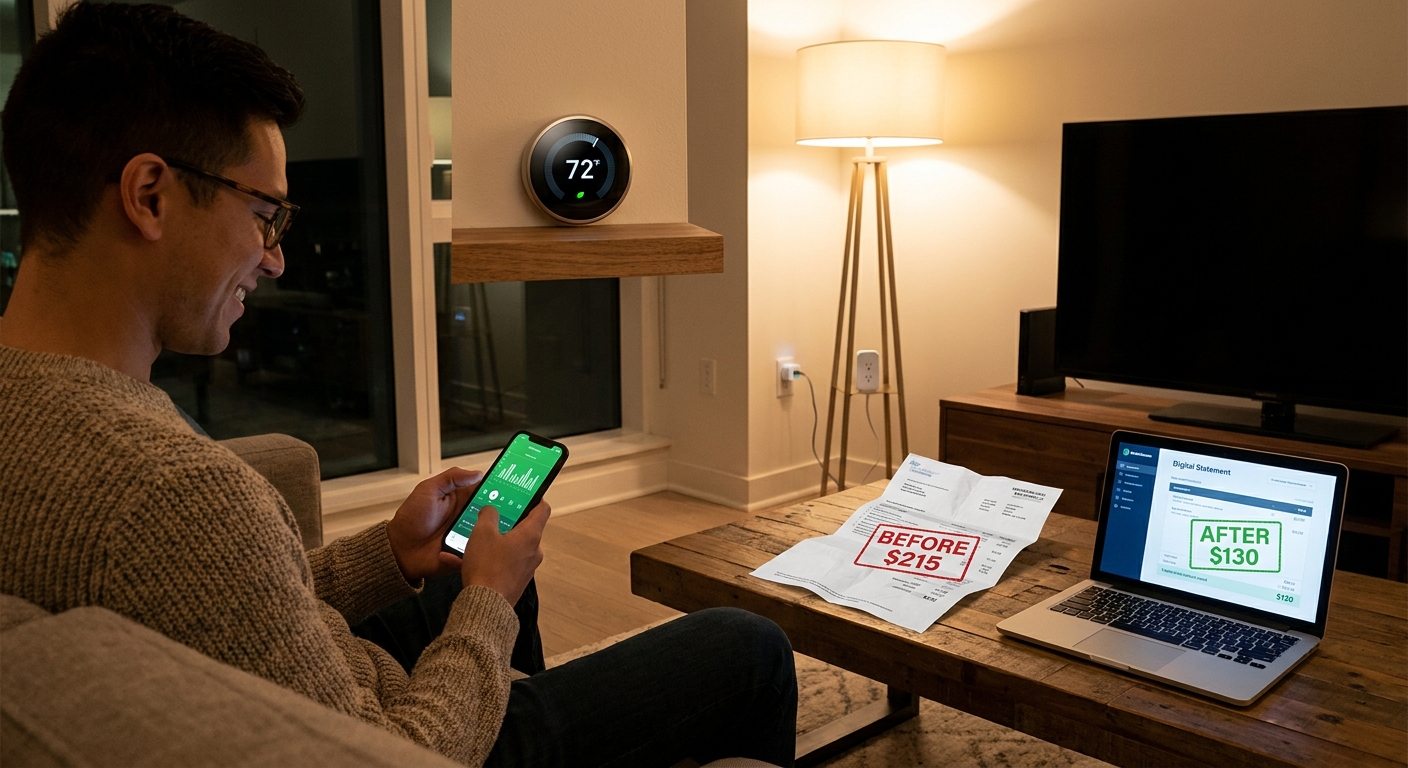
    Your power bill can feel personal. You keep lights off, you bump the thermostat a little, you unplug a few things, and somehow the total still lands like a bad surprise every month. That frustration is real, especially when heating, cooling and all those little always-on devices seem to eat money in the background. The good news is this is one of those rare days when buying the right gadget can actually help you spend less right away and later on, too.

    If you have been hunting for the best smart thermostat deals today, this is the sweet spot. Retailers like Amazon, Best Buy and Home Depot are quietly dropping prices on smart thermostats, energy-monitoring smart plugs and home-energy starter kits before the louder October sale chaos starts. These are the kinds of upgrades that can help trim wasted heating and cooling, cut phantom power draw and make your home feel more comfortable without you constantly fiddling with settings.

    ⚡ In a Hurry? Key Takeaways

    • Today’s best value is a discounted smart thermostat paired with a few energy-monitoring plugs, because that combo attacks both heating and cooling waste and hidden standby power.
    • Check for C-wire compatibility, utility rebates and app features before you buy. The sticker price is only part of the savings story.
    • Skip gimmicky “was” prices. Focus on trusted brands, real return policies and devices that show actual energy use in plain English.

    Why your bill stays high even when you are trying

    Most homes waste power in boring ways. The AC runs longer than it needs to. The heat kicks on before anyone gets out of bed. TVs, game consoles, printers and coffee makers sip power all day long. None of that feels dramatic in the moment, but over a month it adds up fast.

    That is why smart home energy gear can help more than people expect. A good thermostat does not just let you change the temperature from your phone. It learns patterns, follows schedules, spots away time and helps stop the classic problem of heating or cooling an empty house.

    If that sounds familiar, you may also want to read Today Only: Smart Thermostat Deals That Finally Fix Your ‘Why Is My Power Bill So High For A Home I’m Barely In?’ Problem, which digs into the “nobody’s home, but the system is still working overtime” issue.

    What to buy first if your goal is lower monthly bills

    1. Smart thermostats

    This is the big one for most households. Heating and cooling are usually the largest chunk of a home energy bill. A smart thermostat helps by sticking to a schedule better than most humans do. It can also remind you when filters need attention, which matters because a struggling HVAC system often costs more to run.

    Look for features like geofencing, easy scheduling, energy reports and room sensor support. If your utility company offers a rebate, your out-of-pocket cost can drop a lot more than the sale price suggests.

    2. Energy-monitoring smart plugs

    These are great for finding the sneaky stuff. A smart plug with energy monitoring can show how much electricity a space heater, dehumidifier, old fridge, entertainment center or desktop PC is actually using. Once you see the numbers, the mystery starts to disappear.

    They are also simple to use. Plug device into plug. Plug smart plug into wall. Open the app. That is it. You do not need to be an electrician or a smart home hobbyist.

    3. Bundled home-energy kits

    Sometimes the best deal is not one product. It is a bundle. A thermostat plus a few plugs plus maybe a room sensor can be a smart buy if the discount is real. These kits are useful for people who want fast results without spending time piecing together every part.

    How to spot a deal that is actually worth your money

    Sale pages can be noisy. One store shouts about percentages. Another shows a “regular price” nobody seems to have ever paid. The easiest way to stay grounded is to ask three simple questions.

    Is this from a brand with solid app support?

    A cheap thermostat is not a bargain if the app is clunky or stops getting updates. Nest, ecobee, Honeywell Home and Amazon’s smart home ecosystem tend to be easier for mainstream buyers.

    Will it work with your system?

    This matters a lot. Some thermostats need a C-wire. Some HVAC setups are more complex than others. Always check compatibility before checkout. Most major brands have quick online compatibility tools.

    Can it pay for itself in a reasonable time?

    If a thermostat saves you even $20 a month, a good sale plus a utility rebate can make it pay for itself surprisingly fast. Smart plugs are even easier to justify because they cost less and help you identify power hogs almost immediately.

    Best use cases for today’s energy-saver deals

    If your home is empty most of the day

    Start with a smart thermostat. This is the clearest win. If your current system heats or cools the house like everyone is home at 2 p.m., you are paying for comfort nobody is using.

    If you work from home and one room is always too hot or too cold

    Look for a thermostat that supports remote room sensors. That can help the system react to the room you actually use instead of a hallway wall that does not reflect real comfort.

    If you suspect hidden energy drain

    Buy two or three monitoring plugs and test your worst suspects for a week. Space heaters, old kitchen appliances, gaming setups and garage fridges are common bill boosters.

    Where these one-day-style savings usually show up

    Amazon tends to move fastest, especially on smart plugs and entry-level thermostat bundles. Best Buy is often strong on name-brand thermostats with installation add-ons. Home Depot is worth checking if you want home hardware, HVAC-related accessories or in-store pickup.

    The point is not to buy from every store. It is to compare quickly, confirm compatibility and move before the better prices disappear at midnight.

    At a Glance: Comparison

    Feature/Aspect Details Verdict
    Smart thermostat savings Best for cutting heating and cooling waste through schedules, away mode and app control Highest long-term impact for most homes
    Energy-monitoring smart plugs Best for finding phantom loads and measuring what appliances really cost to run Low-cost, easy win
    Bundled home-energy kits Combines thermostat, plugs or sensors for bigger upfront discounts and a faster whole-home setup Best if you want a one-and-done upgrade

    Conclusion

    If your electric bill keeps stomping on your budget, this is one of the better times to do something about it. Right now is the sweet spot before colder weather hits and before October’s sale noise makes it harder to separate real discounts from fake sticker drama. Smart thermostats, energy-monitoring plugs and bundled home-energy kits are getting real, time-sensitive markdowns from Amazon, Best Buy and Home Depot, and they can save you two ways. First at checkout, then again every month when the utility bill shows up. For many homes, the right setup can trim roughly $20 to $60 a month from heating, cooling and phantom loads. That is the kind of deal worth acting on before midnight.

  • Today Only: High-Power Laptop Power Bank Deals That Finally Fix Your ‘Why Is My Workday Over Every Time My Battery Is?’ Problem

    Today Only: High-Power Laptop Power Bank Deals That Finally Fix Your ‘Why Is My Workday Over Every Time My Battery Is?’ Problem

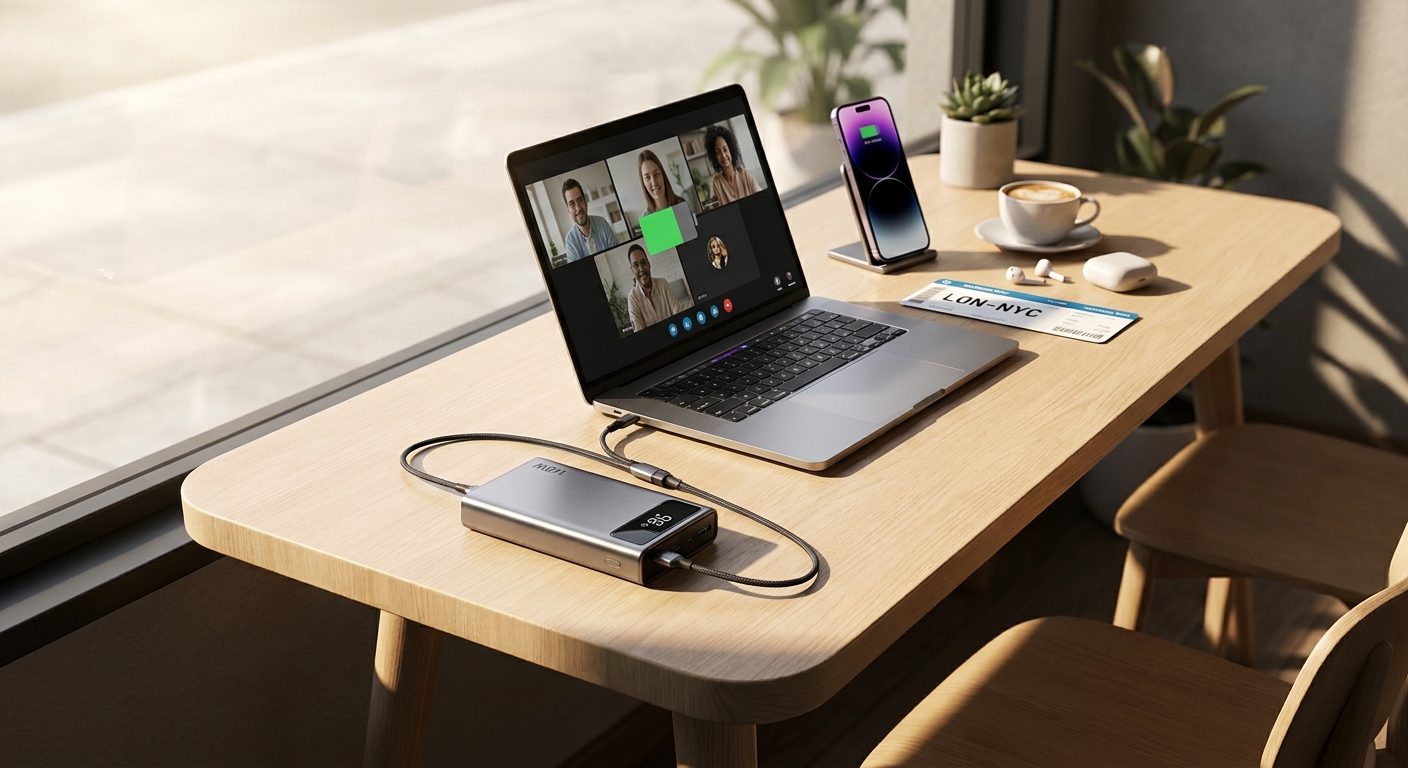
    Your laptop hits 22%, your phone is already begging for a charger, and suddenly that coffee shop table or airport gate feels less like freedom and more like a ticking clock. It’s frustrating. You brought the gear so you could work, watch, or game anywhere, but one weak battery can ruin the whole plan. The good news is that some of the best laptop power bank deals today are actually worth your money, and they fix the real problem instead of just adding another gadget to your bag.

    Right now, the sweet spot is easy to spot if you know what to ignore. You want a 20,000mAh to 25,000mAh battery pack, real USB-C Power Delivery at 100W or more, and a price under $60 while the promo codes still work. That’s enough muscle for many USB-C laptops, handheld gaming PCs, tablets, and phones, without crossing into bulky, overpriced territory. The trick is not getting distracted by inflated “peak wattage” claims or mystery-brand listings that hide the charging specs in fine print. If you want an all-day backup that can still fly in your carry-on, today is one of those rare times where the good stuff is marked down instead of the junk.

    ⚡ In a Hurry? Key Takeaways

    • The best laptop power bank deals today are mostly 20,000mAh to 25,000mAh models with 100W+ USB-C PD, and several are dipping below $60.
    • Check for a single USB-C port that can output at least 100W, not just a big total wattage spread across multiple ports.
    • Stick with airline-safe capacities and known charging standards so you do not end up with a brick that is slow, bulky, or misleadingly labeled.

    What Actually Matters in a Laptop Power Bank

    A lot of listings try to impress you with giant numbers. Some of those numbers matter. Some really do not.

    Capacity that is useful, not ridiculous

    For most people, 20,000mAh to 25,000mAh is the sweet spot. That usually gives you enough reserve power to top up a phone several times, recharge a handheld console, or meaningfully extend a USB-C laptop session. It also stays within the range that is generally practical for air travel and daily carry.

    Go much smaller and your laptop support starts feeling like an emergency patch, not a real solution. Go much bigger and the pack gets heavier, more expensive, and less friendly for travel.

    USB-C PD speed is the whole game

    This is the part many shoppers miss. If your laptop normally charges over USB-C, a power bank needs enough USB-C Power Delivery output to keep up. For lightweight ultrabooks, 65W can work. For many newer laptops, 100W is a far better target. If you also own a Steam Deck, ROG Ally, Lenovo Legion Go, or a power-hungry tablet, 100W-plus gives you much more breathing room.

    Look for clear wording like “100W USB-C output” or “140W PD” on at least one port. If the listing only says “high speed charging” or hides the per-port numbers, that’s a red flag.

    Total wattage is not the same as single-port wattage

    This trips people up all the time. A listing might say 130W total output, but that could mean 100W on one USB-C port and 30W split elsewhere. That can still be fine. But if your laptop needs the full 100W, what matters most is what one port can do on its own.

    Why Today’s Deals Stand Out

    Most days, the genuinely useful laptop-ready power banks sit in that annoying price zone where you almost buy one, then talk yourself out of it. Today is different because promo codes and lightning discounts are dragging some of the better 20,000mAh to 25,000mAh models under $60.

    That is the moment these make sense. At full retail, some are overpriced. On a same-day markdown, they become a smart buy for commuters, travelers, students, remote workers, and anyone who is tired of crawling under furniture to find a charger.

    If your home setup is also turning into a charger traffic jam, pair this with something like Stop Fighting Over Outlets: Today’s Best 8‑Port GaN Charging Station Deal (Before It’s Gone at Midnight). A good power bank solves the away-from-home problem. A proper charging station fixes the nightly pileup when everything needs power at once.

    How to Spot the Good Deals Fast

    You do not need to read every spec sheet like a lab test. Just use this quick filter.

    Look for these features

    Start with 20,000mAh to 25,000mAh capacity. Then make sure at least one USB-C port supports 100W or more output. Pass-through charging is a nice bonus, though not required. A screen that shows remaining battery percentage is also more helpful than the old four-dot lights.

    Be careful with these phrases

    “Compatible with laptops” can mean almost anything. It might only charge a tiny Chromebook at a slow pace. “Fast charging” is also too vague on its own. For a laptop power bank, you want exact numbers.

    Check the recharge speed too

    A powerful battery pack that takes forever to refill is a pain. A model that can recharge itself over USB-C at 65W or faster is much easier to live with, especially if you are packing it for the next day.

    Best Use Cases for These Deals

    These are not just for people who travel every week.

    Flights and train rides

    Sometimes the outlet is missing. Sometimes it is broken. Sometimes somebody else got there first. A real 100W-capable power bank keeps your work session going without betting everything on the seat power actually working.

    Coffee shops and client visits

    Nothing kills momentum like choosing your seat based on wall access instead of comfort. With a strong battery pack, you can sit where you want and stay productive longer.

    Gaming on the go

    Handheld gaming PCs eat battery quickly. The right USB-C PD bank can turn a short session into an afternoon, which is a big deal if you travel or commute.

    Sofa office life

    Sometimes the problem is not travel. Sometimes it is just wanting to work somewhere other than the desk you have been staring at all week.

    What Not to Buy

    Avoid super-cheap packs that promise huge capacity, extreme wattage, and a tiny price all at once. That combo usually means the specs are inflated, the build quality is rough, or both.

    Also skip anything that only has USB-A as the main high-speed option. For modern laptops, USB-C PD is the important part. USB-A is fine for accessories, but it is not the star of the show anymore.

    And if the product photos are all lifestyle shots with almost no spec detail, keep scrolling.

    At a Glance: Comparison

    Feature/Aspect Details Verdict
    Capacity 20,000mAh to 25,000mAh is the practical range for laptops, phones, and travel. Best balance of runtime, size, and airline-friendly portability.
    Charging Speed 100W or higher USB-C PD on a single port is the target for many modern laptops and handhelds. Worth paying attention to. This is the spec that separates useful from frustrating.
    Value Under-$60 sale pricing is where these deals become especially attractive. Buy during same-day markdowns, not after the promo resets.

    Conclusion

    If you have been putting up with battery anxiety because every decent laptop power bank seemed too expensive or too sketchy, today is a good day to stop waiting. Right now there are aggressive markdowns on serious 20,000mAh to 25,000mAh, 100W-plus USB-C power banks that are strong enough for modern USB-C laptops, handheld gaming PCs, and big phones. These are the models that hit the sweet spot. Airline-safe capacity, real USB-C PD speed, and under-$60 pricing. The catch, of course, is that these deals usually disappear once promo codes expire or midnight resets the lightning offer. So if you spot one that checks those boxes, this is one of those rare gadget buys that can make your daily routine better almost immediately.

  • Today Only: Portable Monitor & Travel Screen Deals That Finally Fix Your ‘Why Is Working Or Gaming Away From My Desk Such A Hassle?’ Problem

    Today Only: Portable Monitor & Travel Screen Deals That Finally Fix Your ‘Why Is Working Or Gaming Away From My Desk Such A Hassle?’ Problem

    You do not realize how much your main desk is doing for you until you leave it. Then suddenly your laptop screen feels tiny, your neck starts complaining, and every simple task turns into a juggling act of tabs, windows and bad posture. It is even worse if you want to plug in a Switch, PS5, Steam Deck or cloud gaming handheld and the only screen nearby is a hotel TV with weird inputs or terrible lag. That is why the best portable monitor deals today matter more than the usual sale noise. A good travel screen can turn a kitchen table, airport lounge or hotel desk into a real setup in about two minutes. The trick is avoiding the cheap panels that look bright in photos but end up dim, flimsy and annoying to power. Right now there are a few genuinely useful portable monitor discounts worth your attention, especially if you want one screen that can handle work by day and gaming later.

    ⚡ In a Hurry? Key Takeaways

    • The best portable monitor deals today are on 15.6-inch to 16-inch USB-C models with 1080p IPS panels, solid brightness, and low-lag HDMI support.
    • For most people, buy a screen with USB-C plus mini-HDMI, a built-in cover stand, and at least 300 nits of brightness so it works for both travel and couch use.
    • Skip ultra-cheap no-name screens with vague brightness claims, weak stands, or “gaming” labels that hide poor color, ghosting, or power issues.

    Why portable monitors are suddenly worth buying

    A few years ago, travel screens felt like niche gadgets. Now they are genuinely practical. Laptops have enough power to drive a second display easily, tablets are used for real work, and handheld gaming has gone mainstream.

    The problem is that a lot of sale listings still push old or mediocre panels. They look similar on the page. In real life, they are not. One will be bright enough for a sunny room and connect with one cable. Another will need two cables, wobble every time you tap the table, and make dark scenes in games look muddy.

    If you are trying to find the best portable monitor deals today, the goal is not just “cheap.” The goal is “cheap enough, but still something you will actually keep using.”

    What to look for before you click buy

    Screen size that travels well

    For most people, 15.6 inches is the sweet spot. It feels big enough next to a laptop without becoming awkward in a backpack. Sixteen-inch models can be even nicer for split-screen work if the weight is still reasonable.

    Anything smaller can feel cramped. Anything much bigger starts becoming a commitment.

    1080p is still the safe choice

    On a travel monitor, 1080p is usually the right call. Text looks sharp enough, gaming performance is easier on handhelds and consoles, and battery drain is lower than on a 4K panel.

    4K portable displays exist, but unless you do color-sensitive creative work or need lots of fine detail, they are often not the best value.

    Brightness matters more than people think

    This is where many buyers get burned. A dim portable monitor is frustrating fast. Around 300 nits is a good baseline. More is better if you work near windows or plan to use it in bright hotel rooms.

    If the product page is fuzzy about brightness, that is a warning sign.

    USB-C and HDMI together is the best combo

    USB-C with display and power support makes setup simple. One cable, done. But do not skip HDMI. It is what keeps the monitor useful with consoles, older laptops and random devices when you are away from home.

    Mini-HDMI is common on slim models, so check whether the right cable is included.

    Stand quality is not a minor detail

    A bad stand turns a handy monitor into a balancing act. Folio covers are fine if they are sturdy. Built-in kickstands are often better. If the display wobbles on a tray table or couch arm, you will notice it every minute.

    The portable monitor types actually worth considering today

    Best for work: standard 15.6-inch IPS USB-C monitors

    This is the category most people should buy from. Think Full HD, decent color, 60Hz, light weight, and simple connectivity. These are great for email, spreadsheets, documents, browser tabs and video calls.

    If you only need one extra screen for productivity, this is where the best portable monitor deals today are usually found.

    Best for gaming: faster refresh portable screens

    If you play shooters, racing games or cloud gaming titles, a 120Hz or 144Hz portable monitor can be a smart buy. Just make sure the rest of the panel is not terrible. Some brands push refresh rate while cutting brightness or color quality.

    Also keep expectations realistic. A portable gaming display is about convenience first. It is not replacing a serious desktop gaming monitor.

    Best for hybrid use: work by day, console later

    This is the sweet spot for a lot of readers. A solid 1080p IPS panel with low enough latency, respectable speakers, USB-C and HDMI can pull double duty beautifully. These are the models worth paying a little more for if they are discounted.

    Deal categories that make sense right now

    Rather than chase every single flash listing, focus on the discounts that usually represent real value.

    Well-reviewed mainstream brands on modest discounts

    If a trusted model from ASUS, Lenovo, ViewSonic, LG, Innocn or Arzopa is down even 15 to 25 percent, that can be a better buy than a mystery brand cut in half. You are paying for a panel people have actually lived with.

    Bundle deals with cables and cover included

    Accessories matter on a travel screen. Buying a monitor and then needing a better USB-C cable, mini-HDMI adapter and stand case can wipe out the savings. Included extras count.

    High-refresh discounts for Steam Deck and console users

    If you travel with a handheld or bring a console on the road, this is one of the few times a higher refresh portable monitor earns its keep. Just check the ports carefully. Some cheaper “gaming” models are picky about input support.

    Red flags that usually mean “leave it in the cart”

    Watch out for these.

    Brightness not clearly listed

    If the product page talks more about “vivid visuals” than actual numbers, be careful.

    Suspiciously huge discounts

    A fake list price is one of the oldest tricks in online retail. A monitor that is “70% off today only” may simply have never been worth the original price.

    Weak power setup

    Some portable monitors work best only when fed power separately, especially with consoles or phones. That is not always a deal-breaker, but you should know in advance. Travel gear should be simple.

    Terrible speaker expectations

    Built-in speakers are often just “better than nothing.” Fine for a quick YouTube clip. Not something to rely on for immersive gaming.

    If your travel setup is getting more complicated than expected, it is worth also checking Today Only: Smart Plug & Power Strip Deals That Finally Fix Your ‘Why Are All My Outlets Full And My Bill Still So High?’ Problem. Portable screens are much easier to live with when you are not fighting for outlets behind a hotel desk or entertainment center.

    Best use cases by buyer type

    If you work from coffee shops or hotels

    Get a 15.6-inch 1080p IPS model around 300 nits or better, with a stable cover stand and USB-C single-cable support. That is the least stressful setup.

    If you want a screen for Nintendo Switch, PlayStation or Xbox travel

    Prioritize HDMI support, low lag, and a stand that works on uneven surfaces. If you can find a good discount on a 120Hz model, great. But stable performance matters more than the flashy spec.

    If you use a Steam Deck, ROG Ally or cloud gaming handheld

    Look for strong USB-C compatibility and enough brightness to use it outside your home office. This is one category where a slightly better panel is worth it because handheld gaming already asks you to compromise on screen size.

    If you want a second screen for a tablet or phone

    Double-check compatibility. USB-C ports do not all do the same thing. Some phones and tablets can output video directly. Some cannot. A good deal is not a good deal if your device will not talk to it.

    How much you should actually spend

    For most people, the best value sits in the lower midrange. Cheap enough to feel like a smart buy. Good enough to keep using.

    As a general rule:

    Basic good models often make sense when discounted into the budget range.

    Better hybrid work-and-gaming screens are worth a bit more if brightness and build quality are clearly stronger.

    Premium models need a real feature advantage, not just a fancy brand name.

    If a sale pushes a solid known model into that sweet spot, that is usually more important than chasing the lowest price on the page.

    At a Glance: Comparison

    Feature/Aspect Details Verdict
    Best all-around size 15.6-inch to 16-inch Full HD IPS panels are easiest to pack, easiest to power, and large enough for real multitasking Best pick for most readers
    Best connection setup USB-C for one-cable laptop use, plus HDMI for consoles and older devices Worth paying extra for flexibility
    Best value warning Very cheap no-name screens often cut corners on brightness, stand quality, and reliable power delivery Skip unless reviews are unusually strong

    Conclusion

    If you have been meaning to fix your travel setup, this is a good moment to do it carefully instead of impulsively. Early October sale chatter is already filling feeds with random travel screen promos, and it is very easy to overpay for a dim, laggy panel that ends up living in a drawer. The better move is to stick to a short list of portable monitors that are genuinely discounted, reviewed well, and useful for both work and play. That is how you turn a hotel room, couch or spare table into a proper two-screen setup in minutes, without wasting your one good purchase window of the season. Keep your standards simple. Good brightness, the right ports, a solid stand, and honest reviews. That is usually where the best portable monitor deals today separate themselves from the junk.

  • Today Only: Home Security Camera Bundle Deals That Finally Fix Your ‘Why Does Protecting My Place Cost More Than My Rent?’ Problem

    Today Only: Home Security Camera Bundle Deals That Finally Fix Your ‘Why Does Protecting My Place Cost More Than My Rent?’ Problem

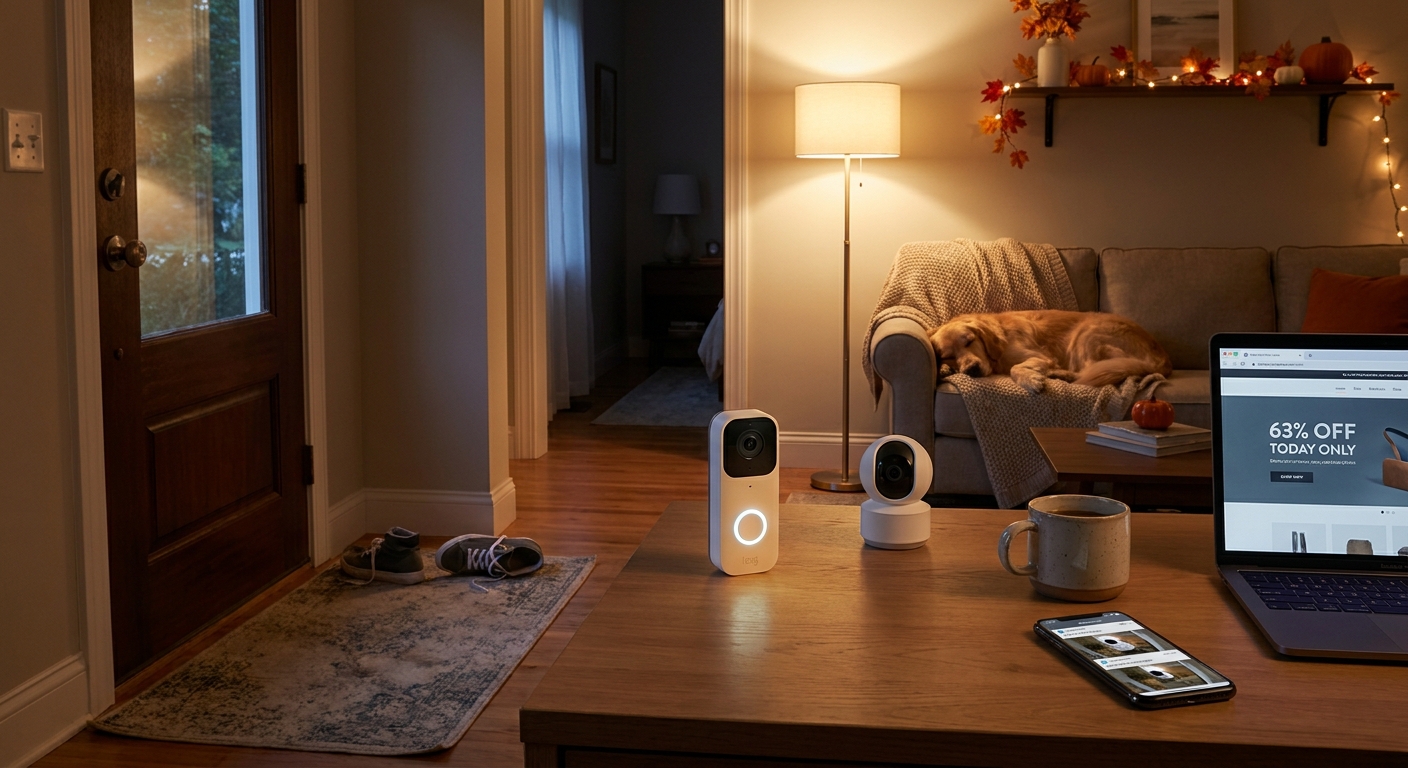
    If you have been avoiding home security because every camera bundle seems to come with a confusing app, a pile of add-ons, and one more monthly fee, that makes perfect sense. A lot of people are not asking for a full spy movie control room. They just want to see who is at the door, peek at the living room when they are out, and get a heads-up if something odd happens. The good news is that the best home security camera deals today are finally hitting the kind of prices that make normal people stop and look. Right now, early October sale pricing has pushed some Ring battery doorbell and indoor cam bundles into the roughly $40 to $60 range, while some Blink multi-camera kits are getting close to $20 per camera. That is the sweet spot. Cheap enough to act now, and useful enough to actually make life easier tonight.

    ⚡ In a Hurry? Key Takeaways

    • Today’s strongest picks are Ring bundles for simple front-door coverage and Blink kits for low cost per camera.
    • If you hate subscriptions, look closely at Blink setups that support local storage with the Sync Module and USB drive.
    • These sale prices are close to the floor we usually see before Black Friday, so waiting may not save much.

    Why these deals matter right now

    Home security prices have a bad habit of looking affordable at first, then turning into a long-term bill. That is why these short sale windows matter. You are not just saving twenty bucks here or there. You are buying into a setup at a lower starting cost, which gives you more room to avoid expensive upgrades later.

    For most households, the best setup is not fancy. It is one camera at the entry point, one camera indoors, and alerts that are easy to understand. A bundle does that better than buying piece by piece, especially when the bundle discount is deeper than the single-camera markdown.

    The best types of home security camera deals today

    Ring doorbell plus indoor cam bundles

    These are a good fit if you want the easiest setup. Ring is friendly for beginners. The app is clean, installation is usually simple, and the battery doorbell is ideal if you do not want to mess with wiring.

    When these bundles dip into the $40 to $60 range, they become much more appealing. You are covering the front door and one indoor space in a single purchase. That is enough for a lot of apartments, small homes, and anyone just starting out.

    The catch is that Ring really works best with a paid plan if you want saved video history. If your goal is live view and alerts first, it can still be worth it. If your goal is avoiding another subscription forever, keep reading.

    Blink multi-camera kits

    Blink is usually where the value hunters end up. When a multi-camera kit drops close to $20 per camera, it becomes one of the cheapest ways to cover several spots at once. Front porch. Back door. Hallway. Garage. Done.

    Blink also has a big advantage for people who do not want ongoing fees. Some kits let you use local storage through the Sync Module with a USB drive. That means you can keep recordings without paying every month, which is exactly what many shoppers have been asking for.

    It is not the most luxurious app experience in the world, but for practical coverage at a low cost, Blink keeps making sense.

    How to choose without overthinking it

    If you want simple, pick Ring

    Choose Ring if the main goal is easy setup, dependable alerts, and a clean front-door view. It is especially good for people who know that if setup gets annoying, the box will sit unopened on the table for two weeks.

    If you want the lowest long-term cost, pick Blink

    Choose Blink if your budget matters more than brand polish and you want a path to local recording. This is the better pick for shoppers trying to avoid the usual trap of cheap hardware followed by monthly fees forever.

    If your nerves are mostly about the front door, start there

    You do not need to build a full security network in one night. One doorbell camera and one indoor cam is enough to solve a lot of that constant “what was that?” feeling. If that sounds familiar, you may also want to read Today Only: Smart Lock & Video Doorbell Deals That Finally Fix Your ‘Why Do I Only Feel Safe When I’m Actually At Home?’ Problem, because a camera and a smart lock often make more sense together than separately.

    What to check before you click buy

    Power source

    Battery models are easier to install. Wired models are less hassle over time. If you rent, battery is often the safer bet. If you own and do not mind a little setup work, wired can be the more convenient choice long term.

    Storage options

    This is the big one. Do not assume video recording is included just because the camera is on sale. Some brands give you live view and alerts for free, but charge for saved clips. Others give you local storage options with the right hub or module. Read that part carefully.

    How many cameras you really need

    People often buy too many. Start with the main entry and one high-traffic indoor area. You can always add more later. A smaller system you actually install is better than a bigger one that stays in the box.

    Who should buy today, and who should wait

    Buy today if you have been watching prices for a while and wanted a simple, low-drama system. These discounts are strong enough to count as real savings, not fake sale math. Ring bundles around $40 to $60 and Blink kits near $20 a camera are the kind of numbers that usually get attention for a reason.

    Wait if you are planning a whole-home setup with outdoor floodlight cams, smart locks, sensors, and a full ecosystem. Bigger holiday bundles may still show up later. But for basic peace of mind, today’s pricing is already in the zone where most people can buy with confidence.

    At a Glance: Comparison

    Feature/Aspect Details Verdict
    Lowest upfront cost Blink multi-camera kits are landing near $20 per camera in some live deals. Best value for covering multiple rooms or entry points.
    Easiest beginner setup Ring battery doorbell and indoor cam bundles are simple to install and easy to manage in one app. Best for first-time buyers who want less hassle.
    Best way to avoid monthly fees Blink can support local storage on some setups with the Sync Module and USB storage. Best choice if long-term cost matters more than premium app features.

    Conclusion

    If you have been waiting for a home security setup that feels useful instead of expensive, this is one of those rare days when the math actually works. Early October Prime Day style promos have made home security a real sweet spot, with Ring battery doorbell and indoor cam bundles down around forty to sixty dollars and Blink multi-camera kits close to twenty bucks a camera. That is about as low as these realistically go before Black Friday. The real win is not just saving money today. It is getting a system that fits your life, whether that means simple front-door coverage or local recording without another subscription. A little careful shopping tonight can save you hours of scrolling, and give you the kind of peace of mind that usually costs a lot more.

  • Today Only: Smart Air Fryer Oven Deals That Finally Fix Your ‘Why Am I Spending An Hour Cooking On A Tuesday Night?’ Problem

    Today Only: Smart Air Fryer Oven Deals That Finally Fix Your ‘Why Am I Spending An Hour Cooking On A Tuesday Night?’ Problem

    You know the routine. You get home tired, open the fridge, see perfectly good food, and still somehow end up on a delivery app. It is not laziness. It is the math of weeknight cooking. Preheat the big oven. Find the right pan. Guess the cook time. Wash everything after. For a lot of people, dinner at home turns into a full project when all you wanted was something hot, fast, and decent. That is why the best air fryer toaster oven deals today matter more than most gadget sales. A good smart countertop oven can handle toast in the morning, frozen snacks for kids in the afternoon, and salmon, veggies, or chicken at night without heating the whole kitchen. The big win is not just crispy food. It is getting back 30 to 40 minutes on a random Tuesday and making home cooking feel possible again.

    ⚡ In a Hurry? Key Takeaways

    • Today’s markdowns on smart air fryer toaster ovens are worth a look if you want faster, easier weeknight meals.
    • Pick a model based on what you actually cook most. Reheating, air frying, roasting, or fitting a 12-inch pizza all change what size makes sense.
    • Check countertop space, wattage, and cleaning needs before buying so the deal saves stress instead of adding clutter.

    Why these deals matter more than a normal kitchen sale

    Some discounts are easy to ignore. This is not one of those times.

    Smart air fryer toaster ovens sit in that rare category of home tech that can change your day almost immediately. You are not buying a gadget that needs a week of setup or a bunch of accessories. You plug it in, learn a couple of presets, and start using it the same night.

    That matters if your current dinner routine is a mix of microwaving leftovers, waiting forever for the oven to preheat, or spending way too much on takeout because cooking feels annoying.

    These countertop ovens can roast vegetables, crisp frozen foods, reheat pizza without turning it rubbery, toast bread evenly, and air fry with less guesswork than a standalone basket model in many cases. The better ones also use app controls, cooking presets, temperature probes, or guided recipes that take some of the trial and error out of dinner.

    What to look for in the best air fryer toaster oven deals today

    1. Capacity that matches real life

    If you cook for one or two people, a compact oven is often the sweet spot. It heats faster, takes up less room, and still handles most weeknight meals.

    If you are feeding a family, batch-cooking, or trying to fit a whole chicken or a larger casserole dish, go bigger. Look for models that mention six-slice toast capacity, 12-inch pizza support, or multi-rack cooking.

    2. Controls that do not make you angry

    Touchscreens can look sleek, but physical knobs are often easier when you are rushing. App support is nice if it is simple. It is not nice if it turns making fries into a software project.

    The sweet spot for most households is a model with a clear display, obvious presets, and enough manual control to tweak time and temperature without digging through menus.

    3. Fast preheating and solid reheating

    People focus on the “air fryer” part, but the real everyday superpower is reheating. A smart countertop oven that revives leftovers well can save you more money than one that makes restaurant-style wings twice a month.

    Look for convection cooking and strong reviews on even heating. Those two things usually matter more than flashy smart features.

    4. Easy cleaning

    If crumbs collect in impossible corners and the tray is a pain to scrub, the appliance ends up ignored. Removable crumb trays, nonstick interiors, and dishwasher-safe accessories are worth paying attention to.

    Who should buy one today

    If any of these sound familiar, this deal category is probably for you.

    You work from home and need quick lunches that are better than another sad microwave meal.

    You have kids and dinner needs to happen on a weird schedule with minimal cleanup.

    Your kitchen gets unbearably hot when the full-size oven is on.

    You live in an apartment, condo, or small home where one appliance doing four jobs makes more sense than collecting separate gadgets.

    You keep spending on delivery because cooking feels like too much effort after 6 p.m.

    Who should skip the deal

    Not every sale is for every person.

    If you already own a countertop oven you use constantly and it still works well, this may not be the upgrade day you need. Also, if your counter space is already packed, measure first. These ovens are useful, but they are not invisible.

    And if your kitchen outlets are already overloaded with coffee makers, microwaves, and chargers, take a minute to think about power management too. If that sounds familiar, it is worth reading Today Only: Smart Plug & Power Strip Deals That Finally Fix Your ‘Why Are My Bills High When Half My Stuff Is Supposed To Be “Smart”?’ Problem. It is a practical companion buy if your counters are starting to look like cable spaghetti.

    Smart features that are actually useful

    Not every “smart” label means much. A few features do make life easier.

    App alerts

    Helpful if they tell you when preheating is done or dinner is ready. Less helpful if they just duplicate buttons already on the oven.

    Cooking presets

    Great for busy households, especially for foods you cook on repeat like nuggets, fries, toast, vegetables, and leftovers.

    Temperature probe support

    Very useful if you cook meat and want less guesswork.

    Recipe guidance

    Good for beginners. If cooking often feels like one more decision at the end of the day, guided settings can remove a little friction.

    At a Glance: Comparison

    Feature/Aspect Details Verdict
    Cooking Speed Smaller oven cavity, convection airflow, and faster preheat than a full-size oven for many everyday meals. Big win for weeknights and leftovers.
    Space and Capacity Compact models save counter room. Larger models fit more food but need more space and breathing room. Measure before you buy.
    Long-Term Value Can replace or reduce use of a toaster, air fryer, and sometimes your main oven for small meals. Strong value if you cook at home several times a week.

    Best buying strategy for today’s sale window

    Start with your pain point, not the product page.

    If your main issue is slow dinners, prioritize preheat speed and easy presets.

    If your issue is clutter, look for a model that can replace at least two appliances you already own.

    If your issue is spending too much on takeout, think in terms of payback. Even a moderate discount on the right oven can earn its keep quickly if it helps you skip just a few delivery orders each month.

    And because these are today-only style markdowns, do not spend hours comparison-shopping yourself into paralysis. Pick the size that fits your kitchen, the features you will actually use, and a retailer with easy returns.

    Conclusion

    Some purchases are exciting for a day and forgotten by next week. A smart air fryer toaster oven usually is not one of them. If dinner has started to feel like a battle between time, cleanup, and your own energy level, this is the kind of upgrade that can make home cooking feel realistic again. Right now there are steep, time-limited markdowns on smart air fryer toaster ovens and compact do-it-all countertop ovens at major retailers, and those prices will not hang around. These are the rare deals that genuinely change daily life. You cut your weeknight cooking time in half, stop overheating the whole kitchen for a tray of vegetables, and can roast, reheat, air fry, and toast in one appliance instead of juggling three. For busy households, remote workers, and tired humans who just want dinner to be easier, that is real value.

  • Today Only: Smart Coffee & Espresso Maker Deals That Finally Fix Your ‘Why Am I Paying $6 For Coffee That Still Tastes Meh?’ Problem

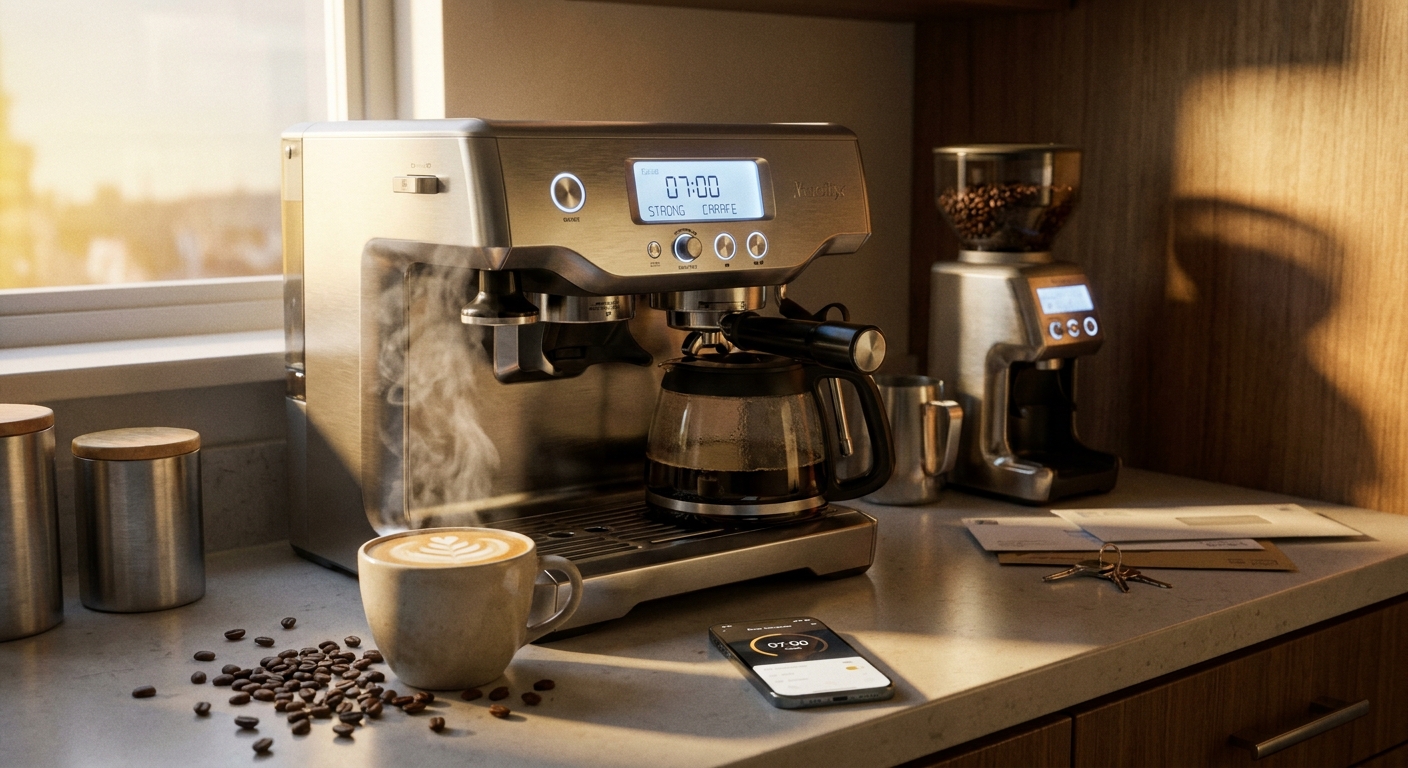
    Today Only: Smart Coffee & Espresso Maker Deals That Finally Fix Your ‘Why Am I Paying $6 For Coffee That Still Tastes Meh?’ Problem

    You are not crazy for feeling annoyed every time you hand over six bucks for a latte that tastes fine at best, then lose another 15 minutes in a drive-thru line. A lot of people want better coffee at home, but then hit a wall. Pods or whole beans? Drip or espresso? Built-in grinder? Milk frother? Suddenly a simple upgrade starts to feel like homework. The good news is that the best smart coffee maker deals today are making that decision a lot easier. Early Prime Day has pushed real discounts onto machines that can actually fix the morning mess, not just add another gadget to your counter. If your old coffee maker turns everything bitter, or your current routine depends on overpriced café runs, this is one of those rare sale windows where upgrading can save money fast and make your mornings feel a whole lot less rushed.

    ⚡ In a Hurry? Key Takeaways

    • The best smart coffee maker deals today are on Ninja, Breville, Keurig, and fully automatic espresso machines that can quickly replace several café trips a week.
    • Pick your machine based on your real morning routine. Pod convenience, bean-to-cup simplicity, or espresso plus milk drinks all suit different homes.
    • Watch total cost, not just sale price. A cheaper pod machine can cost more over time than a discounted bean-to-cup model if you drink coffee daily.

    Why these deals matter more than they look

    A coffee maker is one of the few kitchen upgrades you actually use every single day. That matters. A fancy blender might come out twice a month. A coffee machine gets tested before you are fully awake.

    That is why these sales are worth paying attention to. When brands like Ninja, Breville, and Keurig get meaningful price cuts, the savings do not stop at checkout. They keep going every morning you skip the café.

    If you buy coffee out four times a week at around $5 to $7 each time, that is roughly $20 to $28 a week. Over a few months, even a pricier home machine starts paying for itself. And if it also gives you iced coffee, espresso shots, and milk drinks, the math gets even better.

    How to choose the right coffee command center

    The smartest buy is not always the most expensive machine. It is the one that fits your actual routine when you are tired, late, and not in the mood to fiddle with settings.

    For people who want speed above everything

    A pod machine like a Keurig makes sense if your goal is simple. Press button. Get coffee. Move on with your life.

    This is the easiest path if you want one cup at a time, low cleanup, and no learning curve. It is especially useful in homes where everyone wakes up at different times.

    The tradeoff is long-term cost. Pods are convenient, but they are rarely the cheapest way to drink coffee every day.

    For households that want variety

    Ninja machines often hit the sweet spot. Many models can brew single cups, travel mugs, or full carafes. Some also do iced coffee styles well without watering everything down.

    If your home has one person who wants a quick mug and another who wants a larger pot, this type of machine can prevent the usual kitchen argument.

    For people chasing café-style drinks

    This is where Breville and fully automatic espresso machines come in. These are for people who want real espresso, stronger flavor, and milk-based drinks at home.

    Some Breville machines still want a little involvement from you. You may need to grind, tamp, and steam milk. That sounds intimidating, but many people end up enjoying the ritual once they get used to it.

    Fully automatic machines are different. They do more of the work for you. Press a drink option, and the machine handles grinding, brewing, and often frothing too. They cost more up front, but on a good sale day, they can become surprisingly reasonable.

    What “smart” really means here

    Not every smart coffee maker needs an app to be useful. In many cases, “smart” simply means the machine solves a real morning problem.

    That could mean:

    • Built-in grinders that remove one extra step
    • Programmable brew times so coffee is ready when you wake up
    • Multiple drink presets for espresso, iced coffee, or stronger brews
    • Automatic milk frothing for lattes and cappuccinos
    • Easy-clean cycles that stop the machine from becoming a science project

    If app control is included, treat it as a bonus, not the main reason to buy. The real win is getting better coffee with less effort.

    Three buying mistakes to avoid today

    1. Buying for your fantasy self

    If you have never wanted to measure beans, adjust grind size, and steam milk before work, a semi-manual espresso machine may not suddenly change your personality. Be honest. If convenience is your thing, buy convenience.

    2. Ignoring cleanup

    A machine can make amazing drinks and still annoy you enough to stop using it. Check how often it needs descaling, whether the milk system self-cleans, and how easy it is to empty grounds or rinse parts.

    3. Forgetting counter space

    This sounds boring until the box arrives. Measure the space. Then measure the height under your cabinets too. Some espresso machines are deeper and taller than people expect.

    Who should buy what

    Here is the simple version.

    Buy a Keurig-style machine if you want the fastest path from sleepy to caffeinated.

    Buy a Ninja if your household drinks coffee in different ways and wants flexibility without a steep learning curve.

    Buy a Breville if you care about espresso quality and do not mind a little hands-on work.

    Buy a fully automatic espresso machine if you want the café menu at home with the least effort, and today’s discount pulls the price into reach.

    One overlooked way to make your setup even better

    If your new machine lives on the counter full time, pair it with smarter power management. A lot of coffee stations end up surrounded by grinders, frothers, mug warmers, and chargers that stay plugged in all day. If you want to cut that standby waste, it is worth a look at Today Only: Smart Plug & Power Strip Deals That Finally Fix Your ‘Why Are My Bills High When Half My Stuff Is Supposed To Be “Smart”?’ Problem. It is not as exciting as a new espresso maker, but your electric bill will probably appreciate it.

    At a Glance: Comparison

    Feature/Aspect Details Verdict
    Best for convenience Pod machines like Keurig are fast, easy, and great for single cups with almost no cleanup. Best for busy mornings and low effort.
    Best for flexibility Ninja-style brewers often handle cups, carafes, iced coffee, and stronger brew settings in one machine. Best all-around value for mixed households.
    Best for café-style drinks Breville and fully automatic espresso machines offer richer espresso, milk frothing, and true latte or cappuccino options. Best for coffee lovers replacing regular café visits.

    Conclusion

    If you have been waiting for a sign to stop paying café prices for coffee that is just okay, this is it. Early Prime Day has quietly turned smart coffee and espresso makers into some of the best-value upgrades in the home right now, with serious cuts on brands like Ninja, Breville, Keurig and fully automatic espresso machines that rarely drop this low. The right machine can become your coffee command center, cut out at least a few coffee shop runs every week, give you back 15 to 30 minutes most mornings, and make home coffee something you actually look forward to. Pick the one that matches how you really live, not how you wish you lived, and today’s deal can keep paying you back long after the sale ends.

  • Today Only: Robot Vacuum & Mop Deals That Finally Fix Your ‘Why Am I Still Spending My Sundays Cleaning Floors?’ Problem

    Today Only: Robot Vacuum & Mop Deals That Finally Fix Your ‘Why Am I Still Spending My Sundays Cleaning Floors?’ Problem

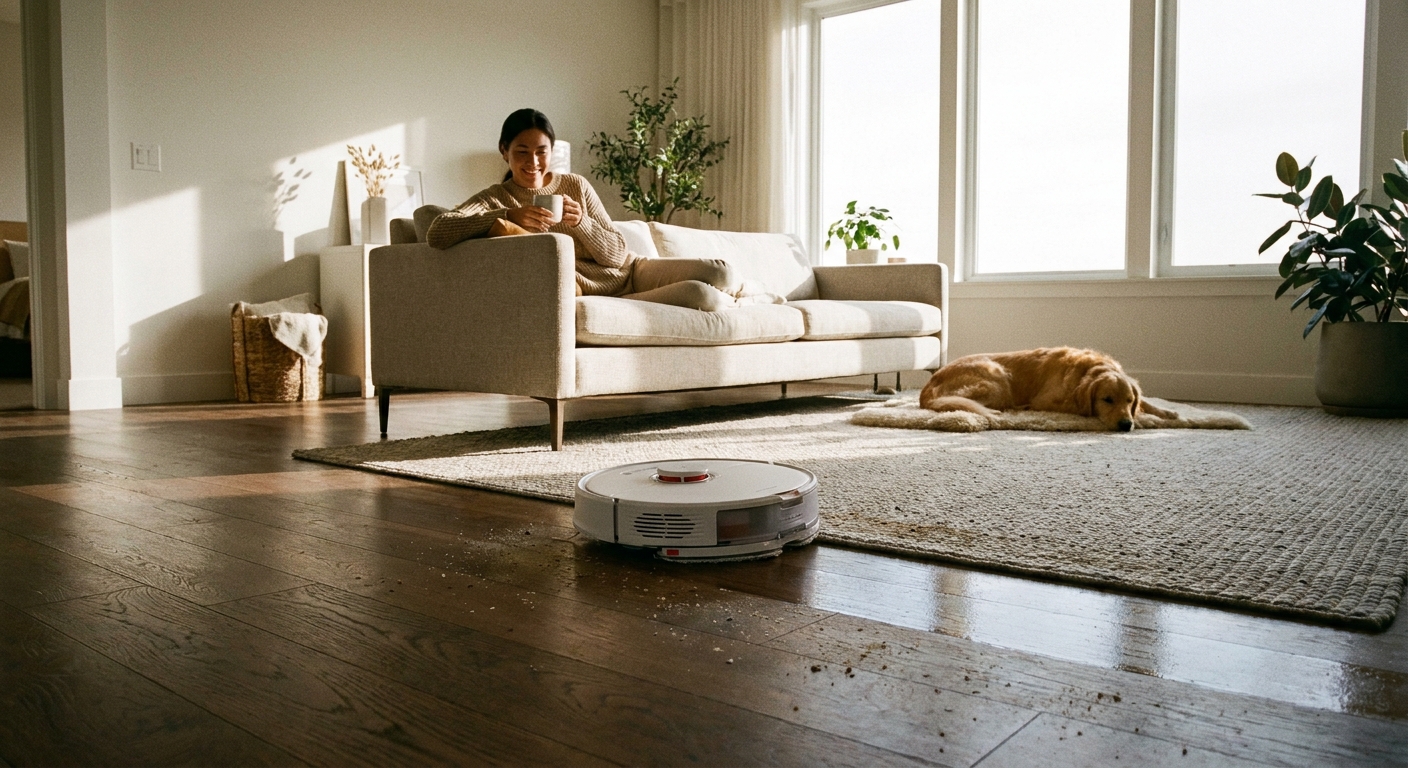
    You know the routine. You work all week, promise yourself that this weekend will be different, and then Sunday turns into a three-part floor-care marathon. Vacuum the crumbs. Mop the sticky spots. Go back for the pet hair you somehow missed the first time. It gets old fast. That is why the best robot vacuum mop deals today are worth a serious look, especially when early October sales are pushing some genuinely good models down to pre-Black Friday prices. The trick is not buying the cheapest little puck with a coupon slapped on it. The trick is finding the few that actually clean well, map your home properly, and do not need babysitting every 20 minutes. If you want your floors handled while you are doing literally anything else, tonight is one of those rare moments when buying smarter can also mean cleaning less.

    ⚡ In a Hurry? Key Takeaways

    • Yes, some of the best robot vacuum mop deals today are genuinely worth it, especially midrange models with smart mapping and decent mopping.
    • Focus on navigation, obstacle avoidance, and app controls first. Fancy claims mean very little if the robot gets stuck under your couch.
    • Stick with vetted brands and real discounts. A bad robot vacuum on sale is still a bad robot vacuum.

    Why robot vacuum deals are suddenly everywhere

    Right now, retailers are leaning hard into early October sale season. That means big-name robot vacuum and mop combos are showing up at prices that are often close to what we usually see later in the holiday rush.

    That is the good news.

    The annoying part is that shopping for one feels like reading the same product page 40 times. Every model promises stronger suction, smarter mapping, better mopping, and a life-changing app. Some deliver. Some absolutely do not.

    So if you are trying to cut through the noise, here is the simple version. You want a robot that can vacuum well, mop without making a mess, and get around your home without acting confused by a chair leg.

    What actually matters when shopping the best robot vacuum mop deals today

    1. Navigation is more important than raw suction claims

    Most people shop by suction numbers first. I get it. Bigger sounds better. But a robot that claims huge suction and then pinballs around the room is not saving you time.

    Look for LiDAR or reliable smart mapping. These models tend to clean in neat rows, cover rooms more completely, and let you set no-go zones in the app. That means fewer rescues, fewer missed corners, and fewer moments where you wonder why your robot is trying to eat a phone charger.

    2. Mopping should be a bonus, not a gimmick

    Robot mops are great for maintenance cleaning. They are not magic. They will help with everyday dust, paw prints, and light kitchen grime. They will not replace a deep scrub after a spilled smoothie dries into floor cement.

    The better models control water flow, lift the mop pad on carpet, or keep vacuuming and mopping zones separate. That matters a lot if you have mixed flooring.

    3. Self-emptying is where convenience really kicks in

    If you hate chores, this is the feature that changes the experience most. A self-empty dock means you are not dumping a tiny dustbin after every run. It turns the robot from a gadget into a routine helper.

    Is it required? No. Is it nice? Very much yes.

    4. Pet owners should shop differently

    If you have a dog, cat, or one fluffy chaos goblin who sheds enough for a second pet, brush design matters. Tangle-resistant rollers and stronger debris pickup on rugs are worth paying for.

    If your main issue is hair and quick messes between deep cleans, you may also want to check out Today Only: Cordless Stick Vacuum Deals That Finally Fix Your ‘Why Is My Floor Still Gross When I Literally Just Cleaned?’ Problem. A good robot handles the daily grind, while a stick vacuum is still handy for stairs, corners, and surprise disasters.

    The deal tiers that make the most sense

    Best budget buy

    If you are seeing a robot vacuum mop combo in the lower price range, keep expectations realistic. The best budget picks can absolutely help with daily dust and crumbs, especially in smaller homes or apartments. Just make sure it has app control and some form of room mapping. Random-navigation bots are usually cheap for a reason.

    Best value for most homes

    This is the sweet spot. Midrange models from trusted brands often hit the best balance of price and actual usefulness. You are looking for smart mapping, decent obstacle avoidance, enough suction for rugs, and a mopping system that does more than drag a damp cloth around.

    If today’s discount pulls one of these into your budget, that is usually the smartest buy.

    Best premium option

    The higher-end models are for people who want the least hands-on experience possible. Think self-emptying, better obstacle detection, stronger carpet performance, and better mopping systems. Some even wash and dry their own mop pads.

    Do you need all that? Not always. But if the sale drops a premium model close to midrange pricing, that is where things get interesting.

    Red flags to avoid before midnight

    Not every “deal” is a deal. A few things should make you pause.

    • Vague brand names with no track record.
    • Huge list prices that look inflated just to make the discount seem bigger.
    • App store reviews full of complaints about mapping, disconnects, or firmware issues.
    • Models that claim vacuum and mop performance but have tiny batteries and no floor-type controls.

    Also, check replacement costs. Mop pads, filters, brushes, and dust bags add up. A cheaper robot can become expensive if maintenance parts are hard to find or weirdly overpriced.

    Who should buy tonight, and who should skip it

    Buy tonight if:

    You are tired of spending part of every weekend doing the same floor routine. You have a mix of hard floors and rugs. You want maintenance cleaning handled automatically. And the model you are watching is from a known brand at one of its better prices.

    Skip it if:

    You expect a robot mop to replace serious floor scrubbing, or you are looking at the absolute cheapest option just because the discount badge is bright and exciting. This is one of those categories where “good enough” still needs to actually be good.

    At a Glance: Comparison

    Feature/Aspect Details Verdict
    Budget robot vacuum mop combos Best for light daily upkeep, small spaces, and hard floors. Often limited obstacle avoidance and simpler mapping. Worth it only if the price is truly low and the brand is trustworthy.
    Midrange smart models Usually include strong mapping, better suction, app controls, and more useful mopping features. Best overall value for most shoppers today.
    Premium self-empty and self-clean units More hands-off cleaning, stronger navigation, better carpet handling, and less frequent maintenance. Excellent if discounted heavily. Overkill at full price for some homes.

    Conclusion

    If you have been waiting for a sign to stop donating your Sundays to floor duty, this is a pretty good one. Early October sale hype is pushing robot vac and mop combos to some of their lowest pre-Black Friday prices, but most people are stuck sorting through 50 lookalike models and a pile of “best of” lists that all sound the same. Narrowing that mess down to a few solid options with truly good pricing is where the real value is. Save money if the deal is real, save time if the robot is actually competent, and remember what you are really buying here. Not just a gadget. A little piece of your weekend back.

  • Today Only: Air Purifier & Dehumidifier Deals That Finally Fix Your ‘Why Does My Home Feel Muggy, Dusty And Miserable 24/7?’ Problem

    Today Only: Air Purifier & Dehumidifier Deals That Finally Fix Your ‘Why Does My Home Feel Muggy, Dusty And Miserable 24/7?’ Problem

    If your home feels clammy, smells a little musty, and somehow makes your allergies worse the second you walk indoors, that is not just in your head. This time of year is sneaky. You close the windows, stop running the AC as much, and suddenly stale air, extra moisture, dust, and mold spores start hanging around much longer than they did in summer. The result is a house that feels uncomfortable all day and a bedroom that does not feel fresh at night. The good news is you do not need to throw money at random gadgets and hope for the best. The best air purifier and dehumidifier deals today can tackle both sides of the problem. One cuts particles like dust, pollen, and pet dander from the air. The other pulls extra moisture out of the room so it feels less sticky and less friendly to mildew, musty odors, and slow-drying laundry.

    ⚡ In a Hurry? Key Takeaways

    • For a muggy, dusty home, the best fix is usually a real dehumidifier plus a true HEPA air purifier, not a tiny all-in-one desk gadget.
    • Check room size, moisture-removal rating, and filter type before buying. A good deal on an underpowered unit is still wasted money.
    • Keep indoor humidity around 40 to 50 percent. That is the sweet spot for comfort, mold control, and easier breathing.

    Why your house suddenly feels worse when the weather cools down

    People expect indoor air problems in peak summer or deep winter. Fall gets ignored. That is a mistake.

    When windows stay shut more often and the AC runs less, there is less airflow moving stale air out. At the same time, leftover humidity from summer can still linger in basements, bedrooms, bathrooms, and laundry areas. Add pollen on clothes, dust from forced-air systems, and maybe a little mildew in the corners, and your home can start feeling heavy and dirty fast.

    That is why the best air purifier and dehumidifier deals today matter more than they might in spring. You are not just shopping for comfort. You are trying to fix the conditions that make a home feel gross around the clock.

    What to buy first if your home feels muggy and dusty

    Get a dehumidifier if the air feels sticky

    If the room feels damp, smells musty, or leaves towels and laundry taking forever to dry, start with a dehumidifier. Moisture is often the root problem. Pulling that extra water out of the air can make a room feel better within hours.

    Look for a unit with a clear daily moisture-removal rating, a built-in humidistat, auto shutoff, and ideally a drain hose option if you plan to run it often. Tiny bucket-style models can help in very small spaces, but they are rarely enough for a basement, main bedroom, or living room.

    Get an air purifier if your nose, throat, or eyes are telling you something is off

    If you wake up stuffy, notice dust settling fast, or feel pet dander and pollen indoors, an air purifier is the better first move. A true HEPA filter is the important part here. That is what traps the fine particles that make air feel dirty even when the room looks clean.

    Skip anything vague that talks more about mood lighting than filter performance. You want clear coverage numbers, replacement filters you can actually buy later, and a noise level you can live with at night.

    When it makes sense to use both

    Honestly, a lot of homes need both. They solve different problems.

    A dehumidifier removes excess moisture. An air purifier removes particles floating in that air. If your place smells musty and also makes you sneeze, buying just one may only solve half the issue.

    If dry winter air is your bigger problem later in the season, you may also want to read Today Only: Air Purifier & Humidifier Combo Deals That Finally Fix Your ‘Why Does My Home Air Still Feel Gross Even With The Windows Closed?’ Problem. That is the flip side of this problem, and it matters once heating season really kicks in.

    How to spot a good deal instead of a cheap disappointment

    For air purifiers

    Look for these basics:

    • True HEPA filtration, not just “HEPA-type” wording
    • Coverage that matches your real room size
    • CADR or other performance numbers if available
    • Reasonably priced replacement filters
    • Sleep mode or low-noise setting for bedrooms

    For dehumidifiers

    Look for:

    • A capacity that fits the space, especially for basements or larger rooms
    • A built-in humidity display or humidistat
    • Auto restart after power loss
    • Continuous drain support if you hate emptying tanks
    • Easy-to-clean filter access

    If a product listing avoids specifics and leans hard on words like “powerful” or “advanced” without numbers, be careful. That usually means the marketing department did more work than the machine.

    Best rooms to target first

    You do not have to fix the whole house in one day.

    Bedroom

    This is usually the best place to start because bad air hits sleep first. If you wake up with a dry throat, congestion, or that stale-air feeling, put your purifier here.

    Basement

    If the basement smells earthy or damp, that is dehumidifier territory. This can also help protect stored clothes, cardboard boxes, and anything that tends to pick up that basement smell.

    Laundry area

    If clothes dry slowly or the room gets damp after every wash cycle, a dehumidifier can make a big difference.

    Main living room

    If pets spend time there, or it is the room where dust seems to show up overnight, an air purifier can take a lot of the edge off daily irritation.

    One small setting that makes a big difference

    Try to keep indoor humidity between 40 and 50 percent.

    Above that, your home starts feeling muggy and mold gets happier. Too far below that, especially later in the season, air can start to feel dry and irritating. Many people buy the right machine and then never check the target setting. It matters. If your dehumidifier lets you set a level, do it.

    At a Glance: Comparison

    Feature/Aspect Details Verdict
    Air purifier Best for dust, pollen, pet dander, smoke particles, and that stale indoor-air feeling. Look for true HEPA and room-size coverage. Best first buy if sneezing, dust, or sleep irritation is the main issue.
    Dehumidifier Best for sticky rooms, musty smells, mildew risk, damp basements, and slow-drying clothes. Check capacity and drain options. Best first buy if the room feels wet, heavy, or smells off.
    Buying value The best deals are on properly sized machines with clear specs, not flashy mini units with vague claims. Spend for fit and performance, not looks. It saves money in the long run.

    Conclusion

    If your home has been feeling sticky, dusty, and strangely unpleasant lately, you are not being picky. Right now a lot of people are closing windows for the season and running AC less, which is exactly when humidity, dust, and mold spores can spike indoors and quietly wreck sleep, lungs, and energy. The best air purifier and dehumidifier deals today give you a practical way to fix that instead of just putting up with it. Pick a machine that actually fits your space, keep humidity in a healthy range, and focus on performance over hype. Done right, you can cut musty smells, calm allergy flare-ups, help clothes dry faster, and avoid wasting money on underpowered gadgets that look nice on a shelf but barely clean a bedroom.

  • Today Only: Fire TV Stick & Streaming Device Deals That Finally Fix Your ‘Why Am I Paying For 5 Subscriptions I Barely Use?’ Problem

    Today Only: Fire TV Stick & Streaming Device Deals That Finally Fix Your ‘Why Am I Paying For 5 Subscriptions I Barely Use?’ Problem

    You are not lazy, and your TV setup is not “fine” just because it turns on. A lot of people have the same nightly routine. Open Netflix. Back out. Check Prime Video. Scroll Hulu. Forget why you picked up the remote in the first place. Meanwhile, your older smart TV lags, your apps crash at the wrong moment, and your monthly streaming bill starts looking suspiciously close to the cable package you proudly canceled. That is why the best streaming device deals today matter more than they sound. A cheap streaming stick cannot fix bad shows, but it can fix a clunky experience, cut down remote chaos, and make it easier to drop services you barely touch. The good news is that today’s Fire TV Stick discounts and competing streamer deals are real. The better news is that you do not need to buy the most expensive box to make your TV setup feel sane again.

    ⚡ In a Hurry? Key Takeaways

    • Today’s best value is usually a midrange streaming stick, not the priciest box, especially if you just want faster menus and one simple remote.
    • If your TV feels slow, upgrade the streamer first, then use that fresh setup to review and cancel the apps you rarely open.
    • Check Wi-Fi placement and power needs before buying. A great deal is only a deal if the device works well in your room.

    Why a streaming device can save money, not just add another gadget

    This is the part most deal roundups skip. A streaming stick does not lower your bill by magic. It lowers your bill by making your setup easier to use, so you can actually see what you are paying for and stop bouncing between five apps out of habit.

    When your TV is slow, people tend to keep everything “just in case” because checking options is annoying. A faster device changes that. You get cleaner menus, quicker app switching, voice search that works better, and in many cases one remote that handles power, volume, and streaming.

    That makes it much easier to say, “We only watch two of these services. Why are we still paying for all five?”

    Which deals are actually worth your time today

    Fire TV Stick deals

    If you want the easiest, lowest-cost fix for an aging TV, today’s Fire TV Stick deals are the ones most people should start with. They are usually the sweet spot for value. Setup is simple, the remotes are straightforward, and the interface is familiar to a lot of households.

    The newest standard Fire TV Stick is a smart buy if your current TV software is just slow and frustrating. It is enough for most living rooms, bedrooms, and guest rooms.

    The Fire TV Stick 4K makes more sense if you already have a 4K TV and want a little more speed. If the price gap is small today, this is often the better long-term pick.

    The Fire TV Stick 4K Max is the one to watch if you hate lag and want the snappiest Fire TV experience without moving up to a full streaming box. It is usually the “buy once, stop thinking about it” option when discounted.

    Roku and other competing streamer deals

    If you want a simpler home screen and less emphasis on one brand’s content, Roku often appeals to people who just want their apps front and center. It is especially friendly for less techy family members.

    Google TV streamers can be a nice fit if you like strong search and recommendations across services. Apple TV boxes are excellent, but unless there is a very rare deep discount, they are harder to justify if your main goal is saving money.

    So when you search for the best streaming device deals today, do not just sort by biggest discount. Sort by how likely the device is to solve your specific annoyance.

    Match the deal to the problem you actually have

    Problem: “My TV is painfully slow”

    Buy a newer streaming stick instead of replacing the whole television. This is the most common win. A good streamer can make a perfectly decent older TV feel new again for a fraction of the cost.

    Problem: “We have too many remotes”

    Look for a streamer with TV controls on the remote. Fire TV Stick models usually do this well. One remote for power, volume, and apps sounds small, but it cuts down a lot of daily friction.

    Problem: “I can never find anything to watch”

    Pick the platform with the easiest search and app layout for your household. The fastest device in the world will not help if everyone hates using the menu.

    Problem: “The Wi-Fi box is in the wrong room”

    This matters more than most people think. A new streaming stick cannot fully hide a weak signal. If buffering is your main complaint, place the device where it has the best shot at your router, or consider improving power and cable management near the TV. If your entertainment center is part of a bigger energy mess, it is worth a quick look at Today Only: Smart Plug & Power Strip Deals That Finally Fix Your ‘Why Are My Bills High When Half My Stuff Is Supposed To Be “Smart”?’ Problem, especially if consoles, soundbars, chargers, and set-top boxes are all stacked in one spot.

    How to use a streaming deal to cut your monthly bill

    This is the part that actually saves money.

    After you set up your new device, do a 15-minute subscription audit. Open every app on the home screen and ask one question. “Did we watch this in the last month?” If the answer is no, cancel it today. Not next weekend. Today.

    A smoother streaming device helps because it gets you back into each service quickly. You stop paying for apps you forgot existed. You also stop keeping duplicate services because “searching is too annoying.”

    A lot of families can cover the cost of a discounted streaming stick just by dropping one unused subscription for a couple of months.

    What not to overspend on

    Do not buy a premium box for a spare bedroom TV

    If the TV is mainly for casual watching, a discounted standard stick is usually enough.

    Do not assume “8K” or ultra-premium specs matter

    Most people are watching regular streaming apps on a normal 4K set, not building a demo room for a showroom floor.

    Do not replace the TV first

    Unless the screen itself is failing, try a new streamer before spending hundreds on a whole new set.

    Quick buying advice for different households

    Best for most people

    A discounted Fire TV Stick 4K or equivalent midrange Roku. Good speed. Simple setup. Good value.

    Best for the tightest budget

    The standard Fire TV Stick, especially if the sale is steep and your needs are basic.

    Best for impatient users

    The Fire TV Stick 4K Max or a higher-end Roku if the deal is close enough in price to midrange models.

    Best for older family members or guests

    Usually Roku, thanks to its straightforward home screen. But if your household already uses Alexa a lot, Fire TV may feel more natural.

    At a Glance: Comparison

    Feature/Aspect Details Verdict
    Best value deal Midrange sticks like Fire TV Stick 4K often hit the sweet spot between price, speed, and features. Best choice for most homes
    Biggest practical upgrade Replacing sluggish built-in smart TV software with a newer external streamer. Often better than buying a new TV
    Best way to save monthly Use the new device to review apps, simplify search, and cancel subscriptions you do not actually use. Real savings if you follow through

    Conclusion

    If you have been waiting for a sign to clean up your TV setup without spending a fortune, this is it. Right now there are rare, real price drops on popular streaming devices like the latest Fire TV Stick models and competing streamers, but most roundups just throw links at you and call it help. The smarter move is to tie the discount to a real outcome. One remote instead of three. Faster menus instead of nightly lag. Fewer subscriptions quietly draining your account. The best streaming device deals today are not about adding another toy behind the TV. They are about making the TV you already own easier to live with, and finally cutting the monthly streaming clutter down to size.