Author: ehudsegev

  • Today Only: Wi‑Fi Mesh & Router Deals That Finally Fix Your ‘Why Is My Internet Fast On Paper But Awful At Home?’ Problem

    Today Only: Wi‑Fi Mesh & Router Deals That Finally Fix Your ‘Why Is My Internet Fast On Paper But Awful At Home?’ Problem

    You know this kind of internet pain. The plan on your bill looks impressive, but real life at home feels completely different. Zoom freezes right when you need to speak. Netflix drops to blurry mush. The bedroom, garage or back office acts like it belongs to another house entirely. And after the tenth router reboot, it starts to feel like you are paying for speed you never actually get to use. The good news is that this is often a home Wi‑Fi problem, not an “internet plan” problem. Better still, today is one of those rare days when fixing it does not have to cost a fortune. Some of the best wifi mesh system deals today are cutting Wi‑Fi 6 and Wi‑Fi 6E kits down to prices that make far more sense than overpaying your provider for a bigger plan that still will not reach the far corners of your home.

    ⚡ In a Hurry? Key Takeaways

    • A two or three-node mesh kit is often the fastest fix for dead zones, buffering and unstable work-from-home Wi‑Fi.
    • Match the gear to your space. A basic router works for a small apartment, while a mesh system is usually the smarter buy for a three-bedroom home or shared house.
    • Skip cheap “signal boosters” and don’t pay extra for features you will never use. Today’s sale prices make solid Wi‑Fi 6 and 6E systems the better value.

    Why your internet can be “fast” and still feel bad

    This trips people up all the time. Your ISP brings internet to the modem. Your router spreads that connection around your home. If the router is weak, old, badly placed or trying to cover too much space on its own, the internet can test fast near the router and still fall apart everywhere else.

    That is why support calls can be so maddening. The provider checks the line, sees nothing wrong, and tells you everything looks fine. Technically, they may be right. But your actual home experience still stinks.

    If the living room gets good speeds but the office, bedroom or patio does not, the weak point is usually coverage. That is where mesh systems help.

    What a mesh system actually does

    Think of a mesh kit as giving your home more than one good Wi‑Fi point instead of asking one lonely router to blast through walls, floors, mirrors, appliances and furniture.

    Most mesh systems come with two or three units, often called nodes. One connects to your modem. The others go in smart spots around the home to spread coverage more evenly. Instead of clinging to one distant router signal, your phone, laptop, TV and smart home gadgets connect to the nearest node.

    That usually means fewer dead zones, smoother video calls, less buffering and less shouting at the modem.

    Who should buy what today

    Small apartment or studio

    If you live in a smaller space and your main issue is that your current router is old, a basic Wi‑Fi 6 router may be enough. You do not always need a full mesh setup if your place is compact and your walls are not fighting you.

    Look for a simple router with Wi‑Fi 6, good app setup and solid reviews for stability rather than flashy promises.

    Typical three-bedroom home

    This is mesh territory. A two-pack is often the sweet spot. It gives you much better coverage without overdoing the cost or setup. For many families, this is the best value in the best wifi mesh system deals today.

    If one side of the house gets weak signal, or the office is upstairs while the router is downstairs by the modem, a two-node mesh can make a night-and-day difference.

    Larger home or shared house

    If you have multiple floors, lots of connected devices or several people streaming, gaming and taking calls at once, a three-node setup makes more sense. Shared houses especially benefit because one router in the front room rarely serves everyone well.

    In these homes, the goal is not just top speed. It is consistency. Consistency is what stops the daily frustration.

    Wi‑Fi 6 vs Wi‑Fi 6E vs Wi‑Fi 7

    For most people shopping today, Wi‑Fi 6 is the practical sweet spot. It is fast, mature, and now much cheaper than it was even a year ago.

    Wi‑Fi 6E adds access to the 6GHz band, which can help in busy homes with many devices, especially newer phones and laptops. If the price gap is small, 6E is a nice upgrade.

    Wi‑Fi 7 is the shiny new thing, and yes, it is excellent. But it is still pricier. If you want to compare the newer premium gear too, take a look at Today Only: Wi‑Fi 7 Router & Mesh System Deals That Finally Fix Your ‘Why Is My Internet Fast But My House Still Feels Offline?’ Problem. For most homes, though, today’s discounted Wi‑Fi 6 and 6E systems are the smarter buy.

    How to spot a genuinely good deal

    Not every sale tag means much. A good deal today usually checks a few boxes.

    Look for enough nodes, not just big speed numbers

    A two-pack mesh kit that covers your whole home is often a better buy than one “super powerful” router with wild marketing claims. Coverage beats hype.

    Check for easy app setup

    If setup is painful, people tend to leave bad defaults in place or never finish the job. The better systems now are simple enough to get running in under half an hour.

    Make sure it has gigabit-class ports if you need them

    If you have a fast plan, a work PC, game console or smart TV that can use Ethernet, ports matter. Wired connections are still the gold standard for stability.

    Watch out for pricey subscriptions

    Some brands push extra security or parental control subscriptions. Those may be useful, but they should not be the reason you buy. Buy for coverage and reliability first.

    What to skip

    The biggest money waster is the random plug-in “booster” bought out of frustration at 11 p.m. They can help in a few cases, but many just repeat a weak signal and create more confusion with extra network names and patchy performance.

    Also skip oversized gaming routers if you do not actually need one. Some are great, but many buyers would get better real-world results from a simpler mesh kit placed properly around the home.

    A quick buying guide for today’s deals

    If your current pain is mostly one dead bedroom or office, start with a two-node Wi‑Fi 6 mesh kit.

    If your house is larger, has two floors or lots of walls, move up to a three-node kit.

    If you live alone in a smaller place and your router is ancient, a good Wi‑Fi 6 router may be the cheapest clean fix.

    If you have many new devices and see a small price jump to Wi‑Fi 6E, it is worth considering.

    The key is buying enough coverage, not chasing the most dramatic speed label on the box.

    Setup tips that matter more than people think

    Even the best system can underperform if it is placed badly.

    Do not hide the main router

    If your modem forces you into a far corner, work around that as best you can. Try to keep the main unit out in the open, not trapped behind a TV or inside a cabinet.

    Space mesh nodes halfway, not at the dead zone

    People often put the second node in the exact room with no signal. That sounds logical, but it is usually too far. Place it about halfway between the main router and the trouble area so it still gets a strong signal to pass along.

    Use Ethernet where you can

    Smart TVs, game consoles and desktop PCs often behave better when wired. Let Wi‑Fi handle the phones and tablets.

    At a Glance: Comparison

    Feature/Aspect Details Verdict
    Small apartment setup A single Wi‑Fi 6 router is often enough if your space is compact and you do not have major dead zones. Best budget choice for simple homes.
    Three-bedroom home A two-node mesh kit usually gives the best balance of coverage, stability and price. Best overall value for most readers.
    Large or shared house A three-node mesh system handles more rooms, more devices and more simultaneous use. Best for reliability across the whole house.

    Conclusion

    If your home internet has been making you feel like you are losing your mind, this is a very good day to fix it without overspending. Labor Day level sales are quietly cutting prices on Wi‑Fi 6 and Wi‑Fi 6E mesh kits, gaming routers and dependable everyday routers. That makes this one of the cheapest times all year to solve a problem that quietly wastes money every single month. Instead of paying your ISP for even more speed you may not actually feel, or tossing cash at weak signal boosters, you can use today’s deals to build a simple two or three-node mesh for less than the cost of one month of an overkill internet plan. The payoff is real. Better streaming, steadier smart home gadgets, stronger work-from-home calls and a house that finally feels connected in more than one room. Fewer rage-reboots. Fewer dropped calls. More of your monthly bill turning into internet you can actually use.

  • Today Only: Smart Lighting & LED Deals That Finally Fix Your ‘Why Does My Place Still Feel Gloomy And My Power Bill So High?’ Problem

    Today Only: Smart Lighting & LED Deals That Finally Fix Your ‘Why Does My Place Still Feel Gloomy And My Power Bill So High?’ Problem

    You are not imagining it. A lot of homes somehow manage to feel too dark and too harsh at the exact same time. One room looks like a basement cave, the next feels like a waiting room with bulbs so bright they make everyone look tired. Then the electric bill shows up and you start wondering how lighting got this annoying. The good news is this is one of those rare days when fixing it does not have to cost a fortune. The best smart lighting deals today are lining up all at once, with cheap smart LED bulbs, discounted light strips, and recessed kits getting real price cuts instead of the usual fake sale nonsense. If your goal is simple, better light, lower energy use, and a home that feels warmer at night, this is a solid moment to buy a small starter mix and actually notice the difference tonight.

    ⚡ In a Hurry? Key Takeaways

    • Today is a strong time to buy smart bulbs, light strips, and recessed lighting kits because Labor Day promos and daily discounts have stacked.
    • Start with one room. Two smart bulbs, one accent strip, and one smart switch can completely change how a living room or bedroom feels.
    • LED lighting uses far less power than older bulbs, but always check bulb type, dimmer compatibility, and fixture ratings before you install anything.

    Why your home lighting feels off

    Most people do not have a lighting problem because they bought the wrong house. They have a lighting problem because the setup happened piece by piece over time.

    Maybe there is one overhead fixture doing all the work. Maybe the bulbs are mismatched. Maybe one lamp still has an old soft white bulb from five years ago and the ceiling light has a cool white LED that makes the whole room feel stiff.

    That is why lighting can feel gloomy and too intense at once. It is not just brightness. It is placement, color temperature, and control.

    What makes the best smart lighting deals today worth your time

    Usually, lighting sales are scattered. A decent bulb deal here. A coupon code there. Today is different because several categories are on sale at the same time.

    Smart LED bulbs are cheap enough to test without overthinking it

    Home Depot has smart LED bulbs down to the kind of pricing that makes sense for a first try. This matters because bulbs are the easiest upgrade. No tools. No rewiring. Screw one in, connect the app, and you can start setting warm evening light or brighter daytime light in minutes.

    If your living room feels flat, a pair of bulbs in table lamps can do more for comfort than one stronger ceiling bulb ever will.

    Light strips and panels fix the “harsh overhead only” problem

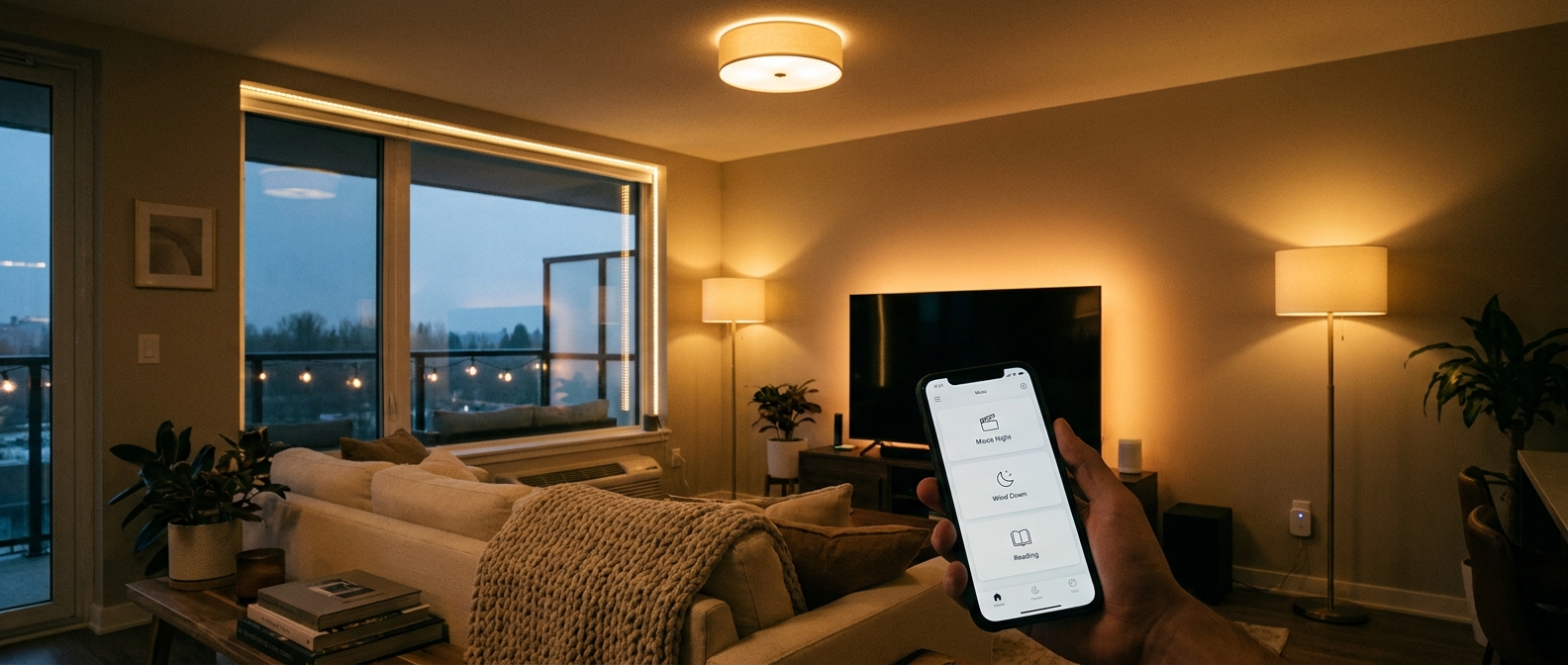
    Dedicated lighting sites are also running extra coupon codes on strips and panels. This is where a room starts to feel designed instead of just lit. Put a strip behind a TV, under a shelf, or along a headboard, and suddenly you get soft background light that makes the main lamp work less hard.

    That softer fill light is often what people are missing.

    Smart recessed kits are finally getting serious discounts

    Brands like Govee have smart recessed kits at up to 40 to 45 percent off. If you have a room with old can lights, this is a bigger upgrade, but it can also be the most dramatic. You get cleaner light, better control, and lower energy use in one shot.

    The easiest way to shop without wasting money

    If you are tempted to throw ten products into the cart, slow down. Start with one room you use every night.

    Best starter setup for a bedroom

    Use two smart bulbs in bedside lamps or one lamp plus one ceiling-compatible bulb. Add a light strip behind the headboard or dresser. Set a warm scene for evenings.

    This gives you bright light when you need it, and softer light when you are winding down.

    Best starter setup for a living room

    Use one or two smart bulbs in side lamps, a strip behind the TV or media console, and at least one smart switch if your main ceiling fixture is still part of the daily routine.

    If your outlet situation is already a mess, it also helps to pair lighting upgrades with better power management. That is where Today Only: Smart Plug & Power Strip Deals That Finally Fix Your ‘Why Are All My Outlets Full And My Bill Still So High?’ Problem fits nicely. A tidy smart power setup and better lighting tend to solve the same kind of household stress.

    How smart lighting can help with the power bill

    This part is refreshingly simple. LED bulbs use much less electricity than older incandescent bulbs, and smart controls help reduce the “left on by accident” problem.

    That does not mean every smart bulb instantly slashes your bill by some magical amount. But if you replace a few high-use bulbs and set schedules or timers, the savings add up in a very normal, real-world way.

    More important, you stop over-lighting a room just to make one corner usable.

    Use brightness better, not just more of it

    A bright overhead light is not always efficient if it is the only source in the room. Layered lighting often lets you use lower brightness in more useful spots. That can feel better and waste less power.

    Quick buying tips before you click

    Check the bulb base. E26 is common, but not universal.

    Check color temperature options. If you hate that icy office look, choose bulbs with adjustable white or warm white settings.

    Check whether your current wall dimmer works with smart bulbs. Some do not play nicely together.

    Check whether you really need a hub. Many newer products connect directly through Wi-Fi or Matter-compatible platforms.

    If you want the simplest path, buy bulbs first. If you want the biggest visual change, add one strip. If you want the most “whole room” improvement, include a smart switch.

    At a Glance: Comparison

    Feature/Aspect Details Verdict
    Smart LED bulbs Lowest-effort upgrade. Good for lamps, bedrooms, and living rooms. Great sale pricing today. Best place to start for most homes.
    Light strips and panels Add soft accent light behind TVs, shelves, desks, or beds. Often stack with extra coupon codes. Best for fixing harsh, flat-looking rooms.
    Smart recessed kits and switches Bigger upgrade with stronger room-wide impact. Some kits are 40 to 45 percent off today. Best long-term value if you want a more complete lighting reset.

    Conclusion

    If your home has been stuck in that weird zone between gloomy and glaring, this is a genuinely useful sale window. Labor Day lighting promos and Deal-of-the-Day discounts have quietly stacked, with smart LED bulbs at Home Depot down to impulse-buy pricing, dedicated lighting sites running extra coupon codes on strips and panels, and smart recessed kits from brands like Govee up to 40 to 45 percent off. In one 24-hour stretch, you can pick up a small mix of bulbs, strips, and at least one smart switch that makes your bedroom or living room brighter, cozier, and cheaper to run. That is a lot better than waiting for Black Friday, hoping the right products go on sale, and then buying in a rush. Start small. One room is enough to feel the difference tonight.

  • Today Only: Smart Lock & Indoor Camera Deals That Finally Fix Your ‘Why Do I Still Feel Nervous Leaving My Place Empty?’ Problem

    Today Only: Smart Lock & Indoor Camera Deals That Finally Fix Your ‘Why Do I Still Feel Nervous Leaving My Place Empty?’ Problem

    You are not paranoid. Leaving your place empty can feel weirdly stressful now, especially when every other video online seems to be a porch theft, a package grab, or someone testing a front door. Then you go shopping for home security, see the prices, see the monthly fees, and suddenly decide your current deadbolt is “probably fine.” I get it. Most people do not want a full alarm system project. They want a simple way to check the door, peek inside, and stop wondering if they locked up properly. The good news is that today’s best smart lock and indoor security camera deals are unusually good, and a few of them stack with coupons or flash-sale pricing. That means you can put together a practical setup for an apartment, townhouse, or starter home without signing up for another monthly bill or spending half a paycheck in one shot.

    ⚡ In a Hurry? Key Takeaways

    • The best smart lock and indoor security camera deals today are the no-subscription combos that let you lock remotely, view live video, and save clips locally.
    • Look for stackable savings. On-page coupons, promo codes, and one-day pricing can drop decent lock-and-camera bundles into impulse-buy range.
    • If you rent or are watching your budget, start with one smart lock and one indoor camera aimed at the entryway. That gets you most of the peace of mind for the least money.

    Why these deals matter more than the usual “best of” lists

    Most roundup articles are built for research mode. That is helpful when you have a month to compare every lock, every camera, and every smart home platform under the sun.

    But that is not what is happening today.

    Today is about timing. A few good products have dipped low enough that the math finally makes sense. If you have been waiting for a basic home security upgrade that does not feel like a whole new hobby, this is the sweet spot.

    The key is to ignore flashy bundles packed with monthly fees and focus on three things. A solid smart lock, an indoor camera that works without a required subscription, and app support that fits the phone and voice assistant you already use.

    What to buy if you want security without the monthly bill

    1. Budget apartment setup

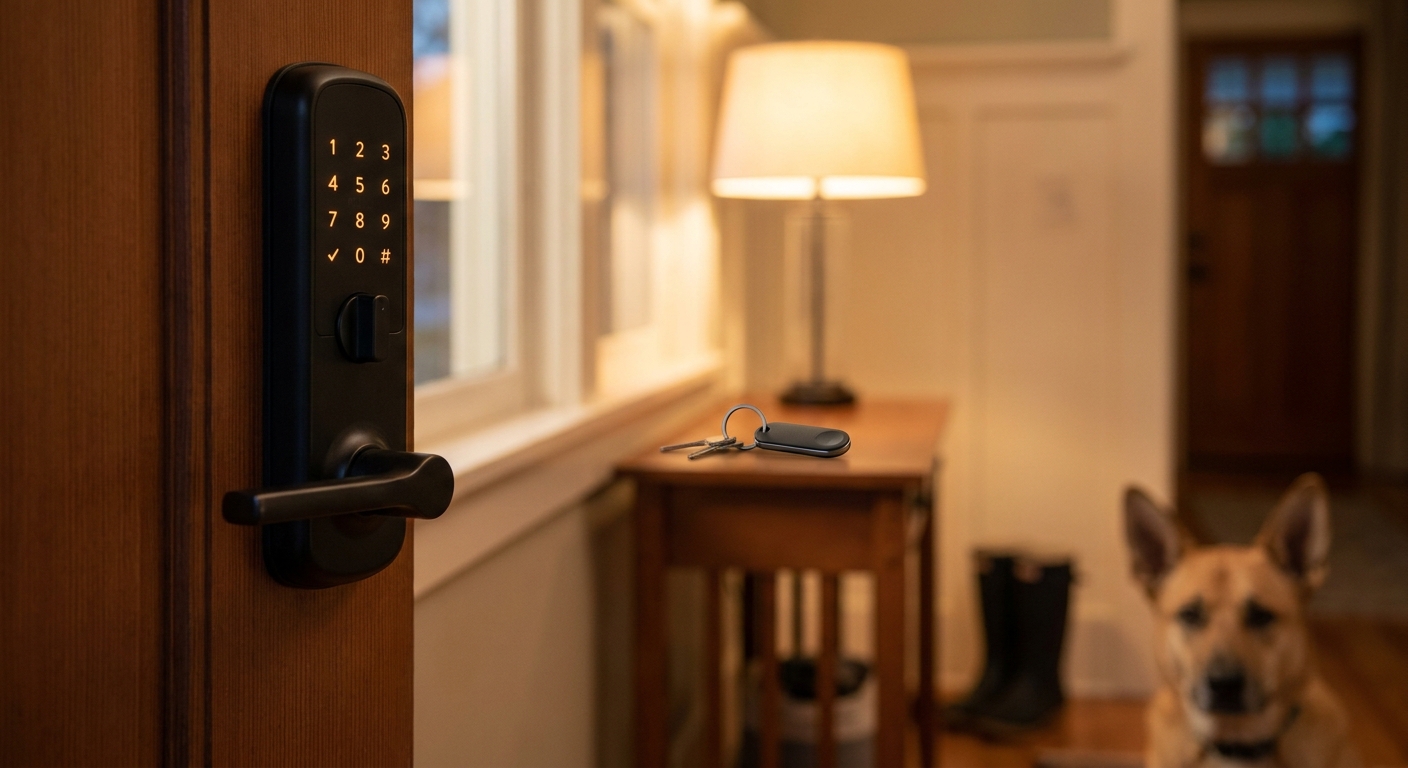
    This is the simplest pairing. Pick a smart lock with keypad entry and app control, then pair it with an indoor camera that supports local storage on a microSD card.

    Why this works: the lock handles the “did I lock the door?” panic, and the camera handles the “what was that notification?” panic.

    Best for: renters, first apartments, and anyone who wants useful security without drilling holes everywhere or adding monitoring fees.

    2. Family or townhouse setup

    If multiple people come and go, a lock with temporary codes is worth paying a little more for. You can make separate codes for kids, dog walkers, cleaners, or family visiting for the weekend.

    Pair that with an indoor camera that supports activity zones and two-way audio. That lets you check if someone actually came in, and if your package got brought inside, without your phone blowing up every time the cat walks by.

    3. Apple, Google, or Alexa-friendly setup

    This is where people get tripped up. The hardware can be great, but if it fights your phone or smart speaker, you will hate using it.

    If you are in the Apple world, make sure the lock supports HomeKit or Matter. If your place runs on Alexa or Google Home, check for direct support before buying. The best deals are only good deals if you will actually use the gear every day.

    How to spot the real bargains

    When you are hunting the best smart lock and indoor security camera deals today, do not look only at the big sale price on the page. Look for stackable savings.

    That usually means:

    • Clickable on-page coupons
    • Limited-time promo codes
    • Extra discounts for buying two devices from the same brand
    • Flash prices that end before the broader seasonal sale does

    This is why waiting can backfire. The big “sale event” may last all week, but the best combinations inside it often do not.

    Features that are actually worth paying for

    Smart lock features that matter

    Start with reliability. A good lock should still work with a physical key, have a keypad that is easy to use in the dark, and send clear lock or unlock alerts.

    Nice extras include auto-lock, guest codes, and door status alerts. Fingerprint unlock can be great too, but only if reviews say it works consistently.

    Indoor camera features that matter

    For cameras, 2K video is nice, but not mandatory. More important are decent night vision, fast notifications, two-way talk, and local recording so you do not need a subscription just to review a clip.

    If privacy makes you nervous, look for a camera with a physical shutter or an easy way to disable it when you are home.

    Who should skip the “cheapest possible” option

    I love a bargain. I do not love fake bargains.

    If a lock has a sketchy app, weak reviews about battery life, or random disconnect issues, that low price is not a win. Same goes for cameras that advertise “free use” but quietly hide basic recording behind a monthly plan.

    The sweet spot is not the absolute cheapest product. It is the cheapest product you will still trust at 11:30 p.m. when you are out and wondering if the front door is locked.

    If that sounds familiar, you may also like Today Only: Smart Lock, Camera & Tracker Deals That Finally Fix Your ‘Did I Lock Up And Where Did I Put My Bag?’ Problem, which tackles that same low-grade daily stress from another angle.

    Two smart buying tips before you check out

    Check local storage options

    If avoiding fees is the whole point, make sure the camera supports microSD cards or a home hub for recording. “Works without subscription” and “stores clips for free forever” are not always the same thing.

    Check your door type before buying a lock

    This sounds obvious, but it saves returns. Some locks replace only the inside thumb turn. Others replace the whole deadbolt. Measure the backset, check deadbolt compatibility, and make sure your door closes cleanly. Even the best smart lock can act flaky on a misaligned door.

    At a Glance: Comparison

    Feature/Aspect Details Verdict
    Lowest-cost smart setup Keypad smart lock plus indoor camera with microSD storage and app alerts Best value for renters and small apartments
    Best feature balance Lock with guest codes and auto-lock, camera with activity zones, night vision, and two-way audio Best choice for families and busy households
    Best long-term savings Devices that work with Alexa, Google, or Apple and do not require a monthly cloud plan Smartest buy if you hate recurring fees

    Conclusion

    If you have been putting this off because home security felt too expensive, too confusing, or too subscription-heavy, today is one of those rare moments when the numbers finally line up. A few smart locks and no-subscription indoor cameras have dropped into the range where you can solve the “why do I still feel nervous leaving my place empty?” problem without turning it into a major project. The trick is to move past the giant generic roundups and grab one of the small number of pairings that actually make sense for real homes and real budgets. Right now, stackable discounts are doing the heavy lifting. That window is measured in hours, not weeks. So if you want a simple lock-plus-camera setup that works with Alexa, Google, or Apple and does not tack on another monthly bill, this is a very good day to buy.

  • Today Only: Smart Thermostat Deals That Finally Fix Your ‘Why Is My Power Bill Still Crazy When I’m Barely Home?’ Problem

    Today Only: Smart Thermostat Deals That Finally Fix Your ‘Why Is My Power Bill Still Crazy When I’m Barely Home?’ Problem

    You are not imagining it. Few things are more annoying than trying to be careful with the thermostat, leaving the house all day, and still opening a power bill that looks like the AC never took a break. A lot of homes are still running on old schedules that treat a Tuesday at 2 p.m. the same way they treat a Sunday afternoon. That is where the best smart thermostat deals today can actually make a real difference, not just add another gadget to your wall. The good news is that prices are unusually friendly right now on Nest, ecobee and Honeywell models at major retailers. Even better, many utility companies offer quiet little rebates, instant discounts or bill credits if you enroll an eligible thermostat in an energy savings program. Stack those offers, turn on geofencing or learning mode, and you can often get a smarter setup for less than you expected.

    ⚡ In a Hurry? Key Takeaways

    • The best smart thermostat deals today can bring Nest, ecobee or Honeywell models close to or even under $100 after retailer sales and utility rebates.
    • Check your electric or gas utility before you buy, because the rebate list often decides which model gives you the biggest real savings.
    • Make sure your HVAC system is compatible, especially if your setup needs a C-wire or has multi-stage heating and cooling.

    Why your bill stays high even when you are barely home

    Most standard thermostats are dumb in one very expensive way. They follow the same plan every day unless you change it. If your routine shifts, the thermostat does not care.

    So if you leave early, come home late, run errands after work, or head out for the weekend, your system may still be cooling or heating an empty house for hours. You nudge the temperature when you remember. Then life happens. The system goes right back to wasting money.

    A smart thermostat fixes that by doing two simple but useful things. First, it gives you app control so you can change the temperature from anywhere. Second, many models can use geofencing, motion sensing, or learning schedules to cut back automatically when nobody is home.

    What makes today’s deals worth a look

    This is one of those rare categories where the sticker price is only part of the story. Retail sales are solid right now, but the real savings often come from utility rebates.

    Many power companies will give you an instant discount at checkout, a prepaid card, or ongoing bill credits if you buy a qualifying thermostat and enroll it in an energy program. That can turn a decent sale into a much better one.

    It is also a practical upgrade. This is not like buying a gadget that sits in a drawer a month later. A thermostat affects your bill every single day.

    Where to check for extra savings

    Before you click Buy, look at three places:

    1. Your electric utility’s rebate page.

    2. Your gas utility’s efficiency program page.

    3. The retailer listing, which sometimes shows “instant rebate” pricing tied to your ZIP code.

    If you are also trying to make the house feel less sticky or stale, it is worth pairing this upgrade with better air care. We recently covered Today Only: Air Purifier & Dehumidifier Deals That Finally Fix Your ‘Why Does My Home Still Feel Stuffy And Allergy-Triggering?’ Problem, which can make a big difference in comfort if your HVAC has been overworking just to battle damp indoor air.

    Which smart thermostat type makes sense for you

    Best for simplicity: Nest

    Nest models are popular for a reason. They are easy to use, the app is clean, and the learning features are helpful for people who do not want to fiddle with settings all week. If you want a thermostat that more or less teaches itself your routine, Nest is the easy recommendation.

    Best for room-by-room comfort: ecobee

    ecobee stands out if parts of your house run too hot or too cold. Some bundles include remote sensors, which help the thermostat pay attention to the rooms you actually use instead of just the hallway wall where the main unit lives. That can be a big comfort boost in two-story homes.

    Best for value and broad compatibility: Honeywell Home

    Honeywell Home thermostats often hit aggressive sale prices and are common on utility rebate lists. They are a good fit if you want the smart basics, app control, scheduling, and energy reports, without paying for every premium extra.

    What to check before buying

    C-wire compatibility

    This is the part that trips people up. Some smart thermostats need a C-wire for constant power. Some can work around it with an included adapter or power kit. Check your current thermostat wiring or look up your system model before ordering.

    Your HVAC type

    Not every thermostat works with every setup. Heat pumps, electric baseboard systems, multi-stage systems, and dual-fuel systems need a closer look. The brand compatibility checker on the product page is your friend here.

    Utility program rules

    Some rebates only apply to certain model numbers. Some require enrollment in a demand-response program, where the utility can make small temperature adjustments during peak grid events. That is not always a bad deal, but you should know what you are signing up for.

    How smart thermostats actually save money

    The savings usually come from consistency, not magic. People often know they should raise the AC a few degrees when they leave, but they forget. A smart thermostat does not forget.

    Here is where the savings tend to show up:

    • Geofencing reduces heating or cooling when your phone leaves home.
    • Learning schedules adjust around your routine over time.
    • Vacation mode stops the system from running like normal while you are away.
    • Energy reports show where you are overusing heating or cooling.
    • Remote control lets you fix mistakes without driving home to do it.

    If your home is empty a lot, these features are especially useful. You stop paying for full comfort in an empty building.

    Smart shopping tips for the best smart thermostat deals today

    Start with the rebate list, not the product page. That sounds backwards, but it saves time. If your utility offers $50 to $100 back on one specific ecobee or Honeywell model, that deal may beat a bigger-looking sale on a Nest that gets no rebate at all.

    Also watch for bundles. A thermostat with a room sensor, trim plate, or C-wire adapter can be a better value than the cheapest base model.

    And do not ignore installation costs. If you are not comfortable handling thermostat wiring, paying a pro for a clean install is still worth it if the long-term bill savings are there.

    At a Glance: Comparison

    Feature/Aspect Details Verdict
    Best overall savings path Retail sale plus utility rebate or bill credit on a qualifying Nest, ecobee, or Honeywell model Best value for most homes
    Best feature for busy households Geofencing and learning schedules that reduce heating or cooling when nobody is home Most likely to cut waste without daily effort
    Biggest buying caution Compatibility with your HVAC system, C-wire needs, and utility program requirements Check before buying to avoid returns and frustration

    Conclusion

    If your power bill keeps acting like someone is home all day when the house is empty most of the time, this is one upgrade that can pay you back in comfort and lower waste. The best smart thermostat deals today are strong enough on their own, but the real win is stacking those sale prices with utility rebates and bill credits. With energy costs eating into everyone’s budget, a discounted Nest, ecobee, or Honeywell thermostat can often land under a hundred dollars, then start saving money by using geofencing and learning modes to stop heating and cooling an empty home. That is the kind of smart home upgrade that actually earns its spot on the wall.

  • Today Only: Smart Plug & Power Strip Deals That Finally Fix Your ‘Why Are All My Outlets Full And My Bill Still So High?’ Problem

    Today Only: Smart Plug & Power Strip Deals That Finally Fix Your ‘Why Are All My Outlets Full And My Bill Still So High?’ Problem

    If the space behind your TV looks like a spaghetti accident and every wall outlet in your house is already spoken for, you are not alone. A lot of people are still using the same bargain power strip they bought years ago, then wondering why chargers run hot, cords keep slipping loose and the electric bill somehow creeps up anyway. The good news is this is one of those rare fixes that is actually simple. Right now, early Labor Day and back-to-school promos are knocking down prices on some of the best smart plug and smart power strip deals today, which makes this a smart time to clean up the mess. A better strip or plug can give you surge protection, timed shutoffs, app control and in some cases energy monitoring. That means less clutter, less wasted standby power and a safer setup for your TV gear, office desk, dorm room or holiday lights.

    ⚡ In a Hurry? Key Takeaways

    • The best smart plug and smart power strip deals today can help you add outlets, protect expensive electronics and cut standby power waste for less than usual.
    • Start with the spots that waste the most power, like TV setups, gaming corners, home office desks and seasonal lighting, then use schedules to shut them down overnight.
    • Look for surge protection, enough spacing for bulky adapters and per-outlet control. That mix gives you better safety and a better shot at lowering your next bill.

    Why these deals matter more than they look

    A smart plug sounds small. A smart power strip sounds boring. But this is exactly the kind of gear that quietly fixes daily annoyances.

    If your router, modem, lamp, phone charger, console and soundbar are all fighting for space on one tired strip, you do not need a complicated home upgrade. You need a safer and more organized way to power the stuff you already own.

    That is why these sales are worth paying attention to. Retailers often discount flashy gadgets first, but the practical gear is where you can get real day-to-day value. A good smart strip lets you turn off vampire power from devices that stay half-awake 24/7. A good smart plug can put a lamp, fan, coffee station or holiday lights on a schedule in minutes.

    If you are also trying to make your kitchen gadgets work harder for less money, it is worth checking out Today Only: Smart Air Fryer & Coffee Maker Deals That Finally Fix Your ‘Why Is Cooking At Home Still So Expensive And Exhausting?’ Problem. The same idea applies here. Buy the right gear once, then let it save you time, stress and waste.

    Smart plug or smart power strip? Start with the right one

    Choose a smart plug if you want one simple fix

    Smart plugs are best for a single device or a pair of low-draw items plugged into a small splitter. They are great for lamps, fans, coffee makers, wax warmers and holiday decorations.

    They are usually the cheapest entry point, and they are perfect if you just want to say, “Turn off the living room lamp at 11 p.m.” and be done with it.

    Choose a smart power strip if one area is a mess

    Smart power strips make more sense for entertainment centers, workstations and dorm desks. This is where the real payoff happens. You can give your router constant power while setting your game console, monitor speakers or printer to shut down on a schedule.

    Some strips also let you control each outlet separately. That matters more than people think. It means you do not have to cut power to everything just to turn off one energy-hungry device.

    What to look for in the best smart plug and smart power strip deals today

    Per-outlet control

    This is one of the most useful features. If every outlet is linked together, the strip is still handy, but individual control is where you get convenience and energy savings.

    Surge protection

    Do not skip this, especially for TVs, consoles, desktop PCs and networking gear. A cheap strip without proper surge protection is not the same thing as a real surge protector.

    Energy monitoring

    This feature is great if you want proof that something is wasting power. Not every model includes it, but when it does, you can spot the devices that stay active long after you stop using them.

    Voice assistant and app support

    If you already use Alexa, Google Home or Apple Home setups, make sure the plug or strip works with your system. Most people only check price and outlet count, then find out later the app is clunky or the automation options are weak.

    Outlet spacing

    Those giant charging bricks are outlet hogs. Wider spacing can save you from losing half the strip to two oversized adapters.

    Cord length and wall fit

    Measure first. A six-foot cord may sound fine until your furniture layout says otherwise.

    Where smart plugs save the most money

    Let’s be honest. A smart plug will not magically slash your electric bill in half. But it can stop waste in the places where waste tends to pile up.

    The usual suspects are streaming boxes, game consoles in standby mode, desk accessories, space heaters left plugged in, printers, coffee stations and decorative lighting. Many of these draw a little power all the time. One device is not a huge deal. A whole house full of them adds up.

    The easiest win is nighttime scheduling. If the TV accessories in your den do not need power from 1 a.m. to 6 a.m., set them to shut off. If your office printer only gets used during work hours, stop feeding it power overnight and all weekend.

    Best places to use a smart power strip first

    The TV area

    This is the classic trouble spot. You have the TV, soundbar, streaming box, console, charging dock and maybe a subwoofer all sharing one strip that has seen better days. A surge-protected smart strip makes this setup cleaner and safer fast.

    The home office

    Monitors, laptop chargers, desk lamps, printers and speakers all sip power when idle. Per-outlet control helps you power down the stuff you do not need while keeping essential gear ready.

    The dorm room or kid’s study area

    Back-to-school season is exactly why these deals keep popping up now. Students need more outlets than older rooms were built for, and parents want safer gear than a no-name strip from the checkout aisle.

    Seasonal decorations

    This is one of the least glamorous but most satisfying uses. Put lights on a schedule once, then stop walking around the house asking who forgot to turn them off.

    Quick safety note that is worth hearing

    A smart plug is not a cure-all. High-draw appliances like portable AC units, many space heaters and some large kitchen appliances need extra care. Always check the wattage rating of the smart plug or strip and compare it with what the device uses.

    If a product page is vague about load limits, skip it. If reviews mention heat, random disconnects or flaky app pairing, skip it. Cheap electrical gear is not where you want surprises.

    Also, if your current strip sparks, crackles, smells odd or feels hot, replace it now. Do not wait for the “perfect” sale.

    How to shop these deals without getting lost in fake review soup

    Stick to known brands with clear ratings, warranty details and straightforward app support. You do not need ten pages of specs. You need a few basics answered clearly.

    • How many outlets are independently controllable?
    • Does it include real surge protection?
    • What is the max electrical load?
    • Does it work with the smart home system you already use?
    • Are the outlets spaced well enough for bulky chargers?

    If a listing cannot answer those five questions cleanly, keep moving.

    At a Glance: Comparison

    Feature/Aspect Details Verdict
    Smart Plug Best for one device at a time, like a lamp, fan, coffee maker or holiday lights. Usually the cheapest option and easiest to set up. Best first buy if you want a low-cost test run.
    Smart Power Strip Better for crowded zones like TV stands, office desks and dorm rooms. Can include surge protection, USB ports and per-outlet control. Best value if one part of your home is outlet chaos.
    Energy-Saving Features Scheduling, timers and energy monitoring help reduce standby power from consoles, streaming boxes, printers and chargers. Worth paying a little extra for, especially during sale events.

    Conclusion

    You do not need a full smart-home makeover to fix outlet overload and power waste. Sometimes the right move is just replacing one tired strip with something smarter and safer. Right now, retailers are quietly slashing prices on smart plugs and surge-protected power strips as part of early Labor Day and back-to-school tech promos, which means you can finally clean up cable chaos and protect your gear without paying premium prices. This helps the Today Deals community in two simple ways today. First, by swapping a single overloaded dumb strip for a discounted smart, surge-protected one, you cut your risk of blown electronics and mystery outages. Second, by choosing models with built-in scheduling and per-outlet control, you can set streaming boxes, game consoles, office gear or seasonal lighting to fully power down at night and finally see a dent in your next electric bill instead of just hoping your new gadget helps.

  • Today Only: Robot Vacuum & Mop Deals That Finally Fix Your ‘Why Is My Floor Always Dirty No Matter How Much I Clean?’ Problem

    Today Only: Robot Vacuum & Mop Deals That Finally Fix Your ‘Why Is My Floor Always Dirty No Matter How Much I Clean?’ Problem

    You are not lazy, and your floor is not personally trying to ruin your day. It just feels that way when you vacuum, mop, look around, and somehow the crumbs, pet hair, and that fine layer of dust are back before dinner. For a lot of homes, the problem is not that you are cleaning wrong. It is that life keeps happening faster than you can keep up. Kids snack. Pets shed. Shoes track in grit. And unless you want to spend part of every single evening pushing a mop around, something has to give.

    That is why the best robot vacuum and mop deals today are worth a real look. Early Labor Day and end-of-summer sales are quietly knocking solid mid-range models down to prices that make sense, especially if you want help with daily upkeep without spending luxury-appliance money. The sweet spot right now is reliable hybrid bots that vacuum well, do a light mop pass, map your rooms properly, and save you from constant touch-up cleaning.

    ⚡ In a Hurry? Key Takeaways

    • The best robot vacuum and mop deals today are mostly in the mid-range, where you get smart mapping, decent suction, and basic mopping without paying top-shelf prices.
    • Buy for your floor type and your mess. Pet hair, hard floors, and thick rugs all need slightly different strengths.
    • Skip suspicious “70% off” listings. Focus on tested, well-reviewed models with clear return policies and real sale windows.

    Why robot vacuum deals matter more right now

    If your floors get dirty again almost as soon as you clean them, a robot vacuum is not a gimmick. It is a time tool. The big win is not that it replaces every deep clean. It does not. The win is that it handles the boring daily maintenance that keeps your home from sliding into constant mess mode.

    That is why these sales hit differently. A price drop on a robot vacuum and mop combo is not just about getting a gadget for less. It is about buying back 20 to 40 minutes here and there, week after week.

    And if you are comparing options, it can also help to look at upright alternatives. If you still want something for faster manual cleanup, Today Only: Cordless Vacuum & Stick Mop Deals That Finally Fix Your ‘Why Is My Place Still Dusty After I Just Cleaned?’ Problem is a useful companion read.

    What to look for in the best robot vacuum and mop deals today

    1. Smart mapping that actually works

    A cheap robot that bumps around randomly can still pick up some dirt, but it often misses spots, gets stuck more, and takes longer. The better value models now use LiDAR or strong camera-based navigation to map rooms, remember layouts, and clean in neat rows.

    That means less babysitting. Which is the whole point.

    2. Good vacuuming first, mopping second

    Here is the simple truth. Most combo bots are better at vacuuming than true scrubbing. The mop feature is best for light maintenance, fine dust, paw prints, and everyday film on hard floors. It is not the same as a serious hands-and-knees scrub after a juice spill or muddy dog parade.

    So if you are shopping, put suction, brush design, and obstacle handling ahead of “advanced mopping” buzzwords unless you are jumping to much pricier models.

    3. Pet hair handling

    If you have dogs or cats, look for rubber roller designs or tangle-resistant brushes. That matters more than flashy app features. Pet homes need a machine that can pick up hair daily without turning maintenance into another chore.

    4. App controls that are simple

    You should be able to start a clean, set schedules, block off problem areas, and tell it to skip the bathroom rug. If the app makes basic tasks feel like homework, it is not a good deal, even on sale.

    5. Easy-to-find replacement parts

    Filters, side brushes, mop pads, and main rollers are wear items. Before you click buy, check that replacements are easy to get and not absurdly priced. A cheap robot with expensive consumables stops being cheap pretty fast.

    Who should buy a robot vacuum and mop combo, and who should not

    Great fit for:

    Busy parents. Pet owners. Apartment dwellers. Anyone with mostly hard floors. Anyone tired of sweeping the kitchen every night. People who want “pretty clean all the time” instead of “perfectly clean once a week.”

    Maybe skip it if:

    You have very thick carpeting everywhere, lots of cords and floor clutter, or you are expecting spotless corners and deep stain removal. Robot cleaners are best as steady helpers, not miracle workers.

    The deal sweet spot most people should target

    The best value is usually not the cheapest robot on the page, and it is not the flagship model with every premium extra either. It is the middle tier.

    That is where you now find the features that actually matter. Smart room mapping, reliable suction, no-go zones, decent battery life, and a mop attachment that helps on sealed hard floors. During short Labor Day lead-in sales and end-of-season markdowns, these are often the models that drop to a much more reasonable price.

    If a listing is “while supplies last” or clearly marked as a one-day sale, that is often the best moment to buy. Fall pricing can creep back up once the promo window closes.

    How to tell if a sale is actually good

    Not every “deal” is a deal. A few quick checks can save you from buying the wrong thing fast.

    Check the normal street price

    Some brands inflate the list price so the markdown looks dramatic. Compare the sale to the usual price over the last few weeks, not just the crossed-out number.

    Read the bad reviews first

    Do not just look at the star average. Read the 2-star and 3-star reviews. That is where you find the real annoyances, like weak obstacle avoidance, loud operation, or bins that fill too fast in pet homes.

    Make sure it fits your home

    A combo bot that shines on hardwood may be average on mixed flooring. A model praised for quiet cleaning may not have the strongest pickup on rugs. The best robot vacuum and mop deals today are only “best” if they match your space.

    At a Glance: Comparison

    Feature/Aspect Details Verdict
    Best value tier Mid-range robot vacuum and mop combos with mapping, scheduling, and dependable pickup Best choice for most homes right now
    Mopping performance Best for maintenance cleaning on sealed hard floors, not heavy-duty scrubbing Useful bonus, but do not buy on mop hype alone
    Sale quality check Look for tested, well-reviewed models with a clear markdown, return policy, and available replacement parts This separates real bargains from clutter

    Conclusion

    If you are tired of feeling like floor cleaning is a part-time job, this is one of the better times to shop. Early Labor Day and end-of-summer sales are quietly cutting prices on mid-range robot vacuums and hybrid vacuum-mop bots, and that is the sweet spot for most people who want real help without spending four figures. Focus on tested, well-reviewed models with good navigation, solid vacuuming, and simple upkeep. A good deal today is not just another appliance on your Wi-Fi. It is less daily sweeping, fewer “why is it dirty again?” moments, and more free time every single week before prices climb back up for fall.

  • Today Only: Air Purifier & Dehumidifier Deals That Finally Fix Your ‘Why Does My Home Still Feel Stuffy And Allergy‑Triggering?’ Problem

    Today Only: Air Purifier & Dehumidifier Deals That Finally Fix Your ‘Why Does My Home Still Feel Stuffy And Allergy‑Triggering?’ Problem

    You are not crazy if your house still feels stuffy after you changed the HVAC filter, opened a few windows and tried every candle in the cabinet. A lot of homes hit this weird late-summer wall where the air feels damp, a little stale, and somehow full of dust, pollen or smoke anyway. Then you go shopping and every list acts like the answer is a giant $600 purifier with app controls you did not ask for. That is frustrating.

    The good news is the best air purifier and dehumidifier deals today are not all premium splurges. A few well-priced HEPA purifiers can handle bedrooms, nurseries and living rooms without sounding like a leaf blower. And a properly sized dehumidifier can do more for a musty basement or clammy bedroom than another round of “air freshening” products ever will. The trick is matching the machine to the room, not just grabbing the biggest tower with the flashiest badge.

    ⚡ In a Hurry? Key Takeaways

    • For allergies and smoke, start with a true HEPA purifier sized for your actual room. For dampness and musty smells, add a dehumidifier if humidity stays above 50 percent.
    • Small bedrooms usually need a compact purifier, living rooms need a mid-size unit, and basements do best with an energy-efficient dehumidifier with auto-drain if possible.
    • Do not overpay for giant “smart” models if your space is modest. Quiet operation, filter cost, and room-size rating matter more than flashy extras.

    Why your home still feels bad even after “fixing” it

    Indoor air problems usually come from two different issues that get mixed together.

    First, there are particles in the air. Think dust, pet dander, pollen, wildfire smoke and the general cloud of back-to-school germs people worry about this time of year. That is where a HEPA purifier helps.

    Second, there is moisture. If your home smells musty, windows feel damp, sheets feel clammy or the basement always seems a little swampy, that is a humidity problem. That is where a dehumidifier earns its keep.

    One machine does not fully replace the other. A purifier cleans the air. A dehumidifier pulls water out of it. If your house has both problems, and many do, you will get the best result by treating both.

    How to shop the best air purifier and dehumidifier deals today without wasting money

    For air purifiers, ignore the marketing and check these four things

    1. True HEPA filtration. This is the feature that matters most for smoke, pollen and fine particles. If the listing is vague and keeps saying “HEPA-type,” keep moving.

    2. Room size. A purifier made for 200 square feet will struggle in a 450-square-foot living room. That is when people say, “I bought one and it did nothing.”

    3. Noise level. A purifier only works when you actually leave it on. A slightly less powerful quiet model often beats a louder one that gets turned off at bedtime.

    4. Replacement filter cost. The sticker price is only part of the story. A bargain purifier with expensive filters can stop being a bargain in a hurry.

    For dehumidifiers, focus on practical features

    1. Capacity that fits the space. Small bedrooms and bathrooms may be fine with a smaller unit. A basement usually needs more capacity and stronger drainage options.

    2. Auto shutoff or auto restart. Handy if you are running it while away or dealing with a damp lower level.

    3. Drain hose support. If you are emptying a bucket twice a day, you will get tired of it fast. Continuous drain support can be the difference between using it and abandoning it.

    4. Energy efficiency. A dehumidifier can run for long stretches. Choosing a model that sips power matters, especially if you are also running AC. If your summer electric bill is already making you wince, it is worth also checking Today Only: Smart Thermostat & Energy Monitor Deals That Finally Fix Your ‘Why Is My Power Bill So High?’ Problem for a few easy ways to keep costs from creeping up.

    What actually makes sense for common rooms

    Bedroom or nursery

    Go for a compact or mid-size HEPA purifier with a good sleep mode. This is where noise matters most. You want something that can quietly run all night, not a powerful box fan impersonator.

    If the room feels damp or closets smell a little funky, a small dehumidifier can help, but be realistic. Tiny novelty units usually do not do much in a truly humid room.

    Living room or open family room

    This is where people often underbuy. Open spaces need a purifier rated for larger square footage, especially if you have pets, cook often, or are dealing with wildfire smoke drifting indoors. A medium-to-large HEPA purifier on sale can be the smart middle ground. You do not always need the top-tier “designer” model.

    Basement or laundry area

    If it smells musty, skip the candle aisle. A dehumidifier is the right tool here. Look for a model made for medium to large damp spaces, preferably one that supports continuous drainage. This is usually the best value move if you are trying to lower mold risk and make the whole house smell cleaner.

    Home office or classroom corner

    Back-to-school season tends to bring more sniffles into the house. A smaller purifier near a desk setup can help with dust, pet hair and the general stale-air feeling from closed-up rooms. It is not a magic germ shield, but it can improve comfort and air quality in a space where you sit for hours.

    When to buy an air purifier, a dehumidifier, or both

    Buy a purifier if: allergies flare indoors, smoke is creeping in, dust keeps settling fast, or pets are part of the problem.

    Buy a dehumidifier if: the room smells musty, the air feels sticky, you see condensation, or the basement always feels damp.

    Buy both if: you have allergy symptoms and the house feels muggy. That combo is extremely common right now.

    Red flags to skip, even on sale

    A deal is only a deal if the machine solves the problem.

    Be careful with purifiers that never clearly say “true HEPA,” dehumidifiers with tiny tanks for large areas, and anything with suspiciously huge room-size claims at a bargain-basement price.

    Also watch out for units that are technically powerful but painfully loud. A noisy machine in a bedroom or family room often ends up unplugged, which makes the low price meaningless.

    At a Glance: Comparison

    Feature/Aspect Details Verdict
    HEPA air purifier Best for smoke, dust, pollen, pet dander and everyday allergy relief. Match the coverage rating to your room. Best pick for bedrooms, living rooms and homes dealing with wildfire haze.
    Dehumidifier Best for sticky air, musty smells, condensation and mold-risk spaces like basements or laundry rooms. Best fix for damp rooms where “fresh scent” products are just covering up the issue.
    Premium smart models Can offer app control and sensors, but often cost much more than standard units with similar core performance. Worth it only if the price drop is strong and you will actually use the extra features.

    Conclusion

    If your home has been feeling stale, damp or allergy-triggering, this is one of those times when the right appliance is not a luxury buy. It is a comfort and health fix. Wildfire smoke, late-summer humidity and back-to-school germs are all peaking at once, so indoor air quality matters more than usual right now. The best air purifier and dehumidifier deals today are the ones that fit your real room size, your actual problem, and your budget. Pick a true HEPA purifier for particles, an energy-efficient dehumidifier for moisture, or both if your house is dealing with that all-too-common mix of sniffles and mustiness. Done right, you can clear out a bedroom, calm down a basement and avoid wasting money on oversized towers or noisy junk that never stays plugged in.

  • Today Only: Smart Air Fryer & Coffee Maker Deals That Finally Fix Your ‘Why Is Cooking At Home Still So Expensive And Exhausting?’ Problem

    Today Only: Smart Air Fryer & Coffee Maker Deals That Finally Fix Your ‘Why Is Cooking At Home Still So Expensive And Exhausting?’ Problem

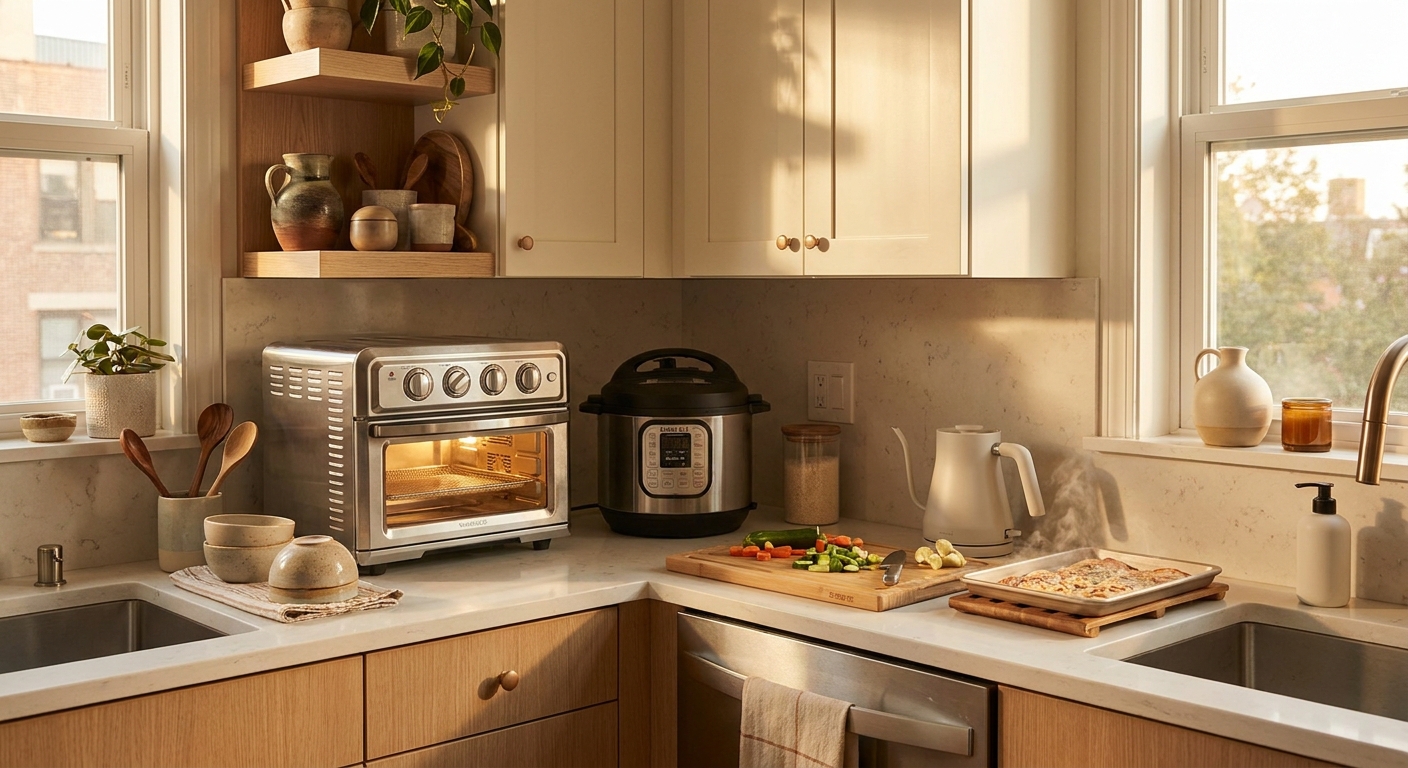
    You are not imagining it. Cooking at home is supposed to save money, but somehow it still turns into a sweaty kitchen, a sink full of dishes, and a last-minute delivery order because dinner took way longer than promised. Then there is the coffee problem. You buy beans, filters, cream, maybe even flavored syrup, and it still does not taste like the café. If that sounds familiar, today’s appliance deals are hitting exactly the right pain point. The best air fryer and coffee maker deals today are not on giant luxury machines you need to reorganize your house to fit. They are on compact, everyday workhorses that actually get used. That matters. A smart air fryer can handle fast weeknight meals without heating up the whole kitchen, and a programmable coffee maker can cut the daily latte habit before it drains another week of your budget. For a 24-hour sale window, this is one of the better times to buy practical help instead of another gadget that ends up collecting dust.

    ⚡ In a Hurry? Key Takeaways

    • The best air fryer and coffee maker deals today are on smaller, high-use models that save money fast on weeknight meals and café runs.
    • Prioritize features you will use every day, like presets, easy-clean baskets, brew scheduling, and single-serve options instead of paying extra for gimmicks.
    • Stick with deals that include active coupons and free shipping, because a “discount” disappears quickly once fees and add-ons show up.

    Why these are the right deals to care about right now

    Big holiday sales usually get all the attention for refrigerators, ranges, and other heavy appliances. But early Labor Day markdowns often get more aggressive on smaller countertop gear because it is easier to ship and easier for stores to move quickly.

    That is why this 24-hour window matters. The deeper cuts are landing on air fryers and coffee makers that solve daily problems, not once-a-year problems. If your oven makes the whole apartment feel like August in Florida, or your old coffee machine keeps making too much stale coffee, these are the upgrades that actually change your routine.

    What makes a smart air fryer worth buying

    Not every air fryer is a good deal just because the price tag has a slash through it. The useful ones do three things well. They cook fast, they clean up easily, and they fit the way you really eat.

    Look for the features that save time

    A good smart air fryer should have clear presets, a basket big enough for at least two servings, and app or touch controls that do not require a manual every single time. Preheat reminders, shake alerts, and simple temperature control are the nice extras that make weeknight cooking feel less like a project.

    If you mostly cook frozen foods, chicken, veggies, or leftovers, a 4 to 6 quart model is the sweet spot for many homes. It is large enough to be useful but small enough to keep on the counter.

    Why it can replace your oven more often than you think

    This is the part many people underestimate. An air fryer is not just for fries and nuggets. It is often faster for salmon, roasted vegetables, chicken thighs, reheated pizza, and crispy leftovers. That means fewer times waiting for a full oven to heat up just to make one meal.

    It can also keep your kitchen cooler. In a small space, that alone can be a quality-of-life upgrade.

    What makes a coffee maker deal actually good

    Coffee makers are sneaky. Stores love to discount models that look fancy but do not really improve your morning. The better buys are the ones that reduce waste and make it easier to skip coffee shop runs.

    Choose based on how you really drink coffee

    If you live alone or your schedule is unpredictable, a single-serve or brew-a-cup programmable machine may save more than a big 12-cup pot. If your household drinks several cups before 9 a.m., then a thermal carafe model is usually the smarter move because it keeps coffee hot without cooking it on a warming plate.

    Useful features include a brew timer, strength settings, reusable filter options, and easy water filling. If cleaning the machine feels annoying, you will use it less. That is just human nature.

    The real savings are in the habit change

    An $8 latte does not feel life-changing in the moment. Five of them a week absolutely is. A decent coffee maker starts paying for itself fast if it gets you from “I need to stop for coffee” to “I already made it at home.”

    If you are also trying to cut idle energy use from all the small things plugged in around the house, it is worth a look at Today Only: Smart Plug & Power Strip Deals That Finally Fix Your ‘Why Is My Power Bill So High And My Outlets Always Full?’ Problem. A coffee station tends to attract grinders, frothers, warmers, and chargers pretty quickly.

    How to shop these deals without getting tricked

    Here is the simple filter I use. First, check whether the sale price stacks with a coupon. Second, confirm free shipping. Third, skip accessories unless you were already planning to buy them. A bargain air fryer is not such a bargain if the retailer makes the money back on shipping and “recommended” extras.

    Good signs

    Price drop plus clickable coupon. Free shipping. Well-known brand. Clear capacity and dimensions. Lots of recent reviews that mention everyday foods, not just unboxing excitement.

    Bad signs

    Huge claimed discount from a suspiciously inflated original price. No dimensions listed. Poor return policy. Reviews that complain about peeling coatings, hard-to-read controls, or weak heating.

    Who should buy today, and who should wait

    Buy now if your current setup is actively costing you money or time. That means you keep ordering takeout because dinner feels like too much work, or you buy coffee out most mornings because your home setup is annoying, slow, or disappointing.

    Wait if you already have a decent air fryer or brewer that works fine and you are mostly chasing a newer look. The point of this sale window is solving an expensive routine, not collecting countertop trophies.

    At a Glance: Comparison

    Feature/Aspect Details Verdict
    Air fryer value Best deals are landing on 4 to 6 quart smart models with presets, easy-clean baskets, and compact footprints. Best for fast dinners, leftovers, and keeping the kitchen cooler.
    Coffee maker value Strong buys include programmable brewers, thermal carafe models, and single-serve options that cut waste. Best for replacing frequent café stops and improving morning convenience.
    Deal quality The winning offers stack sale pricing with coupon codes and free shipping. Worth acting on today if you need a practical upgrade, not just a shiny new toy.

    Conclusion

    If you have been waiting for a sale that actually helps with real life, this is a good one. Labor Day sales are quietly kicking off appliance markdowns early, and right now the deepest cuts are landing on compact workhorse gadgets like air fryers and coffee makers instead of giant, hard-to-ship appliances. That means this 24-hour window is a rare sweet spot where you can grab a smart fryer that replaces your oven for weeknight meals and a programmable brewer that kills the daily café run, all for less than the price of two weeks of takeout. By surfacing only the deals that stack with active coupon codes and free shipping, this piece helps our community lock in upgrades that lower their food and coffee spend for months, not just score another shiny toy.

  • Today Only: Portable AC & Smart Fan Deals That Finally Fix Your ‘Why Am I Still Sweaty Indoors All Summer?’ Problem

    Today Only: Portable AC & Smart Fan Deals That Finally Fix Your ‘Why Am I Still Sweaty Indoors All Summer?’ Problem

    If you are lying in bed at midnight feeling your sheets stick to you while the electric bill keeps climbing, you are not being dramatic. A lot of homes and apartments simply do not cool evenly, and a tired old box fan is no match for humid summer air. The result is familiar. Your bedroom never quite gets comfortable. Your home office turns miserable by midafternoon. Your focus drops, your sleep gets worse, and you keep putting off a fix because sorting through AC specs feels like homework.

    Today is one of those rare days when that homework can actually pay off. The best portable ac and smart fan deals today make it possible to cool the rooms you actually use, instead of wasting money trying to blast the whole home. If you choose the right size, check your outlet and window setup, and use app schedules the smart way, you can cut the sweat without getting hammered by your utility bill.

    ⚡ In a Hurry? Key Takeaways

    • The best deal for most people is a right-sized portable AC for the bedroom or office, paired with a smart fan to move cooled air where you actually sit or sleep.
    • Before you buy, measure your room, check your window type, and make sure your outlet can handle the unit so you do not end up returning the “cheap” deal.
    • Single-hose units are often cheaper, but dual-hose models usually cool faster and waste less energy in hot rooms. Smart fans cost less to run and are great for milder heat.

    Why this problem feels worse than it used to

    Heat waves are lasting longer, arriving later, and hitting harder in rooms that were never designed to stay cool. That matters if you rent, live in an older home, work upstairs, or have one room that gets cooked by afternoon sun.

    A central system, if you even have one, does not always fix that. It may keep the hallway fine while your office still feels like a parked car. And if you do not have central air, every hot day becomes a patchwork solution of open windows, fans, closed blinds, and hope.

    That is why these one-day cooling deals matter. This is not about buying another gadget for the sake of it. It is about fixing a quality-of-life problem that keeps showing up every single summer.

    Portable AC or smart fan? Start with the room, not the price tag

    When a portable AC makes the most sense

    Buy a portable AC if you need actual temperature drop, not just moving air around. That usually means bedrooms, nurseries, home offices, gaming rooms, and any space that stays warm even after sunset.

    Portable ACs are especially helpful if:

    • Your room gets direct afternoon sun
    • You sleep hot or humidity keeps waking you up
    • You cannot install a window unit
    • You need to cool one room without running whole-home AC all day

    When a smart fan is enough

    A smart fan is the better buy if your room is warm but not truly scorching, or if your AC already works but does a bad job reaching where you are. Fans do not lower room temperature. They help your body feel cooler and can spread conditioned air more efficiently.

    That makes them ideal for:

    • Bedrooms that are slightly stuffy, not unbearable
    • Home offices where you need airflow right at desk level
    • Living rooms with decent AC but poor circulation
    • People trying to avoid adding a heavy electrical load

    How to pick the right portable AC without getting burned by the specs

    Room size matters more than “more power”

    The biggest mistake people make is buying the cheapest unit on sale or the biggest one they can find. Neither is smart. A too-small unit will run constantly and still leave you sweaty. A too-large one can cycle awkwardly, cool unevenly, and waste money.

    As a rough guide:

    • Up to 200 square feet: small bedroom, dorm, compact office
    • 200 to 350 square feet: average bedroom, larger office
    • 350 to 500 square feet: studio area, large bedroom, bonus room

    If the room gets intense sun, has high ceilings, or houses heat-making gear like gaming PCs, treadmills, or multiple monitors, size up a bit.

    Single-hose vs dual-hose

    This is the part many listings bury. Single-hose models are often cheaper and easier to find on sale. They are fine for smaller rooms and lighter use. But dual-hose models usually cool more efficiently in very hot spaces because they handle intake and exhaust better.

    If your room gets brutally hot by late afternoon, a dual-hose unit is often worth the extra upfront cost.

    Check the real electrical needs

    Most smaller portable ACs work on a standard 115V household outlet. That is good news. But you still need to think about what else is on that circuit. If the same outlet area is already running a gaming PC, mini fridge, printer, and charger pile, you may trip breakers.

    If possible, give the AC its own outlet. And skip the sketchy extension cord idea. Portable ACs should be plugged directly into a proper wall outlet unless the manufacturer says otherwise.

    How to pick a smart fan that actually helps

    Focus on airflow and placement

    A fan that sits in the wrong corner is just decorative. For sleep, you want airflow across the bed, not at your ankles. For work, you want a steady stream near chest or face level. For a room with AC, place the fan so it pulls cooler air into the space you use most.

    App control is more useful than it sounds

    Smart fan features can seem gimmicky until you use them. Scheduling a fan to start 30 minutes before bedtime, slow down after you fall asleep, or kick on when a room sensor notices rising temperature is the kind of small convenience that adds up fast.

    If heat is already messing with your concentration, this is also a good time to fix the noise side of the problem. If your fan helps but your space is still full of leaf blowers, roommates, or traffic, this guide to Today Only: Noise-Cancelling Headphone Deals That Finally Fix Your ‘Why Is The World So Loud When I’m Just Trying To Focus?’ Problem is worth a look too.

    How to make today’s deals save money long after checkout

    Stack discounts the boring but effective way

    Look for all three layers before you hit buy:

    • Sale price
    • On-page coupon or promo code
    • Utility, credit card, or retailer cashback offer

    This is where many people leave money on the table. A portable AC that looks only okay at first glance can become the best value once you stack a coupon with a store promo and local energy rebate.

    Use schedules, not brute force

    The cheapest cooling setup is the one that runs only when it has to. Set your portable AC to begin cooling the bedroom before bedtime, not after you are already miserable. Use a fan to carry that cool air farther, then let the AC cycle down overnight.

    For a home office, pre-cool the room 20 to 30 minutes before work starts. It is much easier to maintain comfort than to rescue a room that already hit sauna mode.

    Close the heat out first

    Even a great unit fights an uphill battle if sunlight is pouring in. Close blinds or curtains in the hottest part of the day. Seal gaps around the window kit. Keep doors closed if you are trying to cool just one room. These are not glamorous tricks, but they work.

    Common buying mistakes to avoid tonight

    • Buying based only on BTU number without checking the room size
    • Forgetting to confirm the window kit fits your window style
    • Putting a portable AC on an overloaded outlet
    • Expecting a fan to remove humidity
    • Ignoring noise ratings if the unit is for a bedroom

    That last one matters. Portable ACs are not silent. If you are a light sleeper, prioritize sleep mode, lower fan settings, and real user reviews over flashy marketing language.

    Best setup by room type

    Bedroom

    Best move: a quiet, properly sized portable AC plus a smart fan on a low overnight schedule. This gives you actual cooling and gentle airflow without freezing the room.

    Home office

    Best move: a smart fan if the room is mildly warm, portable AC if it turns hot by early afternoon. If you spend all day on calls, noise level matters almost as much as cooling power.

    Gaming room or gear-heavy office

    Best move: lean toward a stronger or dual-hose portable AC. PCs, consoles, monitors, and lights all dump heat into the room. A fan alone may not cut it.

    Apartment living room

    Best move: if you are cooling a larger area, use a portable AC near the hottest zone and a fan to spread the air. This usually feels better than setting one fan in the corner and hoping for magic.

    At a Glance: Comparison

    Feature/Aspect Details Verdict
    Portable AC Actually lowers room temperature, helps with humidity, best for bedrooms and offices that stay hot. Best fix if you need real cooling, not just airflow.
    Smart Fan Uses much less electricity, improves circulation, can run on schedules or app control. Best value for mild heat or for boosting existing AC.
    Deal Strategy Compare room size, outlet needs, noise level, and stacked coupons or rebates before buying. The “best” deal is the one that fits your room and does not waste power.

    Conclusion

    You do not need to spend another summer pretending the heat indoors is normal. Heat waves are hitting later and lasting longer each year, and a lot of people are trying to sleep, work, or game in rooms that never really cool off. The upside is that the best portable ac and smart fan deals today give you a narrow but very real chance to fix that fast. If you match the gear to your room size, make sure your outlet and window setup can support it, stack the available discounts, and use smart schedules instead of running everything nonstop, you can save money and feel better almost immediately. This is one of those rare purchases that improves your days and your nights. Miss tonight’s prices, and you may be right back to sweating through another season.

  • Today Only: Standing Desk & Monitor Deals That Finally Fix Your ‘Why Does Working From Home Still Feel So Cramped And Achey?’ Problem

    Today Only: Standing Desk & Monitor Deals That Finally Fix Your ‘Why Does Working From Home Still Feel So Cramped And Achey?’ Problem

    If working from home still means a kitchen table, a chair that was never meant for eight-hour days, and a laptop screen that forces you to hunch like a question mark, that setup is probably costing you more than comfort. It can make your neck tight, your back cranky, and your whole workspace feel smaller than it really is. The good news is that today is one of those rare shopping windows where the useful stuff is actually on sale at the same time. We are seeing strong price drops on electric standing desks, 27-inch QHD monitors, ultrawide displays, and monitor arms. That matters because these are the pieces that usually fix the “too cramped, too low, too achey” problem in one move. Even better, some stores offer price protection, so if the same desk or monitor drops again soon, you may be able to claim back the difference instead of waiting and missing out now.

    ⚡ In a Hurry? Key Takeaways

    • The best standing desk and monitor deals today are clustered around electric desks, 27-inch QHD monitors, ultrawides, and monitor arms.
    • If your setup feels cramped, start with screen height and desk space first. Those two changes usually make the biggest difference fast.
    • Buy from stores with price-match or price-protection policies when possible, so you can upgrade now with less risk if prices dip again.

    Why this deal window matters

    Most people wait for Black Friday out of habit. I get it. But office gear does not always hit its best real-world prices during the loudest sale events. Right now, retailers are trying to catch early Labor Day and back-to-school shoppers, which creates a quieter sweet spot.

    That is why the best standing desk and monitor deals today are worth paying attention to. The overlap is the story here. It is not just one cheap desk or one random monitor. It is a chance to fix your whole setup while multiple categories are discounted at once.

    If your monitor is too low and your desk is too shallow, your body notices. If your laptop takes up all your usable space, your brain notices too. A slightly bigger desk and a properly placed screen can make a tiny work area feel much less claustrophobic.

    What to buy first if your home office feels cramped and achey

    1. An electric standing desk

    If you are still working from a dining table or fixed-height desk, this is often the biggest upgrade. An electric standing desk lets you raise the surface to a proper typing height when sitting, then shift positions during the day without rebuilding your workspace every time.

    Look for a desk with:

    • A stable frame, especially at standing height
    • At least two memory presets
    • A desktop wide enough for your monitor plus keyboard and mouse
    • A lift capacity that can handle a monitor arm or dual displays

    For many people, a 48-inch model is the minimum comfortable size. A 55-inch or 60-inch desk gives you breathing room if you use a larger monitor or keep notebooks nearby.

    2. A 27-inch QHD monitor

    This is the “just right” pick for a lot of home workers. A 27-inch QHD monitor gives you more room than a laptop or old 1080p panel, but it does not dominate a small room the way a huge display can.

    QHD means 2560 x 1440 resolution. In normal human terms, that gives you sharper text and more space for side-by-side windows. Spreadsheets, web pages, video calls, and documents all fit more comfortably.

    If your eyes feel tired at the end of the day, a better monitor often helps more than people expect.

    3. An ultrawide monitor

    If your job involves juggling lots of windows, an ultrawide can replace a clunky two-monitor setup. You get one large continuous screen instead of a bezel splitting everything down the middle.

    This works especially well for:

    • Writers and editors
    • Spreadsheet-heavy work
    • Project management
    • Customer support dashboards
    • Anyone tired of alt-tabbing all day

    The catch is desk depth. Ultrawides need a bit more breathing room, so pair them with a desk that is deep enough or a monitor arm that lets you position the screen properly.

    4. A monitor arm

    This is the sneaky hero purchase. A monitor arm frees up desk surface, lets you raise the screen to eye level, and makes a small desk feel less crowded. If your screen is sitting on a chunky stand, swapping to an arm can instantly give you space back.

    For a lot of people, a monitor arm is the cheapest way to make a bad setup feel less bad today.

    How to shop smart without overbuying

    You do not need a Pinterest-perfect office. You need a setup that stops making your body complain.

    Here is a simple way to decide:

    If your back and shoulders hurt

    Start with the desk height problem. A standing desk helps because you can set the keyboard and mouse where your arms naturally want to be. If your chair is also a problem, it is worth checking Today Only: Standing Desk & Office Chair Deals That Finally Fix Your ‘My Back Hurts Every Time I Work’ Problem for the seating side of the equation.

    If your neck hurts

    Your screen is probably too low. Laptops are notorious for this. A monitor, or at least a monitor arm for an existing screen, usually fixes that faster than any posture app ever will.

    If your desk feels crowded

    Get the monitor off its stand and onto an arm, or move from a dual-monitor setup to a single ultrawide. That can clear surprising amounts of surface space.

    If your eyes feel cooked by 4 p.m.

    A bigger, sharper panel helps. A 27-inch QHD monitor is usually the safest buy for comfort, clarity, and value.

    Where price protection can save you money

    This part matters because it removes the “what if it gets cheaper next week?” stress.

    Some major retailers and brands offer one of the following:

    • Price matching at the time of purchase
    • Price protection for a set number of days after purchase
    • Easy return windows if a better deal appears

    Policies vary, so check the product page and store terms before you buy. Best Buy, Costco, and some direct-from-brand stores are often worth checking here, though the exact rules can change. The goal is simple. Buy the good deal that exists today, and keep your receipt in case the price dips again soon.

    That makes this a low-drama upgrade. You do not have to play pricing roulette for another month while your neck keeps losing.

    What a “good deal” actually looks like

    Not every sale tag means much. Here is the quick gut check I use.

    Good standing desk deal

    • Electric, not manual, if you plan to change positions often
    • Solid discount plus coupon, or sale plus free accessories
    • Decent warranty and realistic weight capacity

    Good monitor deal

    • 27-inch QHD IPS panel at a price close to many basic 1080p models
    • Ultrawide with strong brightness, USB-C, or ergonomic stand included
    • VESA mount support if you want to add a monitor arm

    Good monitor arm deal

    • Supports your monitor’s size and weight
    • Includes cable management
    • Clamp fits your desk thickness

    Best setup combos for real people

    The smallest-space fix

    27-inch QHD monitor plus monitor arm. This is usually the best value move if your current desk has to stay.

    The full reset

    Electric standing desk plus 27-inch QHD monitor. This fixes height, comfort, and usable workspace without going overboard.

    The power-user option

    Electric standing desk plus ultrawide plus arm. Great if you multitask heavily and want fewer cables and less clutter than dual monitors.

    At a Glance: Comparison

    Feature/Aspect Details Verdict
    Electric standing desk Adjustable height, better typing position, more flexibility during long workdays Best first upgrade if your current desk height is all wrong
    27-inch QHD monitor Sharper text, more room for side-by-side windows, easier on the eyes than a laptop screen Best balance of comfort, size, and price
    Monitor arm or ultrawide Arm frees desk space and raises the screen. Ultrawide reduces window juggling Best for cramped setups and multitaskers

    Conclusion

    If you have been telling yourself to wait for a bigger holiday sale, this may be the nudge you need. Today is a sweet spot. Retailers are quietly cutting prices on ergonomic gear to catch early Labor Day and back-to-school shoppers, and that is creating rare overlap between discounted electric standing desks, 27-inch QHD monitors, ultrawides, and monitor arms. That means you can fix the actual causes of your cramped, achey setup in one shot instead of dragging it out piece by piece. Better still, stores with price protection or price-match policies can take a lot of the risk out of buying now. So if your “office” still feels like borrowed space and your body is complaining about it, this is a smart time to upgrade and finally make working from home feel a little more human.