Author: ehudsegev

  • Today Only: 4K TV Blowout Deals Up To 60% Off To Finally Fix Your Living Room Screen

    Today Only: 4K TV Blowout Deals Up To 60% Off To Finally Fix Your Living Room Screen

    You know that moment when a big game comes on, the camera pans across the field, and your TV turns the whole thing into a blurry green smear? Or you start a movie at night and spend the first 20 minutes asking, “Is this scene supposed to be this dark?” That old 50-inch set from 2017 has probably done its time. The problem is that most TV “sales” are not really sales. They shave off a little, slap on a bright sticker, and still leave you staring at a price that feels silly. Today is different. Some of the best 4k tv deals today are actually worth your attention because retailers are cutting prices hard on quality sets as 2025 inventory gets cleared out. If you have been waiting for a real chance to upgrade without blowing your budget, this is one of those rare windows where the math finally starts to make sense.

    ⚡ In a Hurry? Key Takeaways

    • Yes, today is one of the better times this year to buy a 4K TV, especially if you want a premium-looking set without paying premium launch prices.
    • Focus on brightness, refresh rate, and size first. Then check for HDMI 2.1 if you game on PS5, Xbox Series X, or a newer PC.
    • Stick to verified deals from major retailers, and double-check return windows, wall-mount size, and delivery fees before you hit buy.

    Why today’s TV deals actually matter

    Most people do not need the newest TV announced this week. What they need is a screen that looks great in a real living room, handles sports without turning fast motion into mush, and does not make every movie look dull.

    That is why clearance periods can be so good. Retailers want older 2025 stock gone. You get the benefit. Prices drop hardest on the sets that were a little too expensive a few months ago but now suddenly fit the budget.

    This is the sweet spot. Not bargain-bin junk. Not top-dollar launch pricing. Just strong value.

    What to look for before you click “buy”

    1. Brightness matters more than most people think

    If your living room gets a lot of daylight, a dim TV will drive you nuts no matter how sharp it is. A brighter panel helps sports, streaming, and basic daytime viewing look cleaner and more vivid.

    If you mostly watch at night, brightness is still important, but contrast and black levels start to matter more.

    2. Refresh rate is a big deal for sports and gaming

    A 120Hz panel is a nice step up from a basic 60Hz set if you watch fast sports, play games, or just hate motion blur. It is one of those features that sounds nerdy until you see it. Then you get it.

    3. Size is not everything, but it matters

    A cheap 75-inch TV that looks gray and muddy is not automatically a better buy than a very good 65-inch TV. If your budget is tight, quality per inch usually beats “biggest possible screen at any cost.”

    4. Gamers should check for HDMI 2.1

    If you own a PS5 or Xbox Series X, this is worth checking. HDMI 2.1 helps you get features like 4K at 120Hz, variable refresh rate, and lower input lag. If you do not game, it is less urgent, but still nice for future-proofing.

    The best kinds of deals to target right now

    When people search for the best 4k tv deals today, they usually get buried in endless listings. That is not very helpful. A better approach is to shop by type of value.

    Best value for most living rooms

    Look for a 55-inch or 65-inch QLED or mini-LED set from a known brand with strong brightness and a decent smart TV platform. This is usually where the biggest upgrade feeling happens for the least pain.

    Best deal for movie lovers

    If you watch lots of films in a darker room, OLED discounts are worth a serious look. Even a modest markdown on OLED can be better than a giant discount on a mediocre panel because the picture jump is so noticeable.

    Best deal for gamers

    Look for 120Hz panels, HDMI 2.1 ports, and low input lag. A gaming-ready TV on sale today can save you from wanting another upgrade a year from now.

    Best deal for big-screen shoppers

    If you want 75 inches or more, today’s clearance pricing can be especially strong. Just do not get blinded by size alone. Read the specs. Check brightness. Make sure it is not one of those huge but disappointing models.

    How to avoid buying the wrong “deal”

    Not every discount is smart. A few quick checks can save you from buyer’s remorse.

    Watch for old entry-level models dressed up as premium

    If a TV is deeply discounted but has weak brightness, a 60Hz panel, and vague wording around HDR, that “deal” may just be a slow seller finally getting dumped.

    Check the real total cost

    Delivery fees, wall-mount costs, and extended warranties can change the picture fast. Sometimes the cheapest listing ends up costing more once all the extras get added.

    Measure your space first

    This sounds obvious, but it gets skipped all the time. Measure the wall, the TV stand, and the viewing distance. A sale is only a win if the TV actually fits your room.

    Who should buy today, and who should wait

    If your current TV is dim, slow, too small, or missing modern features you actually use, today is a very good time to move. The jump from a 2017 set to a strong modern 4K TV can feel huge.

    If your current TV is already a solid 2022 or 2023 model and you are only mildly curious, you may not need to rush. But if you have been putting up with “good enough” for years, this is the kind of sale window that finally makes upgrading feel responsible instead of indulgent.

    And while you are fixing the living room, you may as well make weeknights easier too. If you are also hunting for smart home value, Today Only: Upgrade Dinner In One Pot With Smart Instant Pot & Multicooker Deals Under $100 is worth a look.

    At a Glance: Comparison

    Feature/Aspect Details Verdict
    Picture upgrade Clearance pricing on brighter QLED, mini-LED, and some OLED models makes the jump from older 4K sets much more noticeable today. A real upgrade, not just a minor refresh.
    Best buyer strategy Prioritize brightness, 120Hz if needed, and the right size for your room before chasing the lowest price. Smart way to get the best value per inch.
    Risk check Some ultra-cheap models still cut corners on motion, HDR, and ports. Returns and delivery costs also matter. Buy carefully, but do not ignore today’s strong discounts.

    Conclusion

    If you have been staring at a tired old screen and waiting for a sale that felt real, this is probably it. Huge, verified discounts on quality 4K TVs are peaking right now as retailers clear out 2025 models. That makes today one of the rare times you can move from “good enough” to a bright, fast, next-gen screen without wrecking your budget. The goal is not to drown you in random links. It is to help you spot the genuinely steep deals, get the best value per inch, and future-proof your main TV before midnight resets the board.
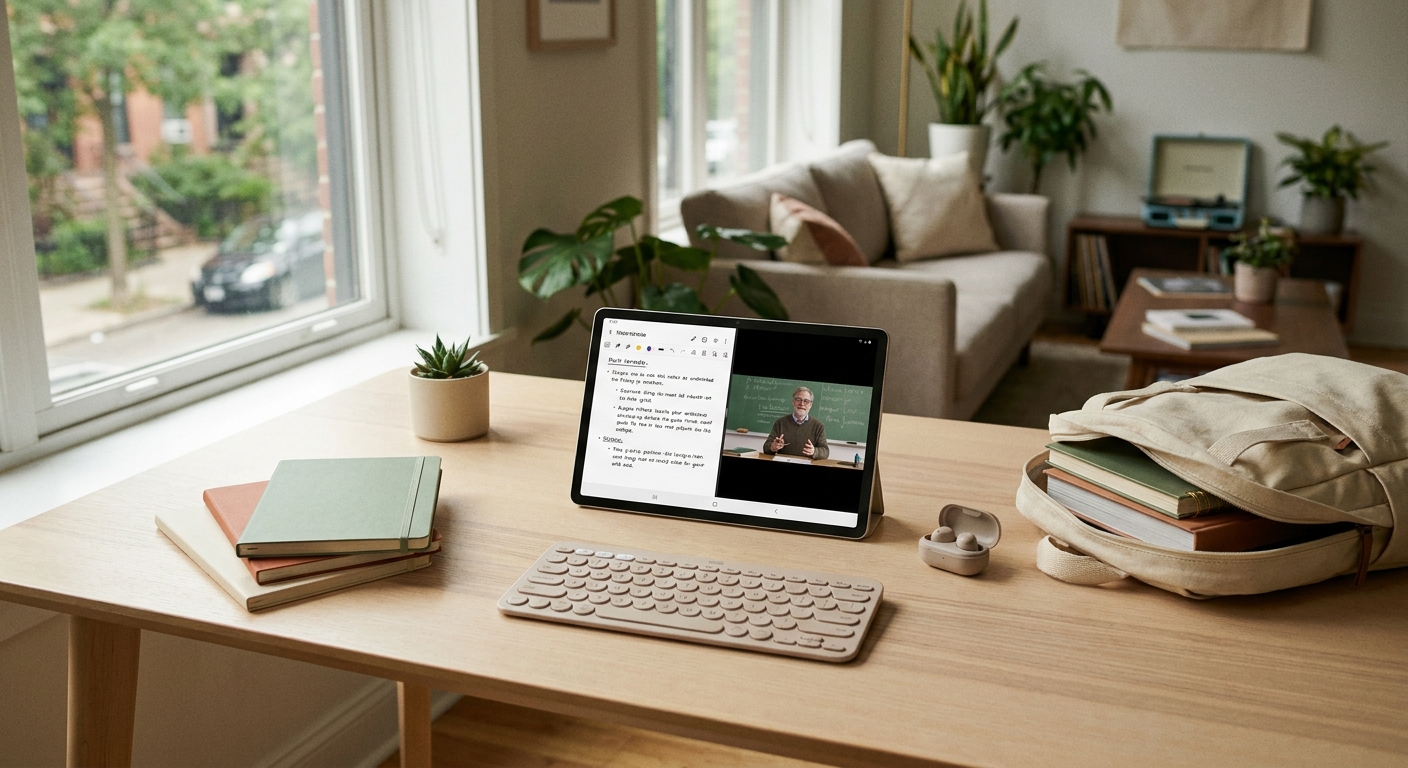

  • Today Only: Back‑To‑School Tablet Deals That Can Actually Replace Your Old Laptop

    Today Only: Back‑To‑School Tablet Deals That Can Actually Replace Your Old Laptop

    You do not need another giant “student tech” list that treats a $900 tablet like a bargain. What most people want is simpler. Something light enough to toss in a backpack, cheap enough not to wreck the semester budget, and strong enough for Google Docs, class notes, Zoom, YouTube, and way too many browser tabs. That is where today’s back-to-school tablet deals actually get interesting.

    The good news is this is one of the rare times a solid Android tablet can beat a budget laptop on price and still feel good to use. The bad news is a lot of sale pages mix genuinely great buys with old, underpowered models that look cheap for a reason. If you want the best back to school tablet deals today, there are really a few standouts worth your attention, and one of them is the clear pick for most students before these prices disappear tonight.

    ⚡ In a Hurry? Key Takeaways

    • The best all-around pick today is a midrange Samsung Galaxy Tab, especially if it includes a stylus or keyboard discount.
    • Before you buy, check RAM, storage, and whether the sale model supports a keyboard case. Those matter more than screen size alone.
    • Avoid super-cheap no-name tablets and older base iPads at weak discounts. A “deal” is not a deal if it feels slow by midterm season.

    What actually makes a tablet replace an old laptop?

    This is the part a lot of deal roundups skip.

    A tablet does not need to beat a full laptop at everything. It just needs to handle the stuff you really do every day without making you miserable. For most students, that means note-taking, web research, streaming, email, class portals, PDFs, video calls, and split-screen multitasking.

    If a tablet can do all that, lasts all day, and works with a keyboard, it can absolutely stand in for an aging laptop.

    The three things that matter most

    1. Enough memory. Try not to go below 6GB of RAM if you like keeping lots of tabs and apps open. Four gigs can work, but it starts to feel tight fast.

    2. Storage that will not annoy you. 128GB is the sweet spot. You can survive with 64GB if the tablet has microSD expansion, but 128GB is much more comfortable.

    3. A keyboard path. Even if you do not buy the keyboard today, make sure the tablet supports a decent one. That is what turns it from couch device into school tool.

    The best back to school tablet deals today

    If you want the short answer, Samsung is the safest bet for most people right now.

    Best overall: Samsung Galaxy Tab S9 FE

    This is the one I would point most students toward first. It usually lands in the sweet spot between “too expensive” and “too flimsy.” You get a solid screen, good battery life, enough power for schoolwork, and Samsung includes the S Pen, which is a bigger deal than it sounds.

    That pen means you can handwrite notes, mark up PDFs, sketch diagrams, and sign documents without spending extra. For a student, that is real value.

    If the price has dropped into budget-laptop territory today, this is the kind of deal worth moving on quickly.

    Why it stands out: It feels modern, it is easy to carry, and it has fewer compromises than cheaper tablets.

    Best value if the budget is tighter: Lenovo Tab P12

    Lenovo has been quietly making some very sensible student tablets, and the Tab P12 is one of the better examples when discounted. It usually gives you a roomy display that is great for reading, split screen, and video, plus enough performance for typical school use.

    It is not quite as polished as Samsung’s software experience, but if the sale gap is big enough, Lenovo becomes very tempting.

    Why it stands out: Big screen, usually aggressive sale pricing, and a nice option for students who mostly live in docs and streaming apps.

    Best if you want a smaller bag-friendly tablet: Samsung Galaxy Tab A9+

    If your needs are basic and your old laptop was mainly for browsing, writing, and entertainment, the Tab A9+ can make sense at the right sale price. The trick is making sure you are not expecting premium performance from a budget device.

    For lighter work, it is fine. For serious multitasking all day, the Tab S9 FE is the smarter long-term buy.

    Why it stands out: Lower price, easy to carry, and better than many bargain-bin tablets that look similar on paper.

    Which deal should most students actually buy?

    If the prices are close, buy the Samsung Galaxy Tab S9 FE.

    That is the easiest recommendation today because it hits the balance most people care about. It is lighter than a laptop, cheaper than many premium tablets, and far less likely to feel outdated in a few months. You also get the S Pen in the box, which saves money right away.

    The Lenovo Tab P12 is the runner-up if the discount is meaningfully lower and you want the biggest screen possible for the money.

    The Tab A9+ only makes sense if price is your main concern and you are honest about lighter use.

    How not to get fooled by a “deal”

    Some tablet discounts look great until you read the spec sheet.

    Watch for these red flags

    Old processors. If the tablet was slow last year, a sale tag does not fix that.

    Only 64GB of storage with no expansion. You will fill it faster than you think.

    Unknown brands with flashy discounts. They often cut corners on screens, updates, battery quality, or app performance.

    Expensive accessories sold separately. A cheap tablet can stop looking cheap once you add a pen and keyboard.

    This is also why many “cheap iPad” deals are not automatically smart buys. Apple tablets are good, but older entry models at weak discounts can leave you paying more for less storage, fewer accessories, and a device that still needs a keyboard purchase on top.

    Who should skip the tablet and keep shopping for a laptop?

    Let’s keep it honest.

    If you need full desktop software for coding, heavy Excel work, engineering apps, or serious video editing, a tablet probably should not be your only machine. It can still be a nice second device, but not your one-and-done computer.

    But if your daily routine is browser-based, document-heavy, and streaming-friendly, a good tablet can absolutely replace that old clunky laptop you are tired of hauling around.

    One more thing students forget

    A fast tablet still feels slow on bad home internet. If your classes, downloads, and streaming keep falling apart in the bedroom or upstairs, it may be worth pairing your new device with better Wi-Fi. If that sounds familiar, take a look at Today Only: Fix Your Slow Wi‑Fi For Good With Prime Day Mesh Router Deals Under $200. A lot of “tablet problems” are really router problems.

    At a Glance: Comparison

    Feature/Aspect Details Verdict
    Best overall deal Samsung Galaxy Tab S9 FE, especially when bundled with S Pen value and a keyboard discount Best pick for most students
    Best lower-cost option Samsung Galaxy Tab A9+ if you mainly browse, stream, write, and attend classes Good only if the price is truly low
    Best big-screen value Lenovo Tab P12 with a roomy display and solid student performance at sale pricing Great second choice if Samsung is priced too high

    Conclusion

    If you have been waiting for the moment when a tablet actually makes more sense than a cheap laptop, this is it. Back-to-school pricing just collided with a fresh wave of tablet discounts, and that does not happen often. The smart move today is to focus on one of the proven Samsung or Lenovo models that can carry you through notes, research, streaming, and everyday school life without turning into a headache by October. For most readers, that means grabbing the Galaxy Tab S9 FE if the price is right, or the Lenovo Tab P12 if you want to save a bit more. Either way, the goal is simple. Avoid overpaying for an aging iPad or a sluggish bargain tablet, and lock in something that will still feel useful a few school years from now while today’s prices are still on your side.

  • Today Only: Turn Your WFH Nook Into A Real Office With Standing Desk & Ergonomic Chair Deals Under $300

    Today Only: Turn Your WFH Nook Into A Real Office With Standing Desk & Ergonomic Chair Deals Under $300

    Your back already knows the truth. That dining chair was never meant to hold you through back-to-back Zoom calls, and that shaky little table is not doing your shoulders, wrists, or patience any favors. A lot of people working hybrid or fully from home are still using a “temporary” setup that quietly became permanent. The problem is, most home office guides act like you need a spare bedroom and a four-figure budget to fix it. You do not. If you shop carefully, today’s best standing desk and ergonomic chair deals today can get you a setup that feels dramatically better for under $300. The trick is knowing what matters, what specs are just marketing noise, and which discounts are actually worth your time. If you have been putting this off because it seemed too expensive or too confusing, this is one of those rare 24-hour windows where a smart upgrade can make every workday easier.

    ⚡ In a Hurry? Key Takeaways

    • The best value today is usually a compact electric standing desk paired with a mesh ergonomic chair, and you can often keep the total under $300.
    • Start by checking desk stability, height range, and chair lumbar support before getting distracted by flashy “percent off” labels.
    • Skip fake list prices and watch weight limits, return windows, and warranty terms so a cheap deal does not turn into an expensive mistake.

    Why this matters more than people admit

    Most work-from-home pain builds slowly. It starts with a stiff neck. Then your lower back nags you by lunch. By Friday, even typing feels annoying because the desk wiggles and your chair has the support of a folding seat at a school concert.

    That is not just uncomfortable. It can chip away at focus. When your body is distracted, your brain usually follows. A better chair and desk will not turn work into a vacation, but they can remove a lot of the friction that makes a normal day feel longer than it should.

    What to look for in the best standing desk and ergonomic chair deals today

    For a standing desk

    Ignore the huge “was” price for a minute. Start with the basics.

    Height range: You want a desk that goes low enough for seated work and high enough for standing without forcing your shoulders up.

    Stability: If reviews keep mentioning wobble at standing height, believe them. A cheap desk that shakes every time you type gets old fast.

    Desktop size: Small spaces do better with 40- to 48-inch tops. That is enough room for a laptop, monitor, and coffee, without swallowing your whole living room.

    Motor vs. manual: Electric is easier to use and far more likely to become a habit. Manual crank desks can be fine, but people often stop adjusting them because it feels like a chore.

    For an ergonomic chair

    This is where many shoppers get tricked. A chair can look “executive” and still feel awful after an hour.

    Lumbar support: The lower back support should hit the curve of your spine, not your tailbone.

    Seat padding: Too soft sounds nice at first, then compresses and leaves you sore. Medium-firm usually ages better.

    Armrest adjustment: Even basic height-adjustable arms help reduce shoulder tension.

    Breathable back: Mesh is not magic, but it is often more comfortable for long sessions than thick faux leather that traps heat.

    How to build a solid setup for under $300

    If your budget is tight, the smartest split is usually this: spend a little more on the chair, and go slightly simpler on the desk. A decent chair affects every minute you sit. A desk matters too, of course, but a mediocre chair tends to punish you faster.

    Best budget split

    Option 1: $160 to $190 on an electric standing desk, $90 to $130 on a mesh ergonomic chair.

    Option 2: $120 to $150 on a basic standing desk converter, $140 to $180 on the better chair.

    If you are deciding between the two, a full standing desk is cleaner and usually more stable than a converter sitting on top of a weak table. But if your current table is sturdy and space is tight, a converter can still be a real upgrade.

    Deals worth hunting in this price range

    Because 24-hour promotions change fast, the winning products are usually less about one exact model name and more about a type of deal. Here is what tends to be worth grabbing when prices dip.

    1. Compact electric standing desks under $200

    These are often the sweet spot for apartment dwellers or anyone using a bedroom corner as an office. Look for presets if possible. Being able to tap one button for sitting and one for standing makes you much more likely to use the feature.

    Good signs in reviews include “easy assembly,” “stable with one monitor,” and “quiet motor.” Warning signs include “shakes when typing,” “arrived damaged,” or “desktop came in multiple mismatched pieces.”

    2. Mesh task chairs in the $100 to $150 range

    This is the current value zone. You are unlikely to get a miracle chair that rivals a $1,000 office model, but you can absolutely get something comfortable enough for daily work if it has real lumbar support and decent seat depth.

    Focus on fit. A chair that works for a 6-foot-2 reviewer may not suit someone much shorter. If the product page lists recommended height or seat dimensions, read them.

    3. Chair and desk bundles that sneak under $300

    Bundles can be excellent or terrible. Sometimes they are a genuine way to save money. Other times they package one good item with one forgettable one and hope the word “set” does the heavy lifting.

    If you go this route, judge each piece separately. Do not assume a bundle is a bargain just because it arrives in two boxes.

    Red flags that make a “deal” a bad buy

    There are a few traps that show up again and again.

    Fake list prices

    If something claims to be 70 percent off every day of the week, it probably was never really sold at that higher number in the first place.

    Missing weight limits

    If a chair listing is vague about max capacity or desk load rating, that is not a great sign. Basic safety info should be easy to find.

    Vague adjustment claims

    “Ergonomic” is one of the most abused words in online shopping. If the page does not clearly explain what adjusts and how, treat that label with skepticism.

    Bad return policies

    Furniture can be hit or miss, especially when bought online. A reasonable return window matters. So does whether return shipping is on you.

    Who should buy today, and who should wait

    Buy today if: your current chair causes pain, your desk wobbles, or you know you are keeping a home setup for the long haul.

    Wait if: the sale item has shaky reviews, the sizing is wrong for your space, or you are forcing yourself into a “deal” that is still not actually what you need.

    A rushed bad purchase is still a bad purchase. The goal is relief, not more clutter.

    Simple setup tips after you buy

    Even a good chair and desk need a little adjustment to feel right.

    Desk height

    Your elbows should sit close to 90 degrees when typing. If your shoulders creep upward, the surface is too high.

    Monitor position

    The top of the screen should be around eye level. If you use a laptop, a stand and separate keyboard make a bigger difference than many people expect.

    Standing time

    Do not try to stand all day on day one. Alternate. Thirty to sixty minutes standing here and there is more realistic for most people.

    At a Glance: Comparison

    Feature/Aspect Details Verdict
    Best desk value Compact electric standing desks in the $160 to $190 range usually offer the best mix of convenience, space savings, and everyday use. Best pick for most people
    Best chair value Mesh ergonomic chairs between $100 and $150 often include lumbar support and basic arm adjustments without blowing the budget. Worth prioritizing for comfort
    Biggest deal risk Listings with huge discount claims, weak reviews on wobble, or unclear return terms can turn a cheap buy into a frustrating one. Read the fine print before clicking buy

    Conclusion

    Hybrid work is not a temporary phase for a lot of people anymore, even if their workspace still looks like one. That is why the best standing desk and ergonomic chair deals today matter. They are not just about buying furniture. They are about fixing the little aches, posture problems, and concentration drains that pile up every single week. If you can grab a real standing desk and a supportive chair for under $300 in this short deal window, that is one of the rare upgrades that can help your body feel better and your workday run smoother right away. Shop carefully, skip the fake markdown drama, and treat your home office like the real office it has already become.

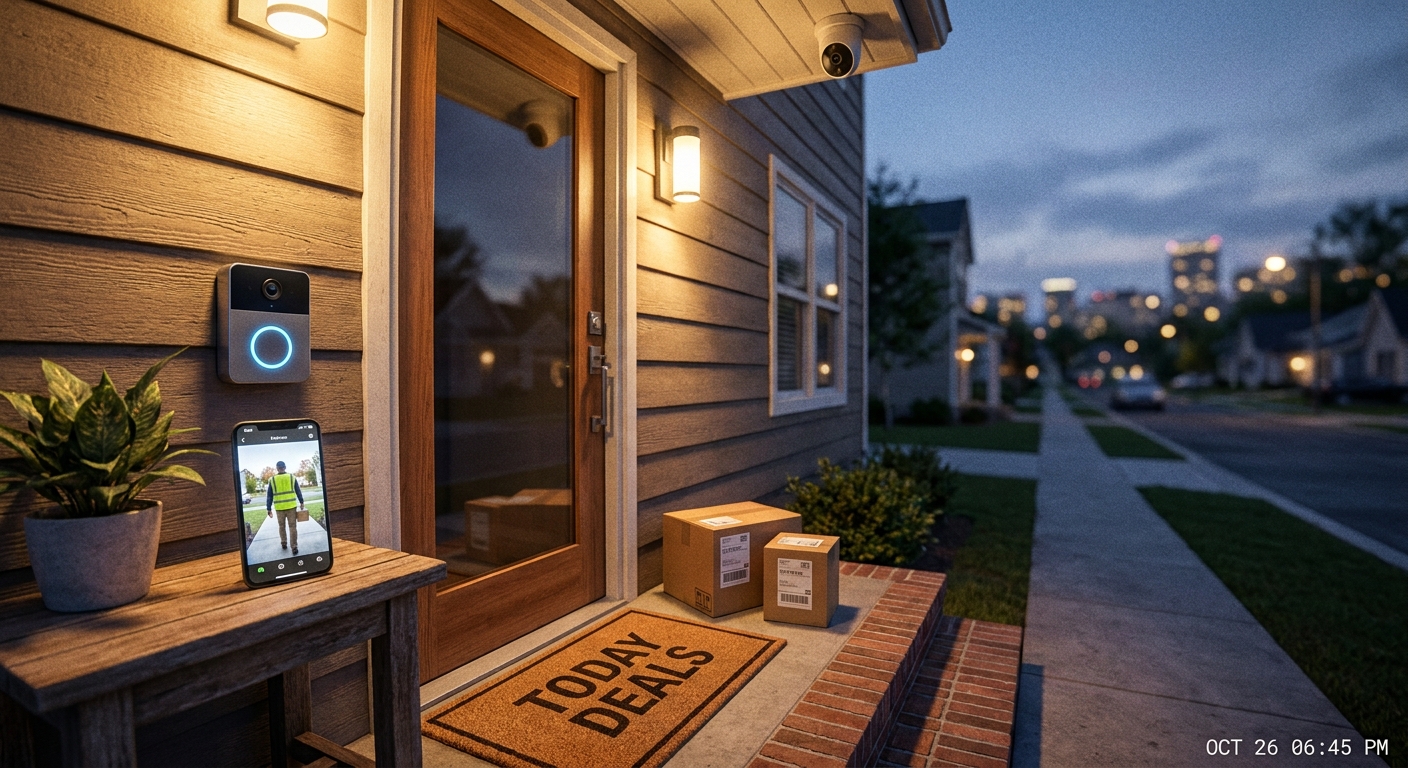
  • Today Only: Smart Video Doorbell & Outdoor Camera Bundles Under $60 To Finally Secure Your Front Door

    Today Only: Smart Video Doorbell & Outdoor Camera Bundles Under $60 To Finally Secure Your Front Door

    You are not imagining it. Shopping for a smart doorbell gets annoying fast. You start out wanting a simple way to see who is at the door and keep an eye on packages, then suddenly every listing is pushing $200 hardware, extra hubs, and another monthly bill. That is why the best cheap smart video doorbell deal today is not always the loudest one in search results. This week’s sale mess has created a small sweet spot under $60, where a few doorbell and outdoor camera bundles actually make sense for normal homes. If your goal is basic front door protection, package alerts, and the ability to answer the door from your phone, you do not need a fancy full-home setup. You need a bundle that is easy to install, has decent night vision, and does not punish you with bad privacy settings. That is the filter we are using here.

    ⚡ In a Hurry? Key Takeaways

    • The best cheap smart video doorbell deal today is an under-$60 bundle that includes a doorbell plus one outdoor camera, not a solo doorbell with missing features.
    • Check for local storage or optional cloud plans before buying, because the sticker price is only half the story.
    • Good value means clear 1080p or 2K video, motion zones, two-way audio, and simple DIY setup without weird privacy tradeoffs.

    Why these under-$60 bundles matter right now

    Prime-style sales have thrown prices all over the place. That is good news if you know what to ignore. A lot of so-called deals are just older cameras with inflated list prices and weak apps. The useful deals are the bundles that cover the two real front-door jobs most people care about.

    First, you want to know when someone walks up. Second, you want a second angle on the porch, driveway, or steps. A doorbell alone can miss packages left off to the side. An outdoor camera alone cannot replace the button and two-way talk of a doorbell. Together, they do a much better job.

    If you want to step up to a slightly stronger setup and a bigger budget, take a look at Today Only: Lock In Peace Of Mind With Smart Doorbell & Camera Bundles Under $150. But for a lot of readers, under $60 is the point where smart security stops feeling extravagant and starts feeling doable.

    What to look for before you click Buy

    1. A bundle that covers the door and the porch

    The best cheap smart video doorbell deal today should solve a real problem, not just give you another gadget to charge. A bundle works best when the doorbell watches visitors head-on and the extra camera covers the package drop area or a wider front-yard view.

    2. Video quality that is actually usable

    1080p is still fine for budget models. 2K is better if the app and night mode hold up. What matters most is whether you can clearly make out faces, clothing, and package movement without a smeary mess after dark.

    3. Storage and subscription terms

    This is where cheap deals get sneaky. Some low-cost doorbells are only cheap because they expect you to pay monthly forever. That is not always bad, but it should be your choice. If a bundle offers local storage, microSD support, or at least a low-cost cloud option, that is a better value.

    4. Privacy controls

    Look for motion zones, app permissions that make sense, and clear options for deleting footage. If the app feels sloppy or asks for too much, move on. Front-door security should feel reassuring, not creepy.

    5. Power and installation

    Battery doorbells are easier for renters and first-timers. Wired models can be better for nonstop recording or fewer charging headaches. For most people chasing sub-$60 deals, battery or dual-power options are the easiest starting point.

    Which bundle style is the smartest buy?

    Best for apartment dwellers and renters

    Go with a battery doorbell and a compact outdoor cam that mounts with screws or strong adhesive where allowed. You want easy setup and easy removal when you move. Just make sure your lease allows exterior devices.

    Best for package protection

    Pick a doorbell with person detection and a second camera with a wider field of view. That second camera matters more than people think. It can catch someone reaching in from the side or show where a delivery driver placed the box.

    Best for avoiding monthly fees

    Find bundles with local storage support. Even if cloud backup is optional, having the choice saves money over time. A cheap device gets expensive fast if every basic recording feature is locked behind a plan.

    Red flags that make a cheap deal not worth it

    A low price is nice. A bad app is not. If user reviews keep mentioning delayed notifications, dropped Wi-Fi, unusable night vision, or missed motion alerts, the deal is probably still too expensive.

    Also watch for bundles that mix one decent product with one throwaway extra. Sometimes the camera is solid but the doorbell is an old model with poor battery life, or the opposite. The goal is balance, not just a bigger box.

    Finally, be careful with fake discounts. If the “sale” price has been floating around for weeks, it is not really a sale. The worthwhile buys are the ones that combine a real markdown with features that fit your front-door needs.

    Who should buy today, and who should wait?

    Buy today if your current setup is nothing, your packages sit in plain view, or you regularly miss deliveries and visitors. Under-$60 bundles are a practical step up from doing nothing at all.

    Wait if you know you need advanced features like 24/7 recording, a floodlight, multiple cameras, or full smart-home integration with locks and sensors. In that case, the better move may be spending more once instead of buying twice.

    For everybody else, this is the sweet spot. You get useful coverage, better peace of mind, and a setup most people can handle in under an hour.

    At a Glance: Comparison

    Feature/Aspect Details Verdict
    Best value setup Video doorbell plus one outdoor camera, ideally with 1080p or 2K, motion zones, and two-way audio Best choice for most homes under $60
    Hidden cost check Cloud subscription requirements, limited free storage, or app features locked behind a plan Read this before checkout
    Ease of installation Battery-powered or dual-power gear with simple mounting and stable Wi-Fi setup Best for first-time buyers and renters

    Conclusion

    If you have been putting this off because smart doorbells always seem overpriced, this is one of those rare moments when waiting actually pays off. Prime-style sales have pushed smart security prices all over the place this week, which means there are a few genuinely strong under-$60 video doorbell and camera bundles hiding under a pile of mediocre deals. A focused, front-door-only roundup helps our community lock in real savings on something that actually matters: protecting packages, deterring theft, and answering the door from anywhere without overpaying for features you will never use. By filtering hard for real discounts, decent privacy controls, and easy DIY setup, you save money and skip the headache of sorting through dozens of sponsored lists before these prices reset overnight.

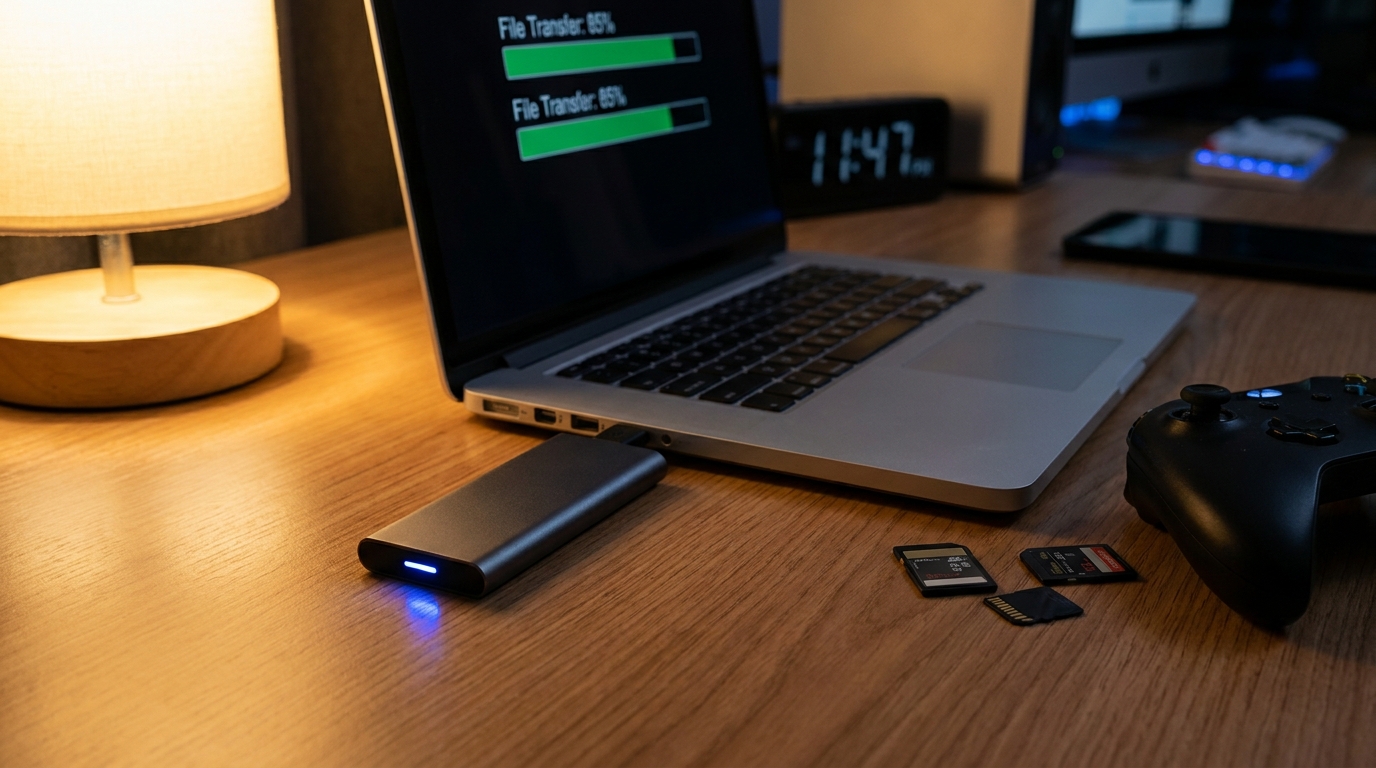
  • Today Only: Double Your Storage, Save Your Sanity With Blazing‑Fast External SSD Deals Under $120

    Today Only: Double Your Storage, Save Your Sanity With Blazing‑Fast External SSD Deals Under $120

    You should not have to play storage Tetris every time you download a game, save family photos, or export a work project. That constant cycle of “what do I delete now” gets annoying fast, especially when your laptop or console still works fine otherwise. The good news is you do not need to buy a whole new machine to fix the problem. Some of the best external SSD deals today are sitting under $120, and that is the sweet spot where extra space, fast file transfers, and solid durability finally make sense for regular people.

    The catch is that pricing has gotten messy. Flash memory costs are creeping up, some sale prices are not as good as they were a few weeks ago, and a lot of listings look better than they really are until you check the speed, warranty, and actual capacity. So if you want a portable SSD for backups, a Steam library, Xbox or PS5 storage, or 4K video files, today is the kind of day where picking carefully matters.

    ⚡ In a Hurry? Key Takeaways

    • For most people, the best external SSD deals today are 1TB portable USB-C drives under $120 with real-world speeds around 800MB/s to 1,050MB/s.
    • Buy based on your use. Gamers need capacity and reliability. Creators should pay more attention to sustained speed and heat control.
    • Skip suspicious “too cheap” listings from unknown brands. A good warranty and proven model matter as much as the sale price.

    Why external SSD deals matter more right now

    Not long ago, you could wait around for the next big sale and expect storage prices to drop again. Right now, that is less predictable. Prices are bouncing around, and some popular portable drives have quietly climbed back up after recent sale events.

    That is why the best external SSD deals today are worth a closer look. A genuinely good price on a solid 1TB or even 2TB model can save you money now and save you from paying more a week or two from now.

    If your computer is also feeling slow in general, not just full, it may be worth looking at Today Only: Build a Faster, Smarter Home Office With Early Prime Day Laptop & SSD Deals Under $500. Sometimes the best fix is more storage. Sometimes it is time for a wider upgrade.

    What to look for before you buy

    1TB is the safe sweet spot

    For most shoppers, 1TB is the easy recommendation. It is large enough for photo backups, a healthy chunk of your game library, and a lot of video files without getting too expensive. Under $120, this is usually where the best value lives.

    If you see 500GB models that are only a little cheaper, keep scrolling. They fill up fast.

    USB-C and 10Gbps speeds are the practical target

    You will often see marketing claims like 1,050MB/s or 1,000MB/s. That is fine. Those are normal top speeds for many good portable SSDs using USB 3.2 Gen 2. In plain English, that is fast enough to move large files without making coffee while you wait.

    For everyday use, anything in that range feels quick. You do not need the absolute fastest drive on paper unless you move giant video projects all day.

    Durability matters if the drive leaves the house

    A portable SSD is supposed to be portable. That means a sturdy shell, decent drop resistance, and a brand with a good track record are worth paying for. Unlike old portable hard drives, SSDs have no spinning parts, which makes them a lot better for bags, desks, and travel.

    Console owners should read the fine print

    For Xbox and PS5 owners, external SSDs are great for storing games and moving them around quickly. But there is a catch. On PS5, PS5 games generally cannot be played directly from standard external USB storage. You can store them there, then copy them back when needed. PS4 games can be played from supported external drives.

    On Xbox, support varies by generation and game type, so check your console’s rules before assuming every game runs directly from the drive.

    Best use cases for a sub-$120 external SSD

    Backups without the hassle

    If your laptop is full of family photos, tax documents, work files, and random downloads you forgot about, an external SSD gives you breathing room fast. Drag files over, set up automatic backups, and stop living one bad laptop day away from panic.

    Steam and PC game overflow

    Modern games are huge. One or two blockbuster installs can eat a scary amount of space. A fast external SSD is a practical fix for gaming laptops and small desktop setups, especially if you are tired of uninstalling the same games over and over.

    4K video and creative work

    If you edit video, work with large photo libraries, or move audio sessions between machines, portable SSDs make life easier. Faster transfers mean less waiting and less second-guessing whether you have room for one more project.

    Red flags to avoid

    Unknown brands with unbelievable prices

    If a 2TB “high-speed SSD” costs less than a nice lunch, trust your instincts. Storage scams are real. Some drives fake their capacity or fail early. Stick with known brands and established sellers.

    Old cables and slow ports

    Even a fast drive can feel disappointing if you plug it into a slower USB port or use a cheap old cable. If your laptop only has older USB ports, you may not get the full speed the box promises. The drive still works. It just may not hit top performance.

    Confusing sale math

    A lot of listings show giant percentage discounts based on inflated regular prices. Ignore the drama. Focus on the actual selling price, the capacity, the speed rating, and the warranty.

    Who should buy today, and who can wait

    Buy today if your current device is full, you already know what you need, and the drive checks the right boxes on price, capacity, and seller reputation. That is especially true if you need extra room for backups, school, travel, or gaming this week.

    Wait if you are unsure about compatibility, or if you really need a specialty drive with advanced features like hardware encryption or extreme sustained write performance. Those shoppers should spend a little more time comparing models.

    At a Glance: Comparison

    Feature/Aspect Details Verdict
    Best capacity target 1TB is the best balance of price and usefulness under $120. Best pick for most buyers
    Speed to look for USB-C portable SSDs rated around 800MB/s to 1,050MB/s are fast enough for backups, games, and media work. Strong real-world value
    Biggest buying risk Misleading discounts, unknown brands, and compatibility assumptions with consoles. Check details before checkout

    Conclusion

    If you are tired of deleting files just to make room for one more download, this is one of those simple upgrades that can make your day better right away. External SSD prices are jumping around right now with flash memory costs rising and big sales weekends ending, so a lot of “deals” are quietly worse than they looked last month. By focusing on the best external SSD deals today, especially the sub-$120 portable drives that hit the sweet spot for speed, durability, and price, you can add useful space for backups, Steam libraries, PS5 or Xbox storage, and 4K video projects before the strongest offers disappear at midnight and likely come back higher.

  • Today Only: Breathe Cleaner For Less With Quiet Smart Air Purifier Deals Under $180

    Today Only: Breathe Cleaner For Less With Quiet Smart Air Purifier Deals Under $180

    Your home can start feeling like a sealed jar this time of year. The smoke creeps in, pollen sticks around, humidity makes everything feel heavier, and opening a window sometimes makes it worse, not better. If you are shopping the best air purifier deals today, the tricky part is not finding a discount. It is figuring out which purifier will actually help your bedroom, office, or apartment without sounding like a box fan on high. The good news is you do not need to spend a fortune to get real relief. A solid unit under $180 can make a noticeable difference fast, especially if it uses a true HEPA filter, matches your room size, and stays quiet enough to run while you sleep. That is the sweet spot. Clean the air, keep the noise down, and skip the fake bargains that cost more later in filters and frustration.

    ⚡ In a Hurry? Key Takeaways

    • For the best air purifier deals today, focus on true HEPA filtration, room-size coverage, and noise levels under about 30 dB for bedrooms.
    • Buy for the room you actually use most, then check replacement filter prices before you hit checkout.
    • Skip anything labeled “HEPA-type” if smoke and allergies are your main problem. It often sounds impressive but does not perform like the real thing.

    What actually matters in an air purifier deal

    A low price is nice. A low price on the wrong machine is just clutter with a power cord.

    If you want a purifier to help with wildfire smoke, dust, pet dander, or allergy misery, start with the filter. Look for true HEPA or HEPA H13. Those are the terms that usually mean the machine is built to trap very fine particles. “HEPA-type” is the phrase that should make you pause.

    Then look at coverage. A purifier can be excellent and still fail in your space if it is too small. A unit made for a 150 square foot bedroom will struggle in a 400 square foot living room. That is not the purifier being bad. It is just the wrong job.

    Noise matters too. A lot. A purifier only helps when you actually keep it running. If it hums loudly in the corner all night, many people turn it off, which defeats the whole point.

    How to spot a real bargain instead of a fake markdown

    Check the filter replacement cost

    This is where cheap purifiers can get expensive. A $129 machine with $59 filters replaced every few months may cost you more over time than a $169 model with longer-lasting filters.

    Watch for inflated room claims

    Some brands advertise giant coverage numbers based on one air change per hour in ideal conditions. That sounds great on the box. It is less impressive in real life. For smoke or allergies, faster air cleaning is better, so a realistic room size matters more than the biggest number in the ad.

    Look for sleep mode and auto mode

    These are not just fancy extras. Sleep mode cuts noise and light for nighttime use. Auto mode can raise or lower fan speed based on air quality, which helps with energy use and saves your ears.

    Best fit by room type under $180

    Bedroom

    This is where quiet operation matters most. Aim for a compact purifier with true HEPA, a low-light or lights-off setting, and a sleep mode. If your bedroom is around 100 to 250 square feet, you do not need a giant tower. You need a machine that can run all night without annoying you.

    Home office

    For a desk area or small office, a medium-size purifier is often the sweet spot. You want enough airflow to handle dust, stale air, and occasional outdoor smoke, but not so much fan noise that it joins every video call.

    Apartment living room

    If your main area is larger, shop for the strongest coverage you can find under your budget. In this price range, smart features are nice, but I would still pick stronger filtration and a better CADR over an app you forget to open.

    If you are also comparing smaller budget-friendly models, this earlier roundup on Today Only: Breathe Easier At Home With Quiet Smart Air Purifier Deals Under $150 is worth a look for tighter spaces and lower price points.

    Smart features that are actually useful

    Not every “smart” label is worth paying for. Here is what tends to matter.

    Air quality sensor

    Helpful, especially during smoke events or heavy pollen days. It lets the purifier respond when the air gets worse.

    Filter life indicator

    Very useful. It saves guesswork and helps you change filters when needed, not just when you remember.

    App control

    Nice to have, not a must. It is handy if you want to turn the unit on before bed or check filter status from your phone. But I would not pay much extra for it.

    Voice assistant support

    Convenient, but pretty low on the list. Good filtration and low noise beat smart-home bragging rights every time.

    Common mistakes people make

    Buying too small

    This is the biggest one. People see a good sale and assume any purifier is better than none. Sometimes that is true. But if the room is much too large, results will be disappointing.

    Ignoring the noise rating

    A purifier can test well and still drive you crazy. If it is going in a bedroom or nursery, noise should be near the top of your checklist.

    Falling for “HEPA-type”

    It sounds close enough. It often is not. For smoke and fine particles, true HEPA is the safer bet.

    Forgetting long-term cost

    The machine is only part of the price. Filters, power use, and how often you will actually run it all matter.

    Who should buy today, and who should wait

    If your area is already dealing with wildfire smoke, heavy summer smog, or nasty allergy levels, this is a practical buy now item, not a maybe-later gadget. A good purifier can make your room feel better within hours, which is rare in home improvement.

    If your air is fine and you are just casually browsing, you can afford to be picky. Wait for a model with true HEPA, a solid coverage rating for your room, and replacement filters that will not make you wince every few months.

    At a Glance: Comparison

    Feature/Aspect Details Verdict
    Filter type True HEPA or HEPA H13 is best for smoke, dust, and allergens. “HEPA-type” is weaker and often vague. Choose true HEPA if you want real air-cleaning results.
    Room size and airflow Match the purifier to your actual room, not the biggest marketing claim on the box. A correctly sized unit beats a “deal” that is too small.
    Noise and ongoing cost Quiet sleep mode and affordable replacement filters make a big difference over time. Prioritize comfort and filter cost, not just the sale price.

    Conclusion

    If you are hunting the best air purifier deals today, keep it simple. Buy the right size for your space, insist on true HEPA, and make sure the thing is quiet enough that you will actually use it. Wildfire season and summer smog are pushing a lot of people to make practical health-focused upgrades, and an air purifier is one of the few that can make your home feel better fast. A good pick under $180 can mean easier breathing, less dust, better sleep, and a safer setup for kids and pets. The win here is not just saving money today. It is avoiding the noisy, underpowered bargain that never really clears the air and costs more in filters and regret later.

  • Today Only: Supercharge Your Phone For Less With MagSafe Power Bank Deals Under $50

    Today Only: Supercharge Your Phone For Less With MagSafe Power Bank Deals Under $50

    Your phone battery never seems to die at a convenient time. It drops to 3% when you are boarding a flight, waiting for a rideshare, or trying to answer a work call from the parking lot. That is what makes a good magnetic power bank so useful. It is not a flashy buy, but it can save your day fast. The best MagSafe power bank deals today are all about fixing three common annoyances at once: slow charging, cable mess, and bulky battery bricks you stop carrying after a week. If you have an iPhone with MagSafe, or an Android phone with magnetic charging support or a magnetic ring case, today’s sub-$50 deals are worth a look. This is the sweet spot where you can get a battery pack that actually snaps on securely, adds enough power to get you through the afternoon, and still fits in a small bag or jacket pocket.

    ⚡ In a Hurry? Key Takeaways

    • The best MagSafe power bank deals today are under $50, with solid picks in the 5,000mAh to 10,000mAh range for everyday backup power.
    • Buy based on how you use your phone. Slim 5,000mAh packs are best for pockets and errands, while 10,000mAh models are better for travel days and long commutes.
    • Stick with known brands and check for USB-C charging, pass-through charging, and heat protection. The cheapest no-name pack is rarely the best value.

    What makes a good MagSafe power bank deal?

    Price matters, of course. But a cheap battery pack is not a deal if it charges slowly, slides off your phone, or gets too warm in normal use.

    For most people, a good deal means getting three things right. Strong magnetic hold. Enough battery capacity to be useful. A shape you will actually carry.

    Capacity that matches real life

    A 5,000mAh magnetic pack is usually enough for a helpful top-up. Think half a day, not a full weekend. It is the right size for commuters, parents on the go, and anyone who wants something light.

    A 10,000mAh model is better if your phone is your camera, map, boarding pass, and hotspot all day long. These are thicker, but they make more sense for travel and events.

    Magnetic charging is about convenience first

    Wireless magnetic charging is usually slower than plugging in a cable. That is normal. The real win is ease. You snap it on, keep texting, and do not have a cable dangling from your hand.

    If you want faster top-ups, pick a battery pack that also includes USB-C wired output. That gives you options.

    The best types of deals under $50 right now

    Since prices move fast, the smartest way to shop is by category instead of chasing one exact model that may sell out in an hour.

    Best for pocket carry: 5,000mAh slim magnetic packs

    These are the easiest to recommend. They are thin enough for daily use and usually the most comfortable attached to your phone while walking around. If your battery tends to dip into the red by late afternoon, this is probably all you need.

    Look for a deal price in the $20 to $35 range from brands like Anker, Baseus, ESR, Belkin, or UGREEN.

    Best for travel days: 10,000mAh magnetic packs

    If you spend hours away from an outlet, start here. A larger battery pack gives you more breathing room and usually more charging flexibility, including wired USB-C output and sometimes a kickstand.

    Under $50 is a strong sale price in this category, especially from a known brand.

    Best for desk and nightstand use: magnetic packs with stands

    Some magnetic batteries double as a phone stand. That sounds minor until you are on a video call, following a recipe, or watching a gate change at the airport. If the price difference is only a few bucks, a built-in stand is often worth it.

    How to pick the right one without overthinking it

    You do not need to turn this into a research project. Use this quick filter.

    If you have an iPhone 12 or newer

    You are in the easiest camp. MagSafe-compatible battery packs should snap on directly if you are using a MagSafe case or no case at all.

    If you have an Android phone

    Check whether your phone supports magnetic wireless charging accessories or whether you need a magnetic ring on the case. Plenty of Android users can still use these packs just fine, but the magnetic fit is less universal than on iPhones.

    If you hate carrying extra stuff

    Buy the slimmest 5,000mAh pack from a reputable brand. You are much more likely to keep it with you, and that is what really matters.

    If your phone dies constantly

    Go bigger. A 10,000mAh pack will feel less elegant in a pocket, but much more useful when your battery anxiety is a daily thing.

    Features worth paying attention to

    This is where smart shoppers avoid regret.

    USB-C in and out

    USB-C makes recharging the battery pack simpler, and it is becoming the standard for just about everything. If the pack can also charge your phone by USB-C cable, even better.

    Pass-through charging

    This lets the battery pack charge itself and your phone at the same time. It is handy on a hotel nightstand or at your desk.

    Kickstand or grip-friendly shape

    Not essential, but genuinely useful. A kickstand turns a battery pack into a mini travel accessory instead of just a backup charger.

    Heat management and brand trust

    Battery packs get warm. They should not get alarmingly hot. This is why brand reputation matters more than people think. When prices are close, I would always pick the better-known brand over the mystery one with a flashy coupon.

    What to avoid, even on sale

    Do not get distracted by giant claimed capacities at suspiciously low prices. If a magnetic battery pack promises the moon for $14, that is usually your cue to keep scrolling.

    Also skip anything that hides charging speeds, lacks clear safety details, or has a pattern of complaints about weak magnets. The whole point here is convenience. If it does not stay attached well, it defeats the purpose.

    Why these deals make sense right now

    Battery packs are one of those boring purchases you appreciate later. On summer trips, during long kid-shuttle days, at concerts, on theme park visits, or while commuting, they quietly fix a problem before it becomes a headache.

    And because accessories often bounce in price from week to week, a good sub-$50 sale is usually the best time to buy. You get the practical upgrade now without paying full price when you are desperate before your next trip.

    At a Glance: Comparison

    Feature/Aspect Details Verdict
    5,000mAh slim magnetic pack Lighter, easier to carry, great for afternoon top-ups and everyday errands Best for most people
    10,000mAh magnetic pack More backup power, usually thicker, often includes USB-C wired charging and extra features Best for travel and heavy phone users
    No-name budget pack May cost less upfront, but often cuts corners on magnet strength, heat control, and real-world charging performance Usually not worth the risk

    Conclusion

    If you have been limping along with a dead phone and a tangle of old cables, this is a good day to fix it cheaply. Battery packs are one of those unsexy purchases that quietly save your day over and over, especially during summer travel, long commutes and event days. Today’s markdowns on quality MagSafe and magnetic power banks mean you can lock in all-day power for your iPhone or Android, cut cable clutter in your bag and around the house, and avoid paying more later when you are in a rush. Keep it simple. Pick the size that matches your day, stick with a trusted brand, and grab the deal before the clock runs out.

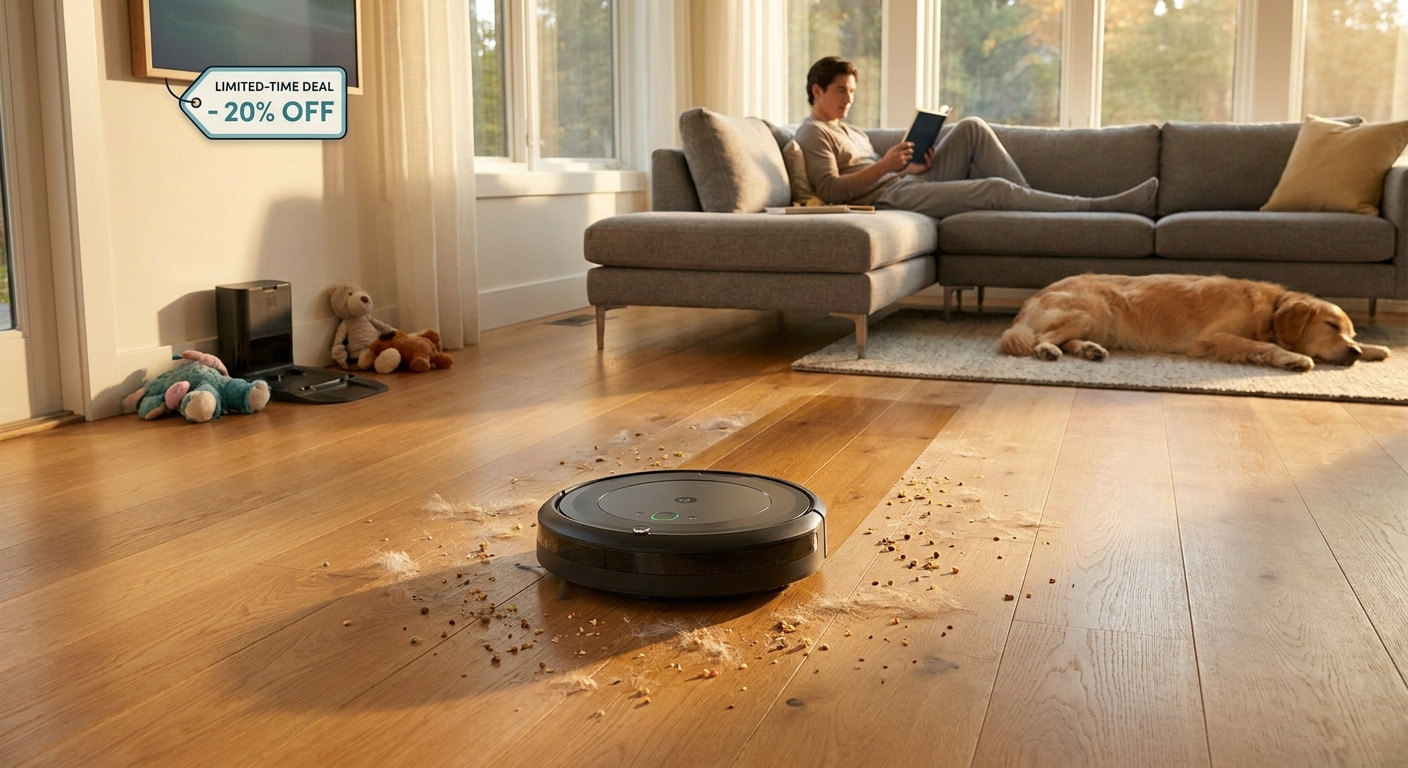
  • Today Only: Outsmart Summer Chores With Deeply Discounted Robot Vacuums Under $250

    Today Only: Outsmart Summer Chores With Deeply Discounted Robot Vacuums Under $250

    If you are tired of spending summer evenings chasing pet hair, cracker crumbs, and those little dust piles that somehow appear out of nowhere, I get it. Most people do not want to haul out a full-size vacuum after work, after camp pickup, or right before company comes over. The good news is that the best robot vacuum deals today under 250 are unusually strong. This is one of those rare moments when trusted brands are priced like budget off-brand models. That matters, because a cheap robot vacuum that gets stuck under the couch or misses half the room is not a bargain. A good one quietly handling daily mess while you do literally anything else is. If you have been waiting for the right time to buy, this is the kind of sale window worth paying attention to. Some of these prices are the lowest we see outside major holiday events, and several deals are expected to end tonight.

    ⚡ In a Hurry? Key Takeaways

    • The best robot vacuum deals today under 250 are coming from name brands, not risky no-name models.
    • Look for strong suction, app control, and smart navigation first. Mopping is a bonus, not a must.
    • Check return policies and replacement brush or filter costs before buying, because the cheapest sticker price is not always the best value.

    Why these sub-$250 robot vacuum deals are worth a look

    Usually, under $250 is the part of the market where things get messy fast. You will see big promises, flashy listings, and a lot of machines that look identical except for the logo. That is why today stands out.

    Because of overlapping summer sales and retailer competition, a few reliable brands have dropped into impulse-buy territory. That means you can get features that used to cost much more, like room mapping, scheduled cleaning, app control, and better obstacle handling, without blowing your budget.

    For busy households, that is not just a nice gadget. It is time back. If a robot vacuum keeps the daily fuzz under control, you can save the deep cleaning for when it actually matters.

    What to look for in the best robot vacuum deals today under 250

    1. Navigation that is smarter than random bumping

    The biggest difference between a decent robot vacuum and an annoying one is how it moves. Older or cheaper models often bounce around like a bumper car. They clean eventually, but they waste time and battery doing it.

    If you can, choose a model with mapping or systematic row-by-row cleaning. It is more efficient, more predictable, and less likely to miss entire sections of the floor.

    2. Enough suction for your floors

    If you have hard floors, most decent robot vacuums will do a solid daily cleanup. If you have rugs, carpet, or pets, suction matters more. Pet hair especially can expose weak models fast.

    Do not get too hung up on giant suction numbers alone, though. Brush design and airflow matter too. A well-reviewed midrange unit from a known brand often outcleans a mystery model with bigger specs on paper.

    3. An app that is actually useful

    App control sounds like a luxury until you use it. Being able to start a cleaning run while you are out, set schedules, check where the robot got stuck, or keep it out of one room is genuinely handy.

    If you do not want another app in your life, a basic remote or onboard controls can still work. But for most people, app scheduling is what turns a robot vacuum from a toy into a habit.

    4. Parts and support

    This is the boring part. It is also important. Filters, side brushes, and main rollers wear out. If replacements are hard to find or weirdly expensive, your deal gets less attractive over time.

    Stick with brands that have easy-to-find consumables and a clear warranty. That alone can save you a lot of frustration.

    The kinds of deals most worth grabbing today

    You do not need ten options. You need a few good ones. Here are the deal categories that make the most sense under $250 right now.

    Best for pet owners

    Look for a robot vacuum with strong suction, a tangle-resistant brush design, and a dustbin large enough that you are not emptying it constantly. If your dog or cat sheds like it is their job, daily runs matter more than fancy extras.

    Shark, Eufy, and iRobot often show up here when sale prices hit. A discounted pet-focused model from one of those brands is usually safer than gambling on an unknown listing with hundreds of suspiciously similar reviews.

    Best for apartments and smaller homes

    If you live in a smaller space, you can often save money by skipping the most advanced mapping systems. A reliable robot vacuum with decent battery life and basic scheduling can be enough to keep hardwood, laminate, or low-pile rugs looking good.

    This is where Eufy often shines. Their simpler models are usually quiet, low-profile, and easy to live with.

    Best combo vacuum and mop deal

    Combo units can be useful, but keep expectations realistic. At this price, the mop function is usually more of a light wipe than a true scrub. It can help with fine dust and footprints on hard floors. It will not replace a real mop for sticky kitchen messes.

    If the vacuum side is strong and the mop is a bonus, great. If the product seems to be selling the mop feature more than the actual vacuuming, I would be cautious.

    Red flags to avoid while shopping

    There are a few warning signs that should make you slow down.

    Huge discounts from brands you have never heard of

    A robot vacuum “marked down” from $499 to $129 sounds exciting until you realize it was never really a $499 product. Many no-name brands use inflated list prices to make average deals look amazing.

    Too many gimmicks, not enough basics

    UV lights, voice claims, air freshening, and all kinds of buzzwords can distract from the basics. First ask, does it clean well, avoid getting trapped, and have replaceable parts?

    Spotty reviews about app failures or charging problems

    If a model has repeated complaints about failing to reconnect, refusing to dock, or dying after a few months, keep moving. A robot vacuum should remove a chore, not become one.

    Who should buy now, and who should wait

    If your home has pets, kids, or lots of foot traffic, buying during this sale window makes sense. So does upgrading if your current robot vacuum is one of those older random-navigation models that spends more time wedged under a chair than cleaning.

    If you want premium features like self-emptying docks, advanced AI obstacle recognition, or true deep mopping, you may want to wait and save more. Those features do exist, but they usually sit above this price range even on sale.

    For everyone else, this is a sweet spot. You can get the everyday convenience most people actually want without paying for extras they rarely use.

    Simple buying advice before you click

    Check three things. First, make sure the sale price is from a reputable retailer or the brand’s official store. Second, look up replacement filters and brushes. Third, confirm the return window.

    That quick homework can tell you whether you are getting a real bargain or just a product that looked cheap for a reason.

    At a Glance: Comparison

    Feature/Aspect Details Verdict
    Best value feature Smart navigation or room mapping under $250 Worth paying a little more for. It saves time and cleans better.
    Best buyer type Pet owners, busy families, apartment dwellers, and anyone tired of daily floor mess A strong fit if you want maintenance cleaning without a big spend.
    Biggest caution No-name brands with inflated discounts and limited replacement parts Skip them. A known brand on sale is usually the smarter buy today.

    Conclusion

    If you have been waiting for a practical excuse to stop vacuuming so often, this is it. Right now there is a rare overlap of summer sale events and retailer price wars, which means several name brand robot vacuums are temporarily dropping into the sub-$250 bracket that is usually filled with no-name gamble purchases. That creates a small but very real buying window. Focus on the handful of deals where price, features, and reliability all line up. Do that, and you can save real time every week, keep floors looking better with less effort, and avoid wasting money on overhyped models that disappoint after a month. If one of the better options fits your home, I would not wait too long. These are the kind of deals that tend to disappear by midnight.

  • Today Only: Cut Noise, Boost Focus With Best‑Ever Headphone & Earbud Deals Under $200

    Today Only: Cut Noise, Boost Focus With Best‑Ever Headphone & Earbud Deals Under $200

    Your house can get loud fast. One kid has cartoons on, somebody outside starts mowing, your phone will not stop buzzing, and somehow you are still supposed to focus, relax, or hear the dialog in your show. That is why the best noise cancelling headphone deals today matter more than they sound on paper. The problem is that every sale page looks the same. You click in hoping for one smart buy, then get buried under 50 models, coupon boxes, and “limited time” labels. So here is the simple version. Today is one of those rare sweet spots where Prime-style tech sales are bumping into leftover 4th of July discounts. That means some genuinely good headphones and earbuds under $200 are down to prices that usually do not show up again until Black Friday. If you want less noise and fewer regrets, these are the picks worth your attention before midnight.

    ⚡ In a Hurry? Key Takeaways

    • The best buys today are trusted noise-canceling headphones and earbuds under $200 from known brands, not mystery models with inflated list prices.
    • If you work from home, travel, or need peace in a busy house, pick over-ear headphones for stronger noise blocking and earbuds for convenience.
    • Watch for real savings, return policies, and seller reputation. A slightly smaller discount from a reliable retailer is usually the better value.

    Why today’s deals are better than the usual “sale” noise

    Most headphone sales are not really sales. The list price gets puffed up, the discount looks dramatic, and you still end up paying close to normal street price.

    Today is different. We are seeing a rare overlap of big summer promotions, which is pushing several premium and upper-midrange models below the $200 line. That matters because $200 is the point where noise canceling, comfort, and sound quality usually start feeling genuinely good instead of just acceptable.

    If you have been putting this off, today is a smart day to buy. Not because every deal is amazing, but because a handful actually are.

    What to buy based on your real life

    For deep focus at home, choose over-ear headphones

    If your goal is blocking out the house, over-ear headphones are usually the better pick. They cover more of your ear, create a better seal, and generally do a stronger job against steady noise like AC hum, traffic, lawn equipment, and TV chatter from the next room.

    Look for features like active noise canceling, at least 25 to 35 hours of battery life, and soft ear cups that you can wear for a full work session. Multipoint Bluetooth is also handy if you bounce between a laptop and phone.

    For errands, workouts, and quick calls, choose earbuds

    Earbuds are easier to carry, easier to stash, and often better for people who do not want something big on their head. They are also great for late-night TV on a tablet or phone when everyone else is asleep.

    Under $200, good earbuds should offer active noise canceling, a secure fit, decent microphone quality, and a charging case that gets you through a few days without hunting for a cable.

    For families, comfort matters as much as specs

    This is the part shoppers skip. If headphones pinch your head or earbuds keep slipping out, it does not matter how fancy the feature list is. Comfort is not a luxury. It is the difference between using them daily and tossing them in a drawer.

    If you wear glasses, lighter over-ear models with softer clamping force tend to feel better. If earbuds usually bother you, look for sets that include multiple ear tip sizes.

    The safest high-value picks under $200

    You do not need 50 options. You need a short list that makes sense.

    For over-ear headphones, the sweet spot today is often brands like Sony, JBL, Soundcore, and Beats when discounted. For earbuds, Samsung, Soundcore, Jabra, and Anker-owned models often hit a strong balance of price and performance. If a familiar premium brand slips under $200 today, that is where the value usually gets interesting.

    A simple rule helps here. Buy the best-known model that fits your daily use, not the biggest percentage-off badge. A real 30 percent discount on a well-reviewed pair beats a fake 60 percent discount on something you have never heard of.

    If you want more ways to quiet a busy home, this companion roundup is also worth a look: Today Only: Turn Any Room Into a Quiet Focus Zone With Up to 50% Off Noise‑Canceling Headphones and Smart Speakers. It is a useful next step if you are trying to lower the overall noise level in a shared space.

    How to spot a deal that is actually worth your money

    Check the normal selling price, not just the crossed-out price

    If the “regular” price looks suspiciously high, search the model quickly at one or two other major stores. That tells you whether the sale is real or just dressed up to look urgent.

    Stick with known sellers

    When you are shopping fast, it is easy to miss who is actually selling the item. Try to buy from the retailer directly or from a known authorized seller. This makes returns, warranty help, and support much easier.

    Do not overpay for features you will never use

    Spatial audio, ultra-high-end codecs, and app extras can be nice. But if your main problem is household noise during work hours, spend your budget on noise canceling, comfort, battery life, and call quality first.

    Three quick buying scenarios

    You need quiet for work calls

    Pick over-ear headphones with strong noise canceling and a reliable microphone. Comfort and battery life should come before flashy audio features.

    You want better movie watching at night

    Choose earbuds or lightweight headphones with good dialog clarity and easy device switching. This is especially useful if you watch on a tablet, laptop, or streaming box without wanting to wake anyone up.

    You just want one simple upgrade that helps every day

    Go for the pair you will actually wear the most. The best tech upgrade is the one that quietly fits into your routine and makes daily life easier without much fuss.

    At a Glance: Comparison

    Feature/Aspect Details Verdict
    Over-ear headphones Usually better noise canceling, longer battery life, and more comfort for long sessions at home or work. Best choice for focus, calls, and noisy rooms.
    Noise-canceling earbuds Smaller, easier to carry, great for errands, quick listening, and late-night watching. Best for convenience and everyday portability.
    Deal quality The strongest values today are trusted brand models under $200 with clear return policies and real price drops. Buy known models, not mystery brands with giant discount stickers.

    Conclusion

    If you have been waiting for the right time to upgrade, this is one of the better windows we have seen. Today is a rare overlap of Prime-style tech sales and lingering 4th of July promos, which means premium headphones and earbuds are dropping to prices we may not see again until Black Friday. Pick carefully, and this is the kind of purchase that pays you back every day. Better focus in a noisy living room. More peaceful work calls. A late-night movie you can actually hear without waking the kids. The trick is not chasing every deal. It is choosing one of the safest, highest-value options under $200 and checking out before the clock runs out. That way you save money, skip the comparison spiral, and end up with a quality-of-life upgrade you will use far more than you think.

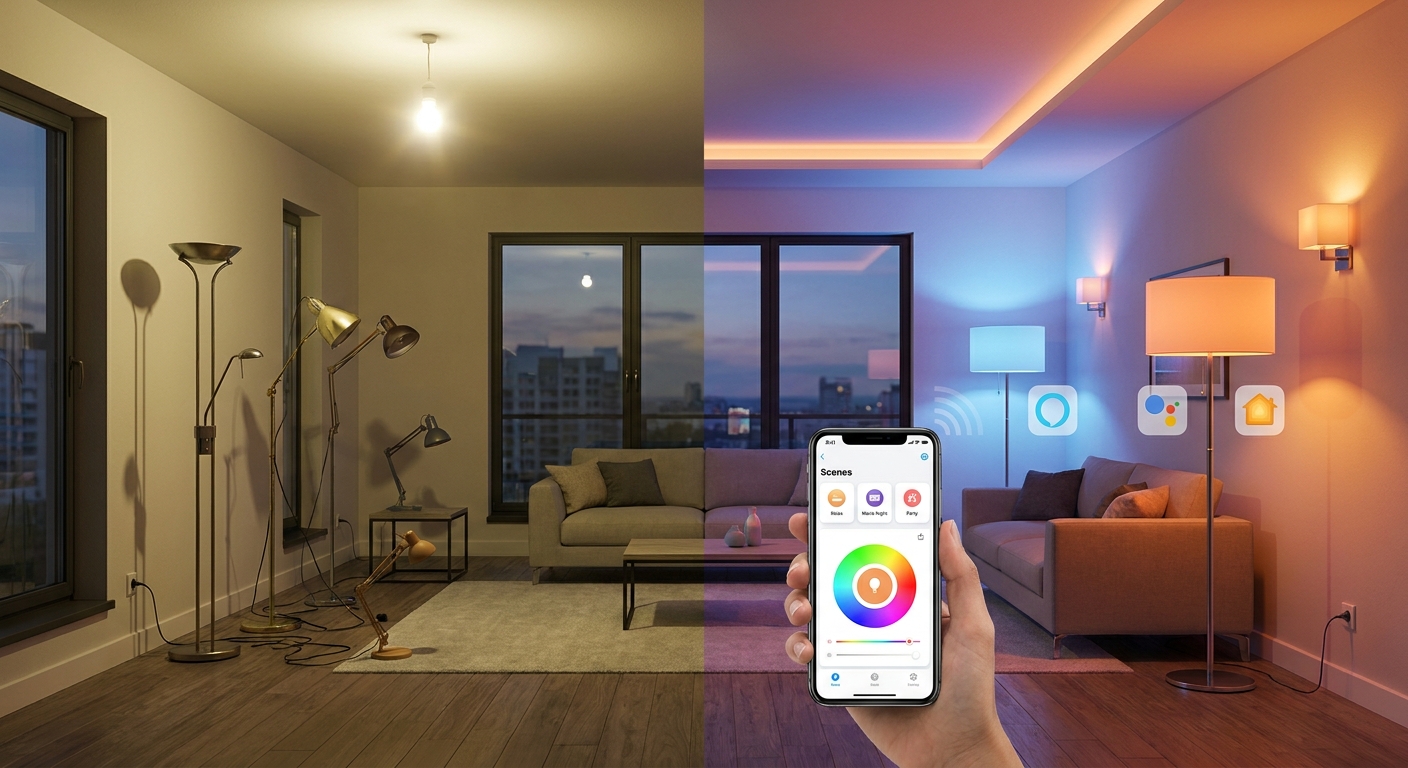
  • Today Only: Turn Your Whole House Into Smart Lighting For Under $120 With Starter Kit Deals

    Today Only: Turn Your Whole House Into Smart Lighting For Under $120 With Starter Kit Deals

    You are not imagining it. Smart lighting gets expensive fast. You start with one cute color bulb, then suddenly you are comparing hubs, bridges, Matter support, Alexa compatibility, Apple Home limits, and whether the app will still exist a year from now. That is enough to make anyone stick with the same harsh overhead lights and call it a day. The good news is that today is one of those rare moments when buying a proper starter bundle actually costs less than cobbling together random single-bulb deals.

    If you are hunting for the best smart lighting starter kit deals today, the sweet spot is under $120. That is where several name-brand kits now include multiple bulbs, a bridge or hub when needed, and sometimes a dimmer or mini switch. In plain English, that means you can light a living room, bedroom, and hallway in one shot without ending up with a box of gadgets that do not talk to each other. The trick is to buy into the right ecosystem once, not three times by accident.

    ⚡ In a Hurry? Key Takeaways

    • The best smart lighting starter kit deals today are bundled kits from trusted brands, not random single bulbs, because they often include the hub, app support, and enough lights for multiple rooms for under $120.
    • Before you buy, pick your main setup first. Alexa, Google Home, Apple Home, or Matter. That one choice will save you money and frustration.
    • Skip no-name kits with weak apps or unclear compatibility. A cheap bulb is not a deal if you replace it in six months.

    Why starter kits beat random bulb deals

    This is the part a lot of shoppers miss. Single smart bulbs can look cheap during a sale, but once you add enough of them to do a few rooms, the math changes. Some brands also need a bridge for the best reliability, faster response, and advanced automations. Buy those pieces separately and the total climbs in a hurry.

    A good starter kit solves that. You get the core pieces in one box, you know they work together, and setup is usually much simpler. For most homes, that matters more than squeezing out a two-dollar savings on one bulb from a brand you have never heard of.

    If you want another angle on this, our guide Today Only: Turn Any Home Into A Smart Lighting Sanctuary With Final‑Hour Prime Day Deals Under $80 covers the common trap of mixing bargain bulbs that end up needing different apps and different rules.

    What to look for in the best smart lighting starter kit deals today

    1. Enough bulbs to make a real difference

    A starter kit should do more than one lamp in one room. Look for three to six bulbs at minimum. That is enough to change the feel of your main living space right away.

    2. A hub only when it helps

    Some people hear “hub” and assume it is a bad thing. Not always. With brands like Philips Hue, the bridge often gives you better automation, more stable control, and room to grow later. On the other hand, if you want dead-simple setup, a hub-free kit from a strong brand can be a better fit.

    3. Support for your voice assistant

    Check the box for Alexa, Google Home, Apple Home, or Matter. If your household already uses iPhones and HomePods, that matters. If you have Echo speakers in every room, that matters too. Buy for the home you have, not the one some influencer has.

    4. A decent app

    This sounds boring until you live with a bad one. The app is what you use to group rooms, set scenes, make schedules, and fix problems. A solid app turns smart lighting into something you enjoy. A bad app turns it into a chore.

    The ecosystems, explained like a normal person

    Alexa households

    If you already use Echo speakers, look for kits that say “Works with Alexa” right on the product page. You will usually get easy voice control for on, off, dimming, and scenes.

    Google Home households

    Google Home works well for routines and whole-home control, especially if your family already uses Nest speakers or displays. Just make sure the kit supports Google Home directly and does not need a weird workaround.

    Apple Home households

    Apple users should be pickier. HomeKit or Apple Home support is worth confirming before checkout. Do not assume every bulb works the same way here.

    Matter shoppers

    Matter is the closest thing to a universal language for smart home gear. It is promising and getting better. Still, I would not buy a weak brand just because it says Matter on the box. Good brand first, Matter second.

    Brands worth watching under $120

    The deals change fast, but a few names are usually safer bets than mystery brands.

    Philips Hue

    Usually the most polished option. Great app. Great accessories. Reliable. It can be pricier, which is exactly why starter bundle discounts matter so much here. If you catch a kit with multiple white or white-and-color bulbs plus the Hue Bridge under $120, that is worth a close look.

    Govee

    Often strong value for people who want color, fun scenes, and easy app control without spending Hue money. Good for bedrooms, media rooms, and accent lighting. Just double-check smart assistant support on the specific kit.

    Sengled and TP-Link Tapo/Kasa

    These can be excellent for practical whole-home lighting. Think lamps, bedrooms, hallways, and daily schedules. Usually straightforward and less intimidating for first-time buyers.

    How to avoid the dead-end gear

    If the brand name looks unfamiliar and the app reviews are rough, move on. I do not care how low the price is. Smart home gear is software as much as hardware. If app support is weak, your “deal” can become a headache after the next phone update or router change.

    Also watch for these warning signs:

    • Product page is vague about Alexa, Google, Apple, or Matter support
    • No mention of firmware updates or brand app
    • Starter kit does not clearly say what is included
    • Too many separate apps across one brand lineup
    • Reviews mention frequent disconnects or setup loops

    Best buying strategy for today

    If your budget is under $120, do not try to make the entire house perfect in one order. Start with the rooms you use most. Usually that means the living room, main bedroom, and one hallway or office lamp.

    Here is the simple plan:

    1. Choose your ecosystem first.
    2. Buy one brand only for the starter setup.
    3. Get the bundle with the most complete box, not the flashiest marketing.
    4. Add extra bulbs later only if they match that same system.

    That approach saves money now and prevents the common “why do I have four lighting apps?” problem later.

    At a Glance: Comparison

    Feature/Aspect Details Verdict
    Starter bundle vs single bulbs Bundles often include multiple bulbs, the needed bridge or hub, and better app integration for less than buying parts separately. Best value today
    Hub required or not A hub can improve reliability and automations, but hub-free kits are easier for beginners if they still support your platform well. Depends on your setup
    Cheap unknown brands Lower upfront cost, but often weak apps, patchy compatibility, and poor long-term support. Usually skip

    Conclusion

    If you have been putting off smart lighting because it always seemed too expensive or too confusing, today is the kind of sale window worth paying attention to. Right now there are rare stackable discounts on smart lighting starter bundles from big brands that quietly make them cheaper than piecing together single bulbs from a random deals list. That is the sweet spot. You save money, skip the ecosystem guessing game, and start with gear that can actually grow with your home. Our community saves time and money by focusing only on price-verified kits that can light multiple rooms at once and by steering clear of dead-end products with weak app support. Pick one solid system, buy one good bundle, and you can go from boring lighting to a much smarter home without ending up with a box of regrets.