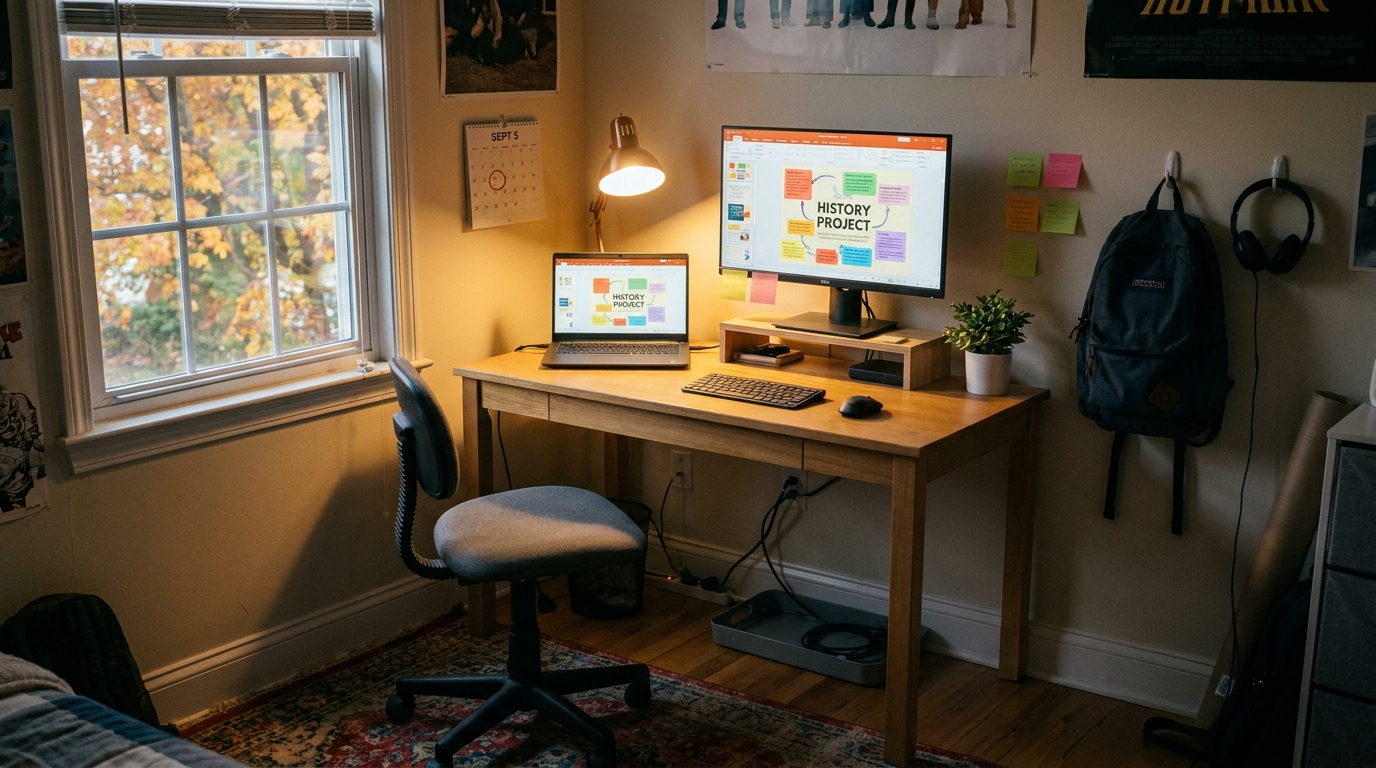
You know that nightly dread. The teacher posts homework, your kid opens the laptop, and suddenly everything slows to a crawl. Tabs freeze. Zoom stutters. The fan kicks on like it is preparing for takeoff. Then you look at the desk and it is a full crime scene. Charging cables, old worksheets, a sticky water bottle ring, maybe three mystery snack wrappers. It is not just messy. It makes school feel harder than it should. The good news is the best back to school laptop deals today are not always the flashy ones. The real wins are dependable machines with enough memory, solid battery life, and a screen that does not make homework feel cramped. Add one affordable monitor or a simple desk organizer, and you can fix a lot of the daily friction fast. This is one of those rare 24-hour shopping windows where a boring, sensible buy can make your whole week easier.
⚡ In a Hurry? Key Takeaways
- The best back to school laptop deals today are on midrange Windows laptops and Chromebooks with 8GB RAM or more, not flashy gaming models.
- If your budget is tight, pair a reliable student laptop with one small upgrade like a 24-inch monitor, laptop stand, or cable tray.
- Skip ultra-cheap machines with 4GB RAM and tiny storage unless the school only needs basic browser work, because those are usually the ones that cause the nightly meltdowns.
Why the cheap laptop keeps turning into an expensive headache
Parents get trapped by a familiar number. A laptop under $200 looks like a bargain. Then reality shows up. The system update takes forever. Video calls lag. A few browser tabs and a Google Doc later, the whole thing feels tired.
That does not mean you need to jump to a premium ultrabook. It means you want the sweet spot. For most students, that means a Chromebook or Windows laptop with enough breathing room to handle school portals, cloud documents, research tabs, and the occasional video call without acting offended.
What to look for first
Start with memory. For most kids, 8GB RAM should be the floor. It is one of the biggest differences between “works fine” and “why is this frozen again?”
Then check storage. A Chromebook can often get by with 64GB if schoolwork lives mostly online. A Windows machine feels better with 256GB SSD storage. SSD is the key phrase. It helps the laptop start faster and stay less miserable during daily use.
Screen size matters too. A 14-inch laptop is usually the happy medium. Big enough for homework. Small enough to carry.
The student setup that fixes more than just the laptop
Sometimes the computer is only half the problem. The desk setup is what turns a short assignment into a 90-minute circus.
A second screen can help more than parents expect. A basic 24-inch monitor gives kids room to keep a worksheet on one side and their assignment on the other. Less window switching. Less complaining. Less “I lost my tab.”
And no, it does not need to be fancy. This is not the place for a $2,000 OLED panel. A plain full HD monitor with HDMI is enough for schoolwork, writing, and research.
Small desk upgrades that actually matter
If you only buy one extra thing, make it practical.
A laptop stand raises the screen and helps posture. A simple wireless mouse makes navigation easier, especially on school sites that seem designed to annoy children and adults equally. A cable organizer or under-desk tray can make the whole area feel calmer in about ten minutes.
That sounds minor, but visual clutter adds friction. When the workspace looks chaotic, everything feels harder before homework even starts.
Best choices by type of student
For elementary and middle school
Chromebooks are often the best value if the school uses Google Classroom, web apps, and browser-based tools. Look for an updated processor, 8GB of RAM if possible, and a decent keyboard. Touchscreen is nice, but not essential.
For high school students
A Windows laptop is often the safer long-term pick, especially if they may need Microsoft Office apps, light photo editing, or school software that does not play nicely with ChromeOS. This is where 8GB RAM and a 256GB SSD really pay off.
For college-bound students or advanced classes
Buy a little ahead of their current needs if your budget allows. A solid midrange laptop now can save you from replacing an underpowered machine in a year.
Do not blame the laptop for bad Wi-Fi
One more reality check. If the machine is decent but school calls still break up in the bedroom or upstairs office, the problem may be your network, not the computer. If that sounds familiar, it is worth a quick look at Today Only: Wi‑Fi 7 Router & Mesh System Deals That Finally Fix Your ‘Why Is My Internet Fast But My House Still Feels Offline?’ Problem. A stronger home connection can make an “unreliable laptop” suddenly seem much more competent.
How to shop today without getting distracted by nonsense
Retailers love to push huge discounts on gaming laptops with glowing keyboards and specs your child will never need for English class. Nice machines, wrong mission.
Focus on these questions instead:
- Does it have 8GB RAM or better?
- Is the storage SSD-based?
- Will the battery last through a school day or at least several classes?
- Does it have enough ports for charging, a mouse, or a monitor?
- Is the screen readable, not dim and miserable?
If the answer is yes to most of those, you are in the right aisle.
What to skip
Skip older budget laptops with bargain-bin processors and 4GB RAM unless you are absolutely sure the workload is minimal. They often look like deals and act like punishment.
Also skip giant, heavy 17-inch laptops for kids who need to move them around. A machine can be powerful and still be annoying to live with.
At a Glance: Comparison
| Feature/Aspect | Details | Verdict |
|---|---|---|
| Best laptop type for basic schoolwork | Chromebook with 8GB RAM, 64GB or more storage, and a 14-inch screen | Best value for Google-based school systems |
| Best laptop type for long-term flexibility | Windows laptop with 8GB RAM, 256GB SSD, and current-gen midrange processor | Smart pick for high school and beyond |
| Best desk upgrade | 24-inch full HD monitor, laptop stand, or cable organizer | Low-cost upgrade with a big everyday payoff |
Conclusion
If you have been waiting for the right moment, this is a good one. Right now back-to-school sales are quietly hiding some of the best value of the year on everyday laptops, Chromebooks, and monitors, even while bigger sites obsess over gaming rigs and premium screens most families do not need. A focused student setup is the smarter move. Get the dependable machine. Add one or two small workspace upgrades. You end up with quicker logins, fewer crashes, a cleaner desk, and a lot fewer “Mom, Dad, my computer is broken” emergencies. In one 24-hour window, you can turn homework from a nightly argument into something that just works, and honestly, that is a better deal than any flashy spec sheet.