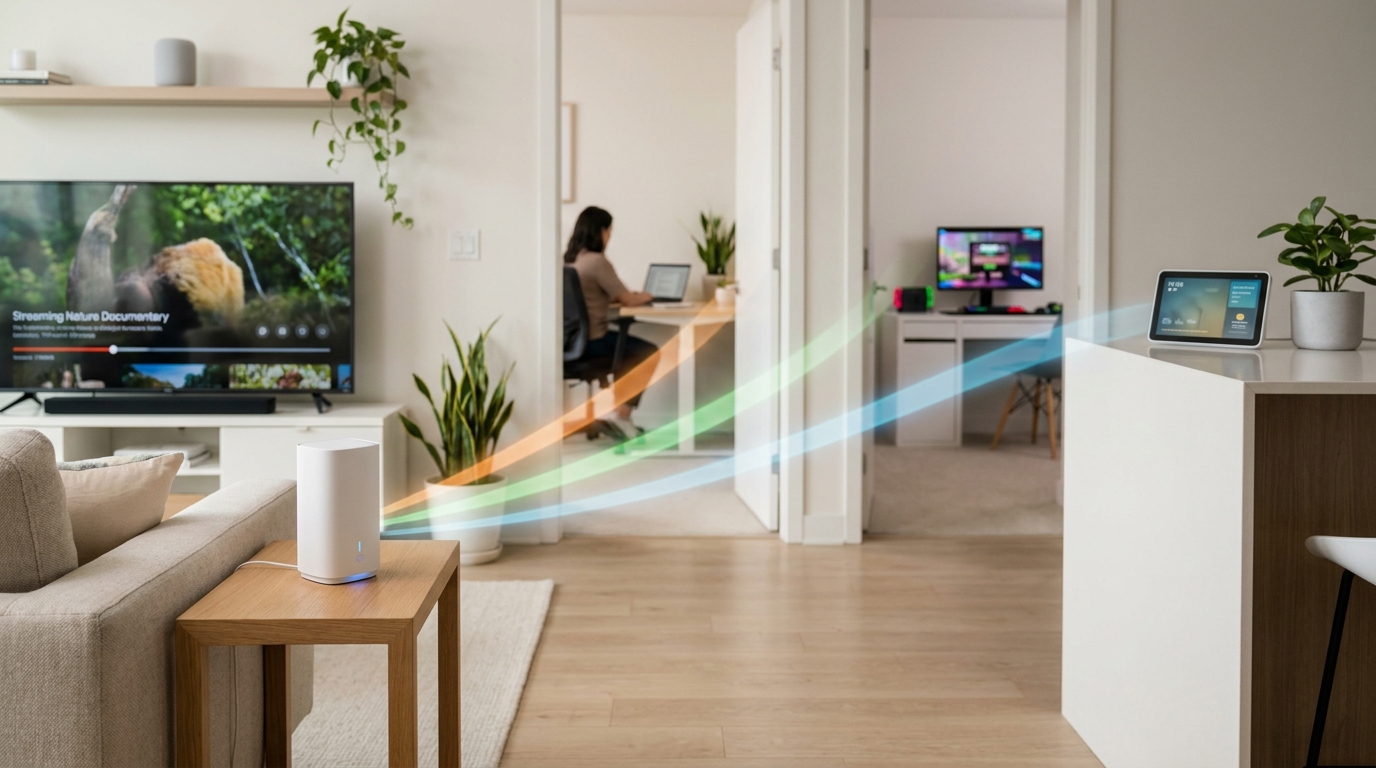
You already know the feeling. You pay for a fast internet plan, then your video call freezes the moment you walk into the back bedroom, the kids start yelling that their game is lagging, and the smart doorbell goes offline for no good reason. It is frustrating because it feels like you are paying full price for half-working internet. Most of the time, the problem is not your speed plan. It is the old router, the weak ISP box, or a single access point trying to cover too much house. That is why the best mesh wifi deals today matter. A good WiFi 6 mesh system can spread a stronger signal across the rooms where you actually live, work, stream, and scroll. The trick is buying the right kind of setup for your home, not just the cheapest router with a big discount tag. A smart sale is only a smart sale if it fixes the problem.
⚡ In a Hurry? Key Takeaways
- The best mesh wifi deals today are worth it if your internet is fast near the router but weak in bedrooms, offices, or upstairs.
- Choose WiFi 6 mesh for most homes, and match the number of nodes to your layout instead of guessing by price alone.
- Be careful with bargain routers that look cheap but still struggle with lots of devices, especially if you work from home or use smart home gear.
Why your internet feels slow even when you pay for good speed
A lot of people blame their provider first. Sometimes that is fair. But very often, your internet plan is fine and your WiFi is the weak link.
Your modem brings internet into the house. Your router spreads it around. If that router is outdated, badly placed, or just underpowered, the speed you pay for never reaches the rooms where you need it.
That is why one room can feel great while the next room over feels like 2009.
Common signs your router is the real problem
If any of these sound familiar, you are probably a good candidate for a mesh upgrade:
- Video calls are clear in the living room but choppy in the home office.
- Streaming works on one TV, then buffers when someone else starts gaming.
- Smart plugs, bulbs, cameras, and speakers randomly disconnect.
- You have to reboot the router more often than you would like to admit.
- Your ISP gave you a combo box years ago and you never thought about it again.
What mesh WiFi actually does
Think of a mesh system as a team instead of a lone worker. Instead of one router trying to blast signal through walls, floors, and furniture, you place two or three units around the house. They work together to spread coverage more evenly.
This is why mesh helps with dead zones. It is not magic. It is simply better placement and better coverage.
If you want a deeper look at this whole-home approach, Today Only: Whole‑Home Wi‑Fi Mesh Deals That Finally Fix Your Dead‑Zone Internet breaks down why the one-router setup fails in so many real homes.
Mesh is usually best for:
- Larger homes
- Two-story layouts
- Homes with back bedrooms or detached work spaces
- Families with lots of devices online at once
A regular router may still be enough if:
- You live in a small apartment
- Your current dead zone is really just bad router placement
- You only have a handful of devices
How to shop the best mesh wifi deals today without getting fooled
This is the part that trips people up. Not every sale is a good buy. Some older systems are cheap for a reason.
1. Look for WiFi 6 first
For most households, WiFi 6 is the sweet spot. It handles multiple devices better than older WiFi 5 gear, and it is usually the best value today. You do not need to chase the most expensive cutting-edge standard just to fix buffering in the guest room.
2. Match the system to your space
A two-pack is often enough for a smaller home or apartment. A three-pack makes more sense for bigger homes or tricky layouts. More units are not always better, but too few will leave you right back where you started.
3. Check device handling, not just top speed claims
Ignore giant speed numbers for a minute. Ask whether the system is built to handle lots of connected devices at once. That matters more in real life than flashy box math.
4. Watch for missing features
Some low-priced systems cut corners. Check for app support, parental controls, guest network options, and enough Ethernet ports if you want to wire in a PC, console, or streaming box.
5. Do not overbuy for bragging rights
If your internet plan is 300 Mbps, you do not need a monster setup built for a mansion and multi-gig fiber. Buy for your actual home, not the dream version of it.
Who should upgrade right now
Today’s deals are best for people whose internet problems happen in specific parts of the home, not all the time everywhere.
If your connection drops in the upstairs office, slows down in the kids’ room, or falls apart on the patio, that points to coverage. Mesh is usually the right fix.
If the internet is slow even when standing next to the router, the issue may be your plan, your modem, your provider, or a network problem outside the home.
Simple setup tips that make a big difference
Even a great mesh system can underperform if you place it badly.
Best practices
- Put the main router unit out in the open, not behind the TV.
- Place satellite units halfway between the weak zone and the main router.
- Keep units away from thick walls, metal shelves, and enclosed cabinets.
- Use Ethernet backhaul if your home allows it. Wired links between units are even better.
Small placement changes can matter a lot. A unit moved five feet can sometimes fix a room that used to be a dead spot.
At a Glance: Comparison
| Feature/Aspect | Details | Verdict |
|---|---|---|
| WiFi 6 mesh systems | Best mix of speed, device handling, and price for most homes with work, streaming, gaming, and smart devices. | Best overall value today |
| Single router deals | Can work well in small spaces, but often fails to cover bedrooms, upstairs rooms, or back corners of larger homes. | Fine for small homes, risky for dead zones |
| Cheap clearance models | Low prices can hide older standards, weaker performance under load, and fewer useful features. | Only worth it if specs still fit your needs |
Conclusion
If your internet feels great in one room and terrible everywhere else, you probably do not need more speed from your provider. You need better WiFi inside the house. That is why the best mesh wifi deals today are worth a look. Everyone’s juggling more connected devices than ever right now: laptops for work, tablets for school, streaming sticks on every TV and a growing pile of smart bulbs, speakers and doorbells. A single bad router or weak rental box from your ISP quietly wrecks all of it and wastes the higher-speed plan you’re already paying for. Surfacing the strongest one-day deals on solid WiFi 6 and mesh systems helps you unlock the speed you are already buying, fix dead zones in bedrooms and home offices, and avoid the classic mistake of grabbing the wrong “on sale” router that still chokes in real-world use. Buy for your layout, not just the discount, and your whole home will feel the difference.